the steps (see the
SGT-88IV Ethernet Interface Setup Tool Manual
Check the printer IP address and Ethernet ID address
Check the IP address and Ethernet ID address in the power-on self-test page.
All the printer are produced with the same default IP address:192.168.1.87 and the same default
Ethernet ID address: 168-1-87-18-52-86. Users need to change addresses by“Printersetting
tool-Ethernet”and makes sure all the printers have there unique IP address and Ethernet ID address.
Otherwise the printer can't connect to the network or print properly.
Power-on self-test operation:1, connect the printer with power; 2 ,turn on the power and press the
"feed" button; 3,check the reset testing; 4, Release "feed " button with in 5 seconds after finish reset
testing, and the printer will print on the power-on self-test page.
5.1 Cuations during installation and operation:
1.The uniqueness of Printer IP address: All the IP addresses of the printers connected with the
network must be unique that is the Printer IP addresses must be differentfrom the PC IP addresses.
If the Printer has the same IP address as the PC, the printercan't connect to the network or print
properly. In that case, users need to change the printer IP address through (/Printersettingtool
Ethernet), which is on the attached CD with the printer. We will introduce the operation later.
8 9
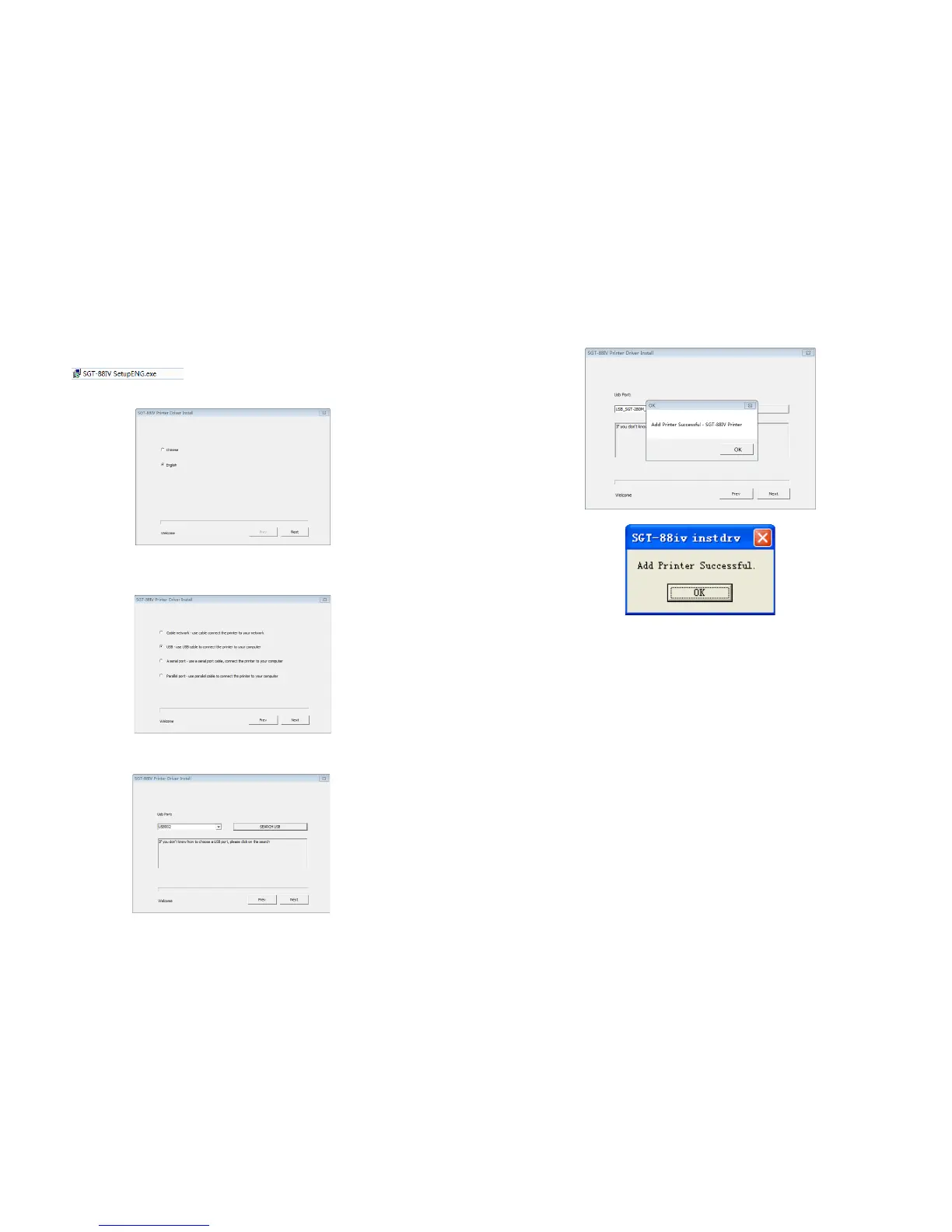
SGT-88IV Driver Setup Guide
Run the on the disk sent with the printer. Follow
Then click “Next” ( see the following picture).
The Click ”Next” (see the following picture).
Then click “OK” (see the following picture).
picture):
Click “Ok”, and the Printing Drive is installed on your computer.


 To Next Page