Scanmaskin 18 – Manual
Chapter 4
- 54 -
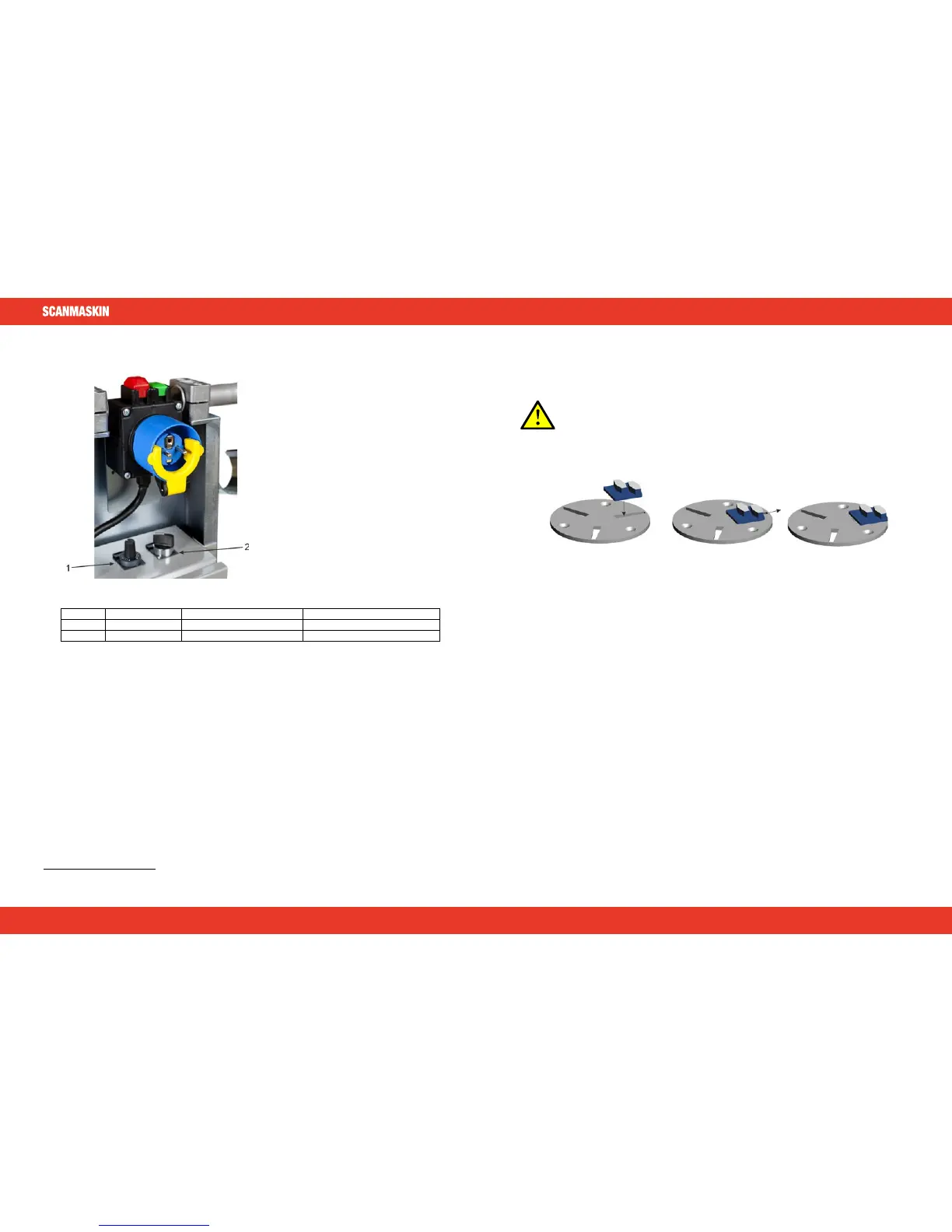
4.6 Control panel
Figure 4-3 Control panel of Scanmaskin 18
Selects rotation direction
Table 4-2 Description of the control panel.
4.7 Grinding speed Scanmaskin 18
Use the “SPEED” dial to adjust the rotation speed of the
grinding discs between the intervals
described in chapter 1.
4.8 Rotation direction Scanmaskin 18
Use the “L/R” switch to change direction of the grinding discs. The machine will first do a soft
stop then a soft start.
4.9 Safety off position
When working on the machine, either maintenance or tool change, the machine must be set to the
“Safety off position”. See “2.7 Definition of the “Safety off position”” for further information.
3
The range of the speed selection knob is described in ”1.2 Mechanical specifications”.
Scanmaskin 18 – Manual
Chapter 4
- 55 -
4.10 Grinding
Refer to “
Grinding guide” for instructions and information about grinding.
4.11 Changing tools
Before changing tools, read “
2.8 Safety regarding maintenance”.
This illustration shows how to change the Scan-On tools.
Figure 4-4 How to fit the diamond segments on the Scan-On plate
§ Insert the segment at the widest part of the slot
§ Push the segment outwards
§ The segment is now fit on the
Scan-On plate
To make sure that the segment is secured, use a small plastic hammer and slightly hit the segment
outwards. In reverse this technique can be used to loosen segments that are stuck.
54 55
ENGLISH
SCANMASKIN 18
www.scanmaskin.com www.scanmaskin.com



 To Next Page