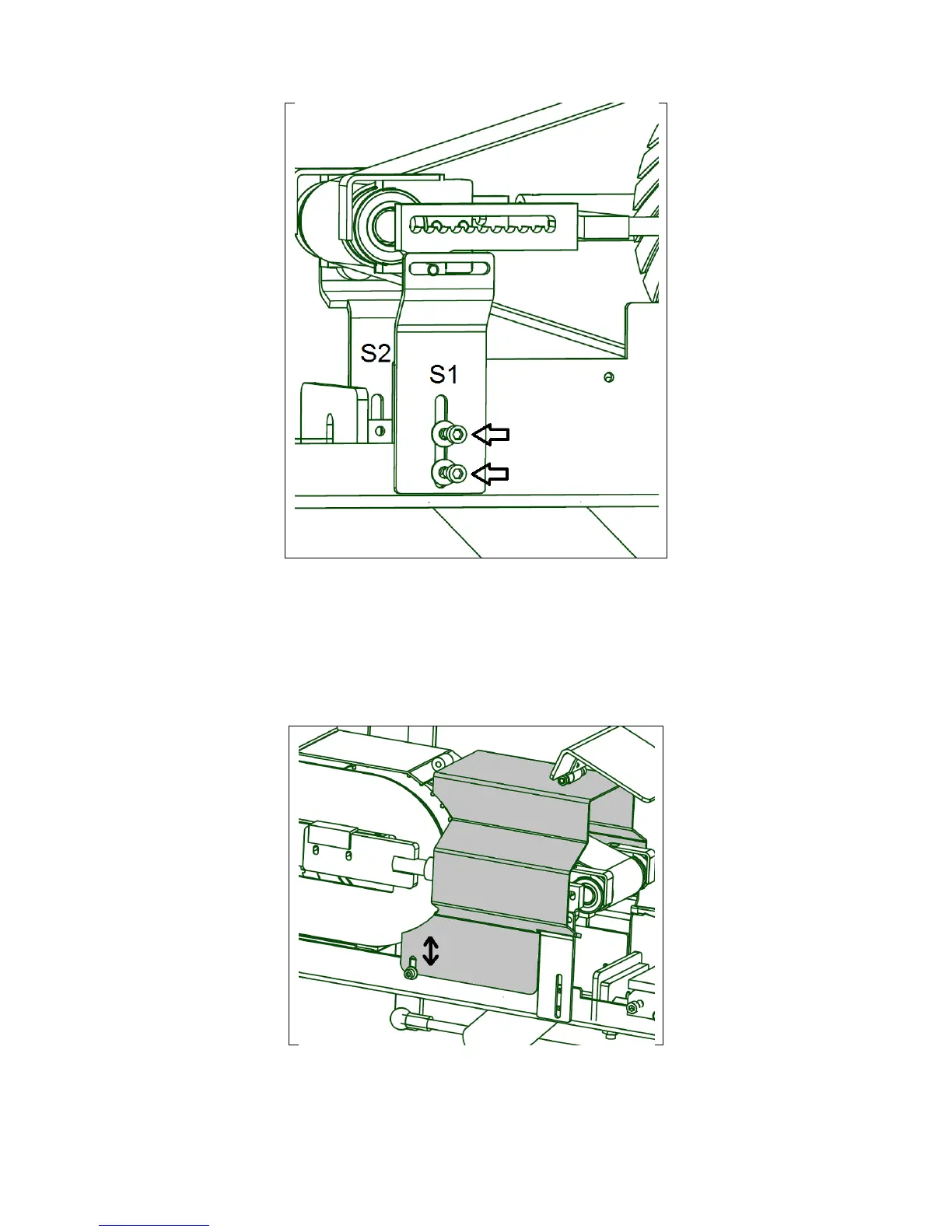
Fig.: 2.2.3 Suppport Brackets are mounted
The support brackets (left: S2 and right:S1) sits upside down during the shipping. When
mounted they counteract a vertical movement of the roll holder. Dismantle a screw and
turn them upwards (see figure 2.2.3) with the split inside the oval hole at the top. Tighten
left and right support bracket (S2 and S1) tightly with the two M6x12 Allen Screws.
2.2.f Dismantling and attaching of the housing.
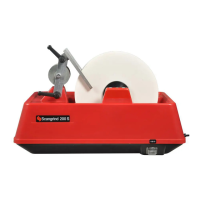
Fig.: 2.2.4 The housing is dismantled by loosening of the two screws.
On the draft above the housing is seen in grey. The housing can swiftly be taken off and
on by loosening and tightening the Allen Screw M6x12 at the bottom of each side of the
housing. The left screw is seen on the draft.


 To Next Page