EasyManua.ls Logo

Sceptre E165W-1600HC - User Manual

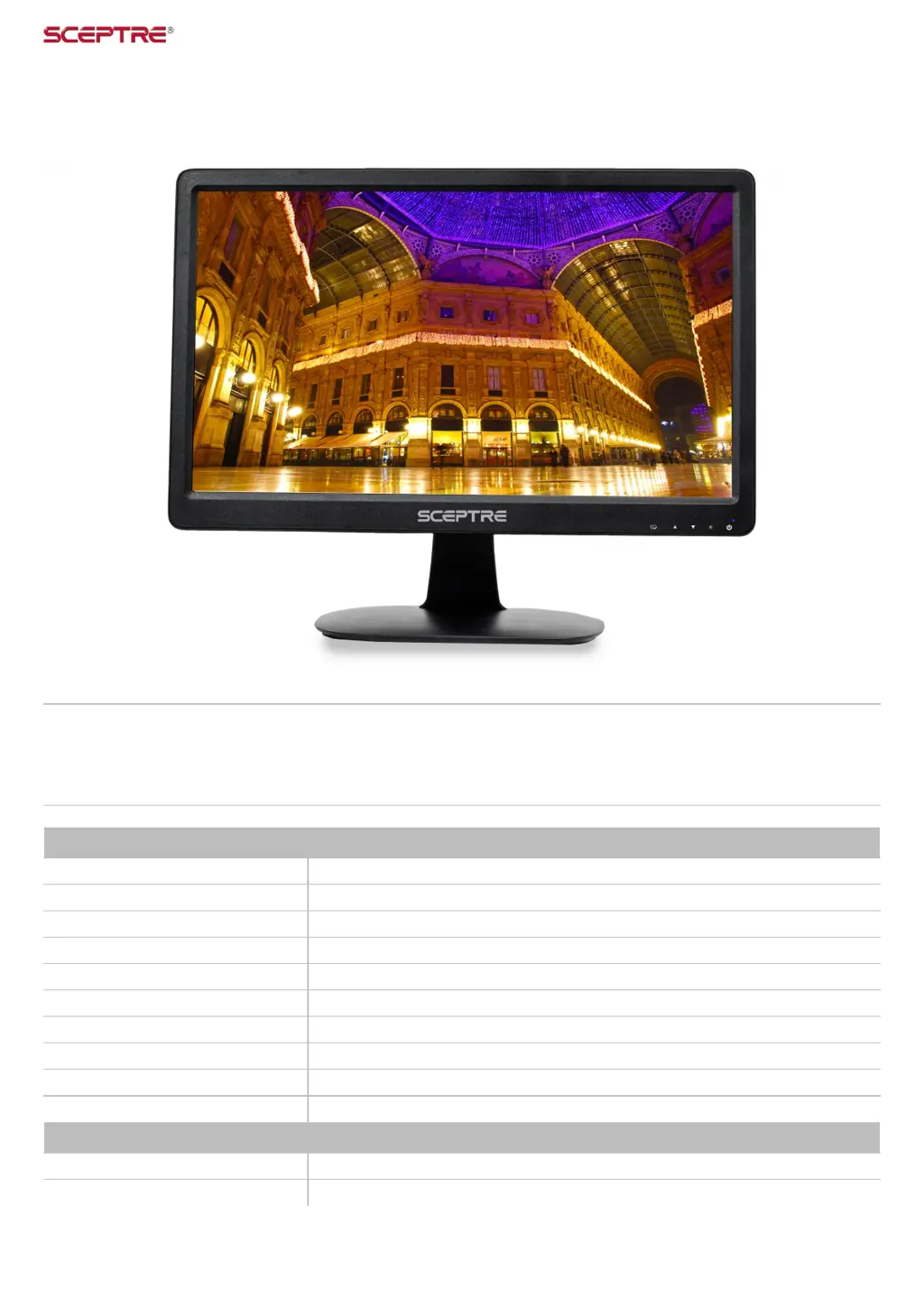
Sceptre E165W-1600HC
37 pages
Print Icon
To Next Page IconTo Next Page
Loading...
E165W-1600HC
Overview
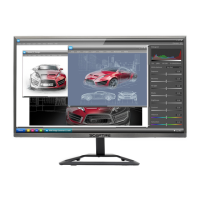
Take in all the clarity and stunning color of a monitor all on a compact and thin 16" screen. With HD resolution, HDMI, and VGA, the
E165W-1600HC provides all of superior features that are usually reserved for larger monitors. HDMI not only delivers superior digital
video and audio, but also connects both to the Monitor with only one cable.
Display
Active Screen Size 16” (15.6” Diagonal corner to corner)
Aspect Ratio 16:9
Brightness 220 cd/m2
Contrast Ratio 500 : 1
Display Colors 262k
Dynamic Contrast Ratio 5,000 : 1
Lamp Life 50,000+ Hours
Response Time 8 ms (G-to-G)
True Resolution 1366 x 768
Viewing Angle 90˚ (Horizontal) / 50˚ (Vertical)
Features
On Screen Display Control (OSD) Picture, Display, Advance Color, Source, Other
OSD Language English (Default), French, Spanish

Questions and Answers

  • P
    Patricia VasquezAug 17, 2025
    Why is my Sceptre monitor screen saying no signal?
    • J
      Jeffrey ThompsonAug 17, 2025
      The 'no signal' message on your Sceptre monitor might appear because the wrong source is selected. Verify that you've chosen the correct source. Also, the video cable could be faulty, so try replacing it with a different one. Finally, ensure the power plug is securely connected to both the monitor and the wall.
  • M
    mitchell93Aug 20, 2025
    How do I reset my Sceptre E165W-1600HC?
    • D
      Diana HowardAug 20, 2025
      To reset your Sceptre monitor, ensure there is a valid video signal, then press the menu button to open the OSD. Look for the ALL RESET option, which can be found under the OTHERS options.
  • M
    Mrs. Maria RothAug 22, 2025
    How to get the resolution 1366 x768 on Sceptre E165W-1600HC?
    • Q
      qwilliamsAug 22, 2025
      If you cannot achieve a resolution of 1366 x 768 on your Sceptre monitor, and you are using HDMI, try using VGA instead. If VGA works, your video card’s HDMI may not support widescreen resolutions. Rebooting your computer might also resolve the issue. Ensure your video card drivers are up to date. If updating drivers doesn't work, you may need to upgrade to a newer video card.
  • M
    Mark SmithAug 25, 2025
    Why there's no sound coming from my Sceptre E165W-1600HC Monitor?
    • D
      dale67Aug 26, 2025
      Your Sceptre monitor does not have built-in speakers. You need to connect external speakers directly to your computer.
  • S
    Sarah BennettAug 28, 2025
    What to do if the display of my Sceptre E165W-1600HC Monitor is unclear and unstable?
    • J
      Jeff VincentAug 28, 2025
      To stabilize and clarify the display on your Sceptre monitor, use the AUTO ADJUST function. Alternatively, change the resolution to the optimal setting of 1366 x 768 at 60Hz, and then use AUTO ADJUST.
  • M
    Maria BurgessAug 31, 2025
    Why are the colors not correct on my Sceptre monitor?
    • E
      Eric MooreAug 31, 2025
      Incorrect colors on your Sceptre monitor may be due to a loose or damaged VGA, DP, or HDMI cable. Try reconnecting the cable or replacing it to see if the problem goes away.
  • K
    Kathy WatsonSep 2, 2025
    What to do if the words and video are too blurry on Sceptre monitor?
    • F
      fitzgeraldphilipSep 3, 2025
      If the words and video appear blurry on your Sceptre monitor, ensure you are using the monitor’s native resolution of 1360 x 768 at 60 Hz. If using VGA, use AUTO ADJUST. If the issue persists, try enabling or disabling the CLEAR TYPE function in Windows.
  • J
    John SmithSep 5, 2025
    Why is the video too bright on my Sceptre E165W-1600HC Monitor?
    • S
      Shelly KingSep 5, 2025
      If the video on your Sceptre monitor is too bright, even after adjustments, it might be due to compatibility issues between newer LEDs and older video cards. Try lowering the contrast and increasing the brightness to compensate.
  • W
    wilkinsonmariaSep 8, 2025
    How to fix too small words at 1366 x 768 on Sceptre E165W-1600HC Monitor?
    • M
      Mariah HuntSep 8, 2025
      If the words appear too small at the native resolution of 1366 x 768 on your Sceptre monitor, you can adjust the text size in Windows display properties: * **For Windows XP:** Right-click on the background, select PROPERTIES, click the SETTINGS tab, then ADVANCED. Under the GENERAL tab, change the size from NORMAL SIZE to LARGE SIZE. Reboot your computer. * **For Windows Vista/8/10:** Right-click on the wallpaper, select PERSONALIZE, then ADJUST FONT SIZE (DPI). Click CONTINUE and change from DEFAULT SCALE to LARGE SCALE. Click APPLY and reboot.
  • M
    Mark CopelandSep 12, 2025
    What to do if my Sceptre monitor says “SIGNAL OUT OF RANGE”?
    • R
      rhensleySep 12, 2025
      If your Sceptre monitor displays “SIGNAL OUT OF RANGE”, and you have a CRT monitor, connect it to the computer and reduce the refresh rate to 60 Hz via your video card’s display settings. If you don't have a CRT monitor or it's broken, turn off both the LED monitor and your computer. Then, turn them back on and continuously press the “F8” key until a selection menu appears. Select “Safe Mode” and uninstall any video card and monitor drivers. Reboot your computer, install the monitor driver first, then the video card driver, ensuring the refresh rate is at 60Hz.

Summary

Safety Instructions: General

General Safety Precautions

Essential guidelines for safe installation, operation, and cleaning of the monitor.

Safety Instructions: Installation

Placement and Environment Safety

Rules for stable placement, ventilation, and safe operating environmental conditions.

Important Information & Warnings

Electrical Shock & Modification Warnings

Critical alerts regarding electrical shock, unauthorized modifications, and product usage.

Package Contents and Installation

Opening the Package

Instructions for unpacking the monitor and verifying all contents are included.

Attaching the Monitor Base

Removing the Monitor Base

Connecting Your Monitor

On Screen Display (OSD) Menu

Troubleshooting Common Issues

Display Clarity and Signal Problems

Solutions for unclear, unstable display, no signal, and signal range issues.

Troubleshooting: Visual and Audio

Visual and Audio Troubleshooting

Tips for blurry text, incorrect colors, no sound, and text size issues.

Troubleshooting: Text Size

Text Size Adjustment

Solutions for text appearing too small at native resolution.

Monitor Maintenance

Product Specifications

Technical Specifications Summary

Detailed specs for display panel, dimensions, weight, power, and I/O.

Limited Product Warranty

Warranty Details and Service

Details on warranty coverage, service procedures, and terms.

Disclaimers and Copyright

FCC Compliance Statement

Sceptre E165W-1600HC Specifications

General IconGeneral
Screen Size15.6 inches
Refresh Rate60 Hz
Panel TypeTN
Aspect Ratio16:9
Brightness200 cd/m²
Response Time5 ms
Contrast Ratio1000:1
ConnectivityHDMI, VGA
Viewing Angle90° (H) / 65° (V)
Power Consumption15W
Weight2.2 lbs
Resolution1366 x 768

Related product manuals