Dear Sceptre Customer,
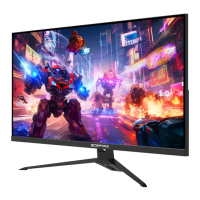
Congratulations on your new SCEPTRE E325BD-SR HD Display purchase.
Thank you for your support. To ensure safety and many years of trouble free
operation of your Sceptre Display, please read the manual carefully before
making any adjustments, and keep them in a safe place for future references.
We hope you enjoy your new SCEPTRE Display Unit.
For technical assistance, please call (800) 788-2878 and select option 3 or
email our tech support group at SceptreTS@sceptre.com.
For all other inquiries, please call (800) 788-2878 and select option 4 or
email our customer service group at SceptreCS@sceptre.com.
Live Chat also available during business hours M-F 8:30AM-5:30PM.
We recommend you register your SCEPTRE HD Display Unit at our online
website http://www.sceptre.com/registration.html.
This display is MHL™ ready using HDMI 1.
This display does NOT have QAM support. For digital cable, you’ll need
a cable box.
- 1 -
www.SCEPTRE.com
SCEPTRE SR Series User Manual

 Need help?

 To Next Page
 General