- 41 -
www.SCEPTRE.com
SCEPTRE E19 HDTV User Manual
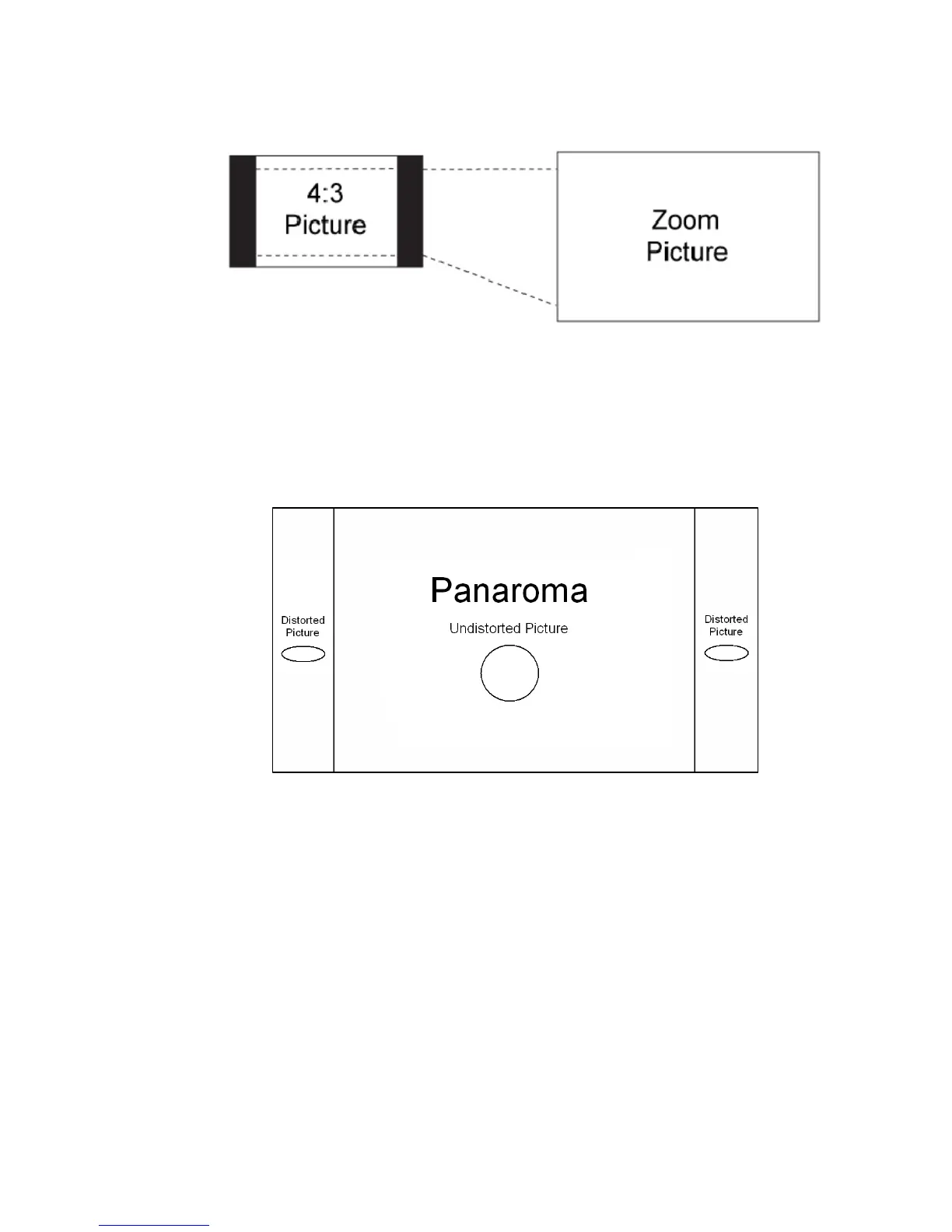
3. Zoom
When watching a 4:3 aspect ratio TV or movie, this mode zooms in to cut off most of the black
bars on the side while preserving the 16:9 ratio. Because of the zoom, the top and bottom are
cut off as well.
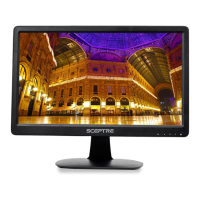
4. WATERGLASS (panorama)
When watching a 4:3 aspect ratio TV or movie, there will be black bars on the side, you can
remove this by using 16:9 aspect but the entire picture will be distorted horizontally. This
mode will only distort the two sides of the TV (where the black bars used to be) but in the
center the picture will still be proportional. This mode will fill the entire screen but most of your
picture will be proportional. Please Note : When in HD mode aspect ratios will not work
because it is controlled by the signal.



 To Next Page