- 8 -
www.SCEPTRE.com
SCEPTRE E19 HDTV User Manual
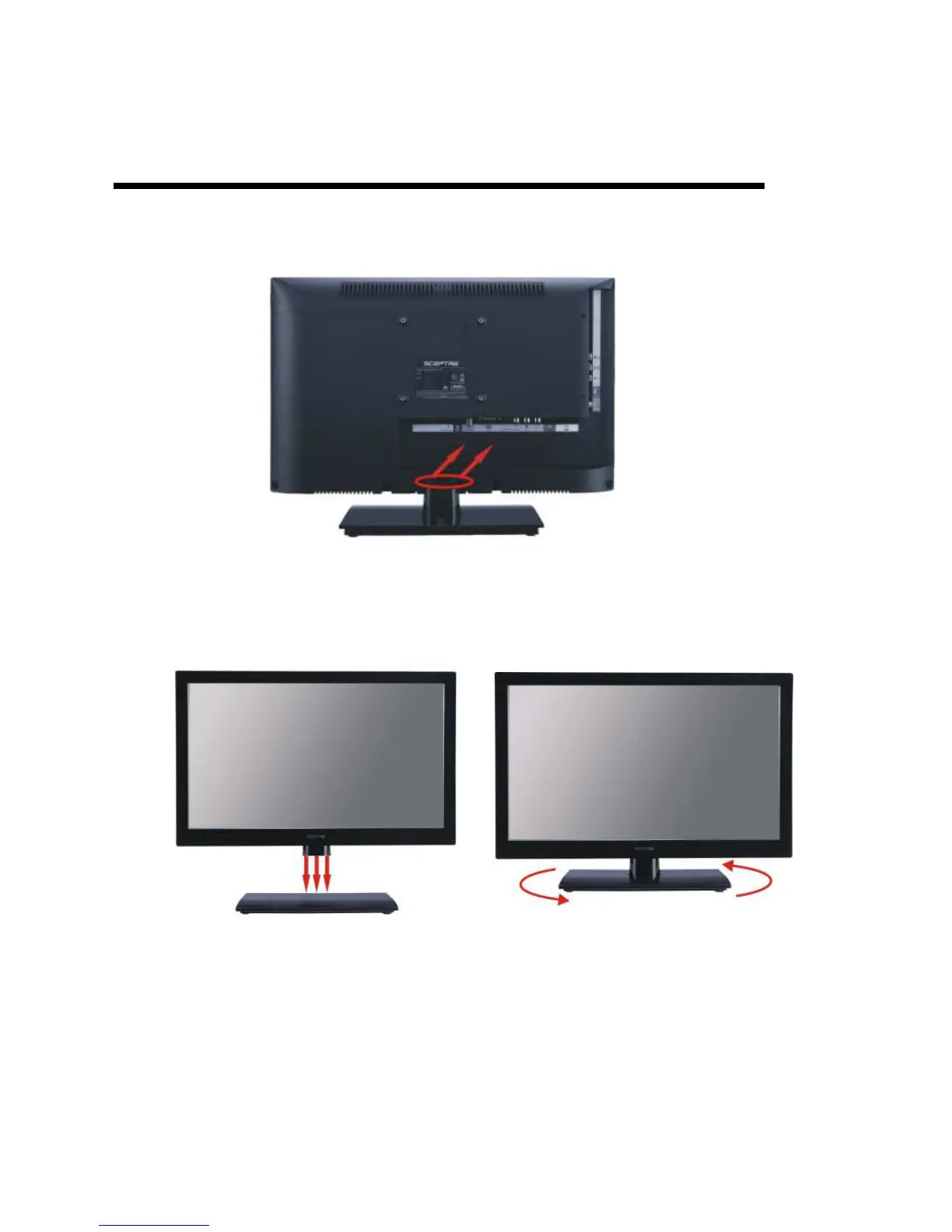
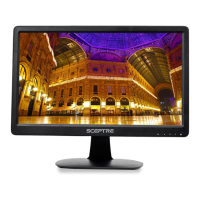
Attaching or Removing the Stand
1. To remove the stand, remove the 2 screws in the circled area and the stand will
come off.
2. To attach the base, align the base and the HDTV. Rotate the HDTV (counter-
clockwise) as the picture has shown until you hear a clicking sound from the base.


 To Next Page