- 8 -
www.SCEPTRE.com
SCEPTRE E485 HDTV User Manual
Attaching or Removing the Stand
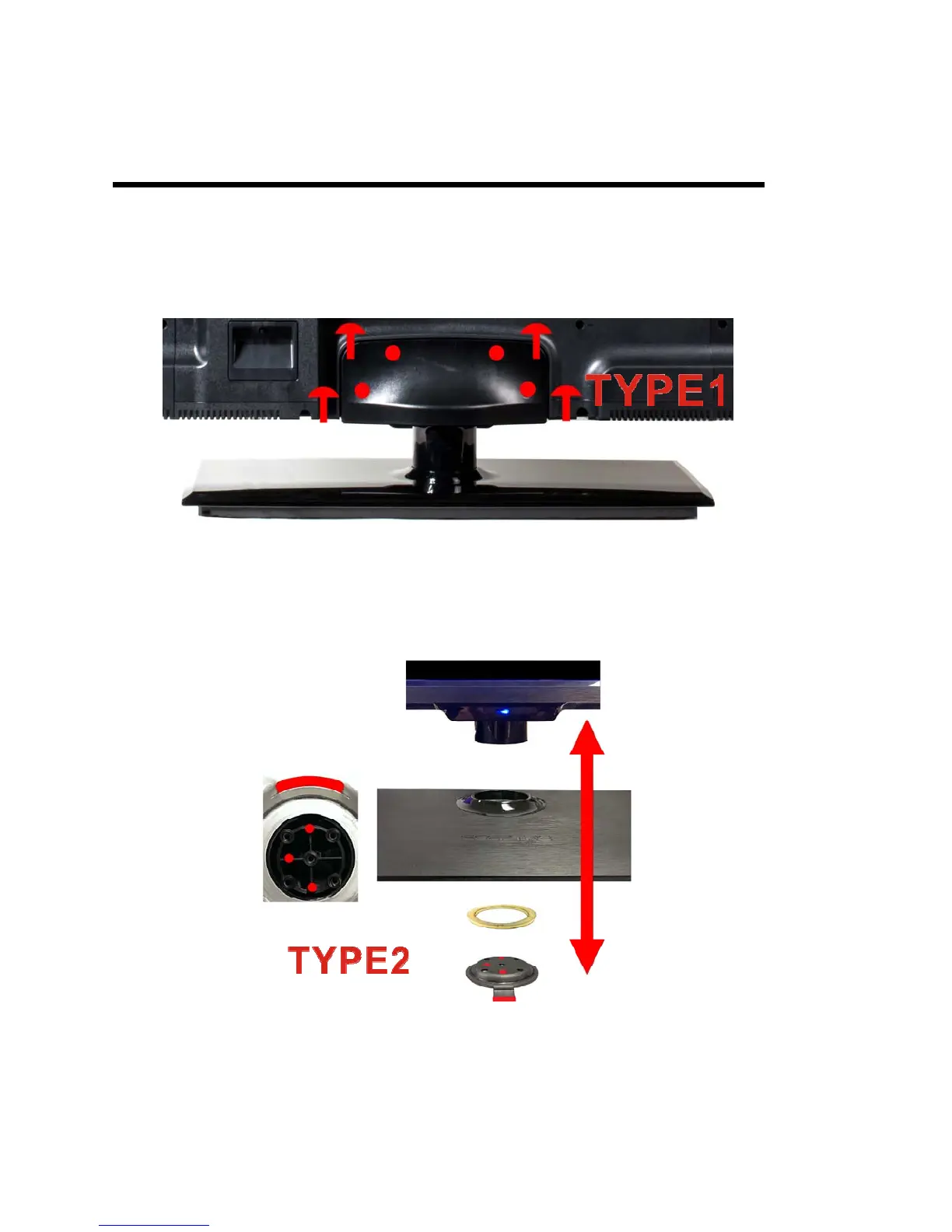
1. To attach the neck, lay the TV flat on a table with the screen facing downwards.
Fit the neck piece onto the bottom of the TV. Install and tighten the 4 screws
indicated in the picture.
2. Attach the plastic ring to the bottom of the stand and the metal plate to cover up
the plastic ring. Make sure to match the 3 holes / metal pin on the metal plate to 3
holes / guard rail on the bottom of the base. Finally screw in the 5 thick threaded
screws to secure the stand.



 To Next Page