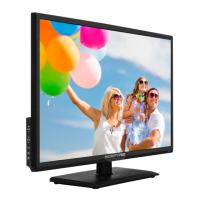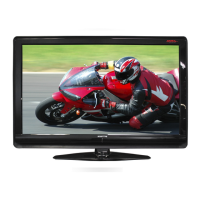
Why does my Sceptre X46 HDTV turn on so slowly?
- SSamantha MullinsSep 8, 2025
Your Sceptre HDTV is a High Definition liquid crystal display panel TV. It requires a few more seconds than normal TVs to power up and show the picture.
Why does my Sceptre X46 HDTV turn on so slowly?
Your Sceptre HDTV is a High Definition liquid crystal display panel TV. It requires a few more seconds than normal TVs to power up and show the picture.
Why does my Sceptre X46 HDTV have picture but no audio?
If your Sceptre HDTV displays a picture but has no audio, ensure the audio cable is connected properly. Also, readjust the volume using the remote control. The TV’s tuner signal must not be lower than 65 %.
What to do if Sceptre X46 HDTV cannot find channels?
If your Sceptre HDTV cannot receive sufficient channels through the ATSC/NTSC tuner, and the TV’s tuner signal must not be lower than 65 %, change the direction of your antenna and rescan your channels. If you have cable, contact your cable company to ask about the signal strength of your local cable.
Why PIP does not give me 2 channels at the same time on my Sceptre X46?
This TV does not have 2 TV tuners; therefore, it will not provide 2 channels at the same time. If you need 2 channels simultaneously, use the antenna for the TV tuner and a cable/satellite set-top box connected to another source on the TV. Use the cable remote and the TV remote to view both channels.
Why does my Sceptre HDTV have dead pixels?
Your Sceptre HDTV is manufactured with precision technology; however, some pixels may not display correctly. Pixel defects within industry specifications are inherent to this type of product and do not indicate a defective product.
How to fix Sceptre X46 channels that are blocked?
Check your auto lock function’s settings inside the OSD. You may have locked up some channels but forgotten about them.
What causes weak signal on Sceptre X46?
If your Sceptre HDTV shows a weak signal or no program symbol on the screen, and the TV’s tuner signal must not be lower than 65 %, change the direction of your antenna and rescan your channels. If you have cable, contact your cable company to inquire about the signal strength of your local cable.
Why is my Sceptre X46 HDTV picture distorted?
If the picture on your Sceptre HDTV is distorted or has abnormal sound, this might be due to interference from large electrical appliances, cars, motorcycles, or fluorescent lights. If the TV is close to the wall, try moving it to another room to see if the problem persists.
Why my Sceptre X46 picture has pixels that are always displaying the same color?
Your X46 LCD HDTV is manufactured using extremely high precision technology. However, sometimes some pixels may not display correctly. Pixel defects within industry specifications are inherent to this type of product and do not constitute a defective product.
What to do if my Sceptre HDTV has no picture?
Check that the power cord is correctly connected and the power is turned on. Also, ensure the video cable is properly connected. Select the correct input signal source using the source button, ensuring it matches the cable connection.
Essential guidelines for safe installation, operation, and maintenance of the television.
Guidance on grounding antennas according to electrical codes and protection against lightning.
Details on unpacking the TV, checking package contents, and preparation before use.
Explains front view indicators, side control buttons, and rear connection ports.
Information on selecting the right port, understanding cable types, and switching sources.
Step-by-step guides for connecting antennas, cables, DVD players, game consoles, and PCs.
Instructions for powering on the TV and scanning for channels using antenna or cable.
How to use the TV's menu system via remote or side panel buttons for adjustments.
Guides for adjusting picture modes, backlight, brightness, contrast, and sound settings.
Explains parental controls, caption settings, date/time, sleep timers, and PC setup.
Proper methods for cleaning the TV screen, bezel, and remote control.
A guide to resolving common issues with picture, sound, remote control, and signal reception.
Information on how to get technical support and customer service.
Detailed list of the TV's display panel, TV display, function, and I/O specifications.
Details on warranty coverage, terms, exclusions, trademarks, and FCC compliance.
Essential guidelines for safe installation, operation, and maintenance of the television.
Guidance on grounding antennas according to electrical codes and protection against lightning.
Details on unpacking the TV, checking package contents, and preparation before use.
Explains front view indicators, side control buttons, and rear connection ports.
Information on selecting the right port, understanding cable types, and switching sources.
Step-by-step guides for connecting antennas, cables, DVD players, game consoles, and PCs.
Instructions for powering on the TV and scanning for channels using antenna or cable.
How to use the TV's menu system via remote or side panel buttons for adjustments.
Guides for adjusting picture modes, backlight, brightness, contrast, and sound settings.
Explains parental controls, caption settings, date/time, sleep timers, and PC setup.
Proper methods for cleaning the TV screen, bezel, and remote control.
A guide to resolving common issues with picture, sound, remote control, and signal reception.
Information on how to get technical support and customer service.
Detailed list of the TV's display panel, TV display, function, and I/O specifications.
Details on warranty coverage, terms, exclusions, trademarks, and FCC compliance.
| Screen Size | 46 inches |
|---|---|
| Display Type | LCD |
| Aspect Ratio | 16:9 |
| HDMI Ports | 3 |
| USB Ports | 1 |
| Refresh Rate | 60 Hz |
| Resolution | 1920 x 1080 |
| Inputs | HDMI, Component, Composite, VGA, RF |
| Speakers | 2 x 10W |