- 26 -
www.SCEPTRE.com
SCEPTRE UMR Series UHD Display User Manual
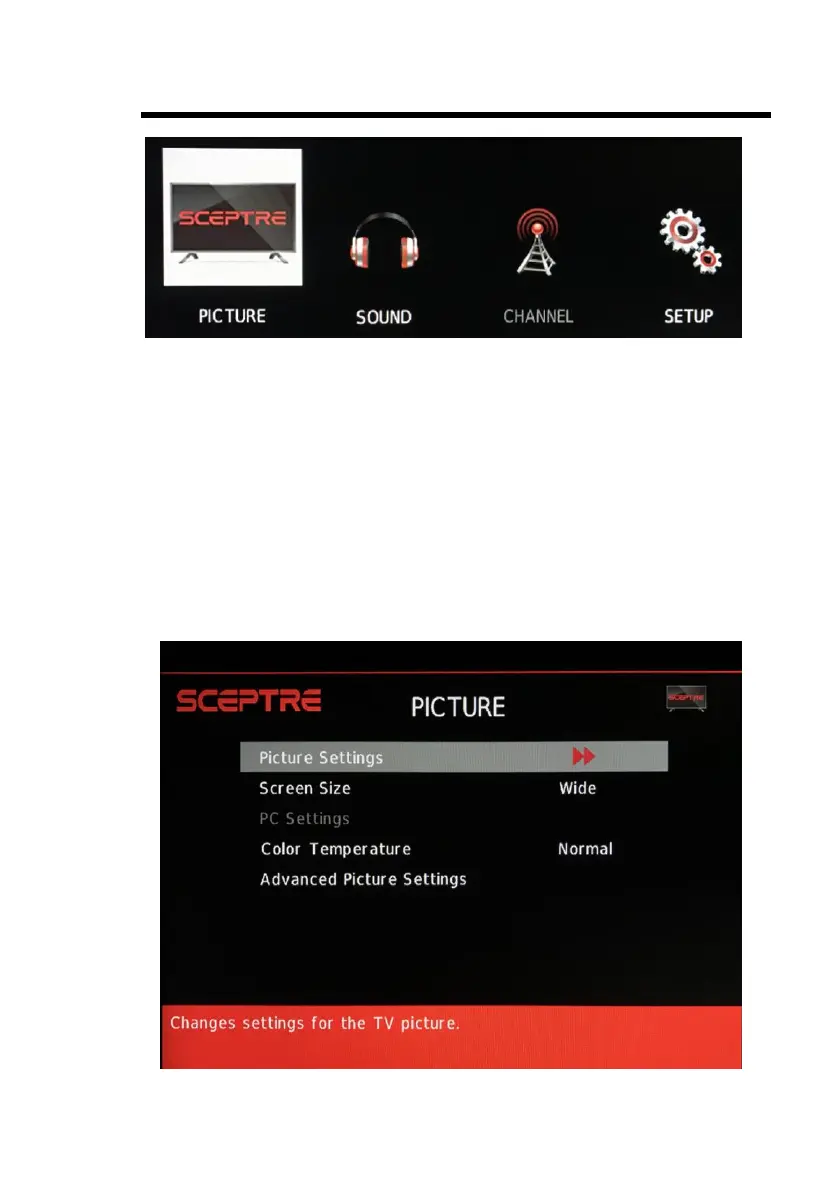
OSD Options
PICTURE – This main option has functions for changing the picture settings for all ports,
such as tint, contrast, sharpness.
SOUND – This main option has functions for changing sound settings for all ports, such
as SPDIF Type, treble, bass, and AVL….etc.
CHANNEL – This main option has functions for the tuner port, such as scanning
channels, editing channels, audio language, and tuner mode….etc.
SETUP – This main option has functions for all ports, OSD language, caption styles,
time setup, and channel setup, sleep, reset display functions.
PICTURE
This option allows users to adjust the Display’s picture sharpness, color, tint, and other
various functions.


 To Next Page
 Loading...