EasyManua.ls Logo

Schaerer Siena 2 - User Manual

Schaerer Siena 2
42 pages
Print Icon
To Next Page IconTo Next Page
Loading...
44 User manual SI 2 - EN
www.schaerer.com Version 02 / 06.2005 / REWE
ON / OFF button
Cleaning /
plus button
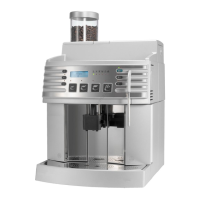
Siena 2:
Hot water /
minus button
Programming
button
2x button
Coffee powder /
preselection
button
Grounds container
Malfunction/brew unit
Decalcifying
Bean container empty
Water tank empty
Temperature
* Illustration: Standard configuration
Indicator symbols:
Bean container
(with lid)
Cup plate
Control panel
(see below)
Display
Grounds container
Foam head
(refer to page 53)
Siena 1: Beverage outlet
Drip tray
Drip grid
Insert for
coffee powder
(cleaning tablet)
Service door
(2 parts)
Siena 1:
Hot water/steam
outlet
Siena 2:
Hot water outlet
Water tank
Milk tube
Swivel
Brew unit
* Illustration: Siena 2
Espresso Coffee Double
espresso
Double
coffee
Siena 1 Button allocation:
Siena 2 Button allocation: Espresso Coffee Cappuccino Macchiato
Siena 1:
Coffee jug /
minus button
Siena 1: Rotary dial
Steam / hot water
The position differs between
Siena 1 and Siena 2.
=

Table of Contents

Other manuals for Schaerer Siena 2

Questions and Answers

  • G
    Gregory Roberts MDAug 21, 2025
    How to fix a Schaerer Siena 2 Coffee Maker that won't turn on?
    • S
      shawn83Aug 21, 2025
      If your Schaerer Coffee Maker is not switching on, ensure that the power plug is properly connected and that the main power switch on the left-hand side is set to ON. Also, check the fuses.
  • A
    Alexander PowersSep 3, 2025
    Why is my Schaerer Siena 2 Coffee Maker only dispensing hot milk?
    • A
      andrealarsenSep 3, 2025
      If your Schaerer Siena 2 Coffee Maker is only dispensing hot milk instead of milk foam, the foam nozzle on the milk foam producer might be clogged. Insert the air valve pin into the milk nozzle to clear the blockage (refer to page 43).
  • D
    davidrogersSep 1, 2025
    Why does my Schaerer Siena 2 Coffee Maker coffee have no foam?
    • M
      Michael Marshall MDSep 1, 2025
      If your Schaerer Coffee Maker coffee does not have any foam, it could be due to several reasons: the cups might be too cold, so pre-heat them for ideal foam; the operating temperature might not have been reached yet, indicated by the lit indicator; the coffee beans might not be fresh; the coffee grinder setting might be too coarse or too fine; or the wrong coffee mixture might be used.
  • C
    Carlos HaasAug 31, 2025
    Why does the milk foam have large bubbles in my Schaerer Siena 2 Coffee Maker?
    • G
      George MartinezAug 31, 2025
      If your Schaerer Siena 2 Coffee Maker is producing milk foam with large bubbles, it could be due to several reasons. The milk might be too warm; always keep it refrigerated between 3°C and 5°C. Also, the O-rings on the milk foam producer could be defective, so check and replace them if needed. The milk suction tube might also be defective and require replacement. Finally, the milk nozzle (Ø) might be too small.
  • H
    haydenturnerAug 29, 2025
    Why can't I insert or pull out the brew unit on my Schaerer Coffee Maker?
    • L
      Lindsey SmithAug 29, 2025
      If the brew unit of your Schaerer Coffee Maker cannot be pulled out or inserted, it is likely not in its basic position. Close the service door and switch on the device. While inserting the brew unit, use the multi-tool adjusting knob to turn it slightly to the left or right, as the carrier position may be incorrect.
  • M
    Matthew JohnsonAug 27, 2025
    What to do if Schaerer Siena 2 buttons not working?
    • M
      Mary ReyesAug 28, 2025
      If your Schaerer Coffee Maker doesn't react when you press the buttons, it could be due to several reasons. The operating temperature might not have been reached yet, indicated by the indicator light. Alternatively, a rinse or cleaning program might be in progress, shown by the flashing cleaning button. Another indicator might also be flashing or lit up, indicating a different issue that needs to be resolved first.
  • T
    thomas85Aug 27, 2025
    What to do if my Schaerer Coffee Maker (Siena 2) has no milk foam?
    • B
      Beth HowardAug 27, 2025
      If your Schaerer Coffee Maker (Siena 2) isn't producing milk foam, the milk nozzle might be clogged. Insert a brush into the milk nozzle.
  • N
    Natasha WhiteAug 25, 2025
    Why does my Schaerer Coffee Maker (Siena 2) milk foam have large bubbles?
    • A
      Ashley RichmondAug 25, 2025
      If the milk foam from your Schaerer Coffee Maker (Siena 2) has large bubbles, the milk may be too warm. Always keep milk refrigerated at an optimal temperature of 3°C to 5°C. You should also check the milk nozzle.
  • A
    Andrew SparksAug 23, 2025
    How to fix a Schaerer Coffee Maker that does not switch on?
    • M
      Michelle HendersonAug 23, 2025
      If your Schaerer Coffee Maker isn't switching on, there are several potential causes. First, ensure the power plug is securely connected. Next, check that the main power switch on the left-hand side is set to 'ON'. Also, verify the fuses. Additionally, make sure the brew unit is properly inserted and that the door is completely closed.

Summary

Safety Symbols

Introduction

Welcome

Welcomes the user to the coffee maker and the manual.

Safety Notes

General Safety

General safety precautions and usage guidelines for the device.

Hygiene Regulations

Hygiene regulations and recommendations, especially for milk handling.

Liability Conditions

Conditions under which warranty and liability claims are voided.

Product Description

Machine Overview

General overview of the coffee machine's parts and components.

Control Panel Overview

Description of the machine's control panel and its functions.

Foam Head Details (Siena 2)

Close-up view and explanation of the foam head components.

Display Symbols

Explanation of various symbols shown on the machine's display.

Scope of Delivery

Lists all items included in the coffee maker's package.

Accessory Overview

Lists and describes available optional accessories for the machine.

Installation Plan (Siena 2)

Technical diagram outlining installation requirements for Siena 2.

Commissioning

Initial Setup

Steps for initial setup and preparation before first operation.

Milk Nozzle Installation (Siena 2)

Guide for correctly installing the milk nozzle on Siena 2 models.

Milk Foam Adjustment (Siena 2)

Instructions on how to adjust the consistency of milk foam.

Operation

Operation Introduction

Overview of the operation chapter and daily usage instructions.

Filling Coffee Beans

Instructions on how to properly fill the bean container.

Preparing for Operation

Checks required before switching the coffee maker on.

Switching On the Machine

Step-by-step guide to turning the coffee machine on.

Operating Modes

Explanation of the machine's different operating modes.

Prepare Coffee;Espresso

Steps to prepare coffee or espresso using whole beans.

Prepare Decaf Coffee

Steps to prepare decaffeinated coffee using ground coffee.

Prepare Hot Water (Siena 1)

Instructions for dispensing hot water on Siena 1 models.

Prepare Hot Water (Siena 2)

Instructions for dispensing hot water on Siena 2 models.

Prepare Steam (Siena 1)

Instructions for dispensing steam on Siena 1 models.

Prepare Cappuccino (Siena 2)

Steps to prepare a cappuccino on Siena 2 models.

Prepare Milk Foam (Siena 1)

Instructions for dispensing milk foam on Siena 1 models.

Prepare Milk Foam (Siena 2)

Instructions for dispensing milk foam on Siena 2 models.

Pre-heating Cups

Methods for pre-heating cups to improve coffee quality.

Grinder Settings

How to adjust the coffee grinder settings for optimal results.

Programming

Programming Navigation

How to navigate through the machine's programming menus.

Product Programming Overview

Details on programming product-specific settings like volume and quantity.

Product Programming Continued

Continuation of details for programming product-specific settings.

Common Parameter Programming

Settings for common device parameters like language and temperature.

Fixed Parameter Programming

Settings for fixed device parameters such as button lock and descaling.

Default Product Settings

Default values for product programming settings.

Default Common Parameters

Default values for common device parameters.

Default Fixed Parameters

Default values for fixed device parameters.

Cleaning

Cleaning Introduction

Overview of the cleaning chapter and general cleaning advice.

Daily and Weekly Cleaning

Routine cleaning procedures for daily and weekly maintenance.

Manual Brewer Cleaning

Weekly cleaning procedure for the manual brew unit.

Daily Coffee System Cleaning

Recommended daily cleaning of the coffee system.

Siena 2 Milk System Cleaning

Procedure for cleaning the milk system and foamer head on Siena 2.

Siena 2 Milk System Rinsing

Procedure for rinsing the milk system on Siena 2 models.

Decalcifying the Machine

Instructions for performing the descaling process.

Foam Head Installation;Removal (Siena 2)

How to install and detach the foam head on Siena 2 models.

Milk Nozzle Cleaning (Siena 2)

How to clean the milk nozzle on Siena 2 models.

Troubleshooting

Malfunctions and Causes

Identifies common malfunctions and their potential causes.

Service and Maintenance

Recommendations for professional servicing and maintenance work.

Service Request Information

Information on when and how service requests are indicated and handled.

Options

Coin Tester

Details on the coin tester feature and available accounting systems.

Coin Tester Operation

How to operate and maintain the coin tester.

Bean Container

Information regarding the bean container capacity.

Base with Supports

Details on the optional base unit required for wastewater connection.

Fixed Water Supply

Information and recommendation for connecting to a fixed water supply.

Fixed Water Supply Requirements

Structural requirements for installing a fixed water supply.

Appendix

Declaration of Conformity

EU compliance information for the device.

Cleaning Products Information

Details on recommended cleaning agents and their usage.

Milk Clean Cleaning Product

Information on the specific 'Milk clean' cleaning product.

Liquid Decalcifier

Information on the liquid decalcifier and its application.

Storing Cleaning Products

Guidelines for safe storage of cleaning agents.

Serial Plate Information

Location and details found on the device's serial plate.

Technical Data

Specifications, dimensions, weight, and electrical data of the machine.

Environmental Aspects

Information on packaging, disposal, and energy consumption.

Contact Address

Manufacturer's contact information and details.

Schaerer Siena 2 Specifications

General IconGeneral
TypeAutomatic Coffee Machine
Water TankRemovable
ProgrammableYes
Voltage220-240 V
Power SupplyMains
Beverage OptionsEspresso, Coffee, Cappuccino, Latte Macchiato, Hot Water
DisplayLCD
Coffee GrinderIntegrated
Frequency50 Hz

Related product manuals