Installation
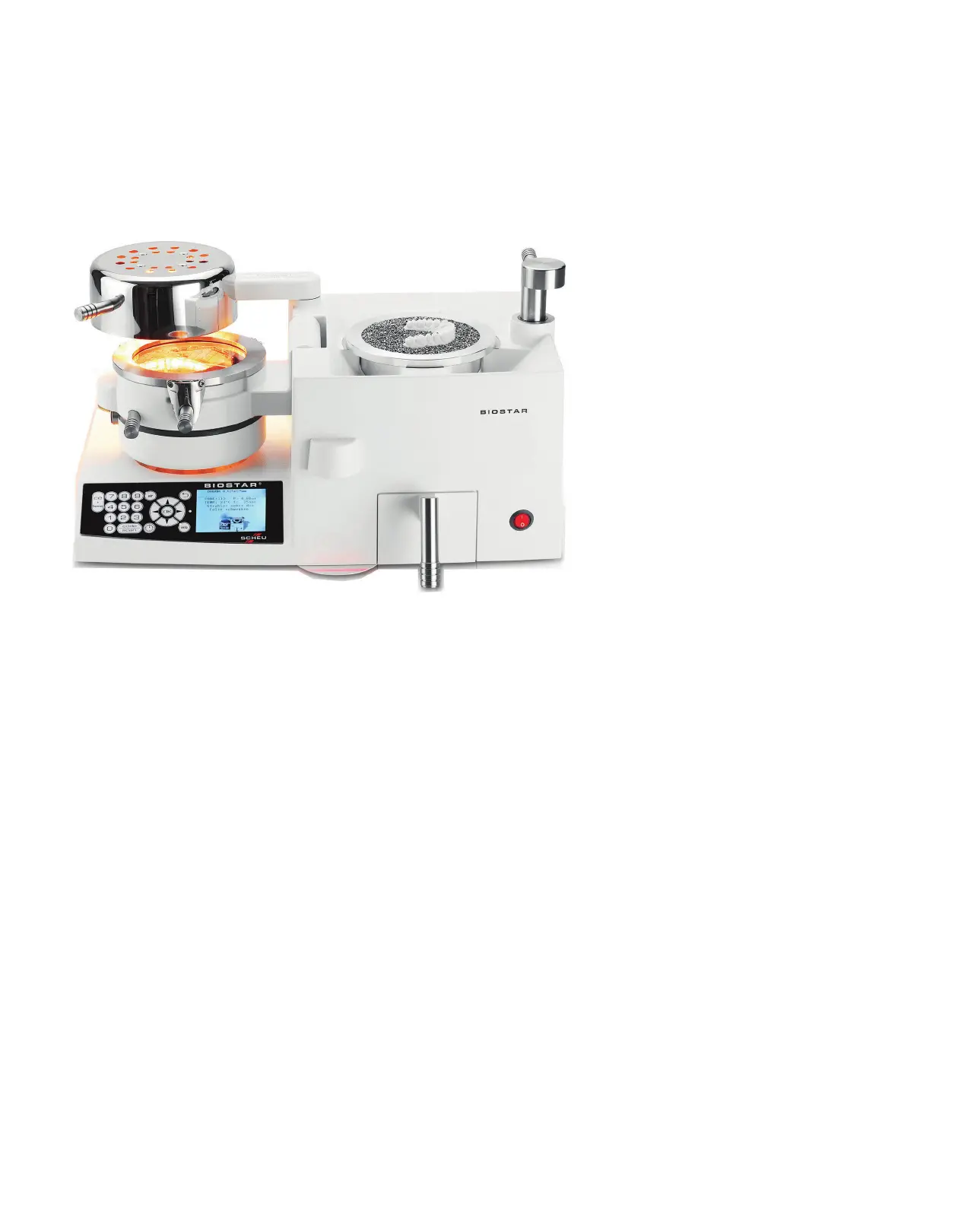
Congratulations on the purchase of your Biostar Scan With LCD Display. Before removing the machine
and its components from the shipping box, determine the location for the Biostar in the laboratory. The
machine’s size and weight are outlined above. Make sure sucient workspace around the machine is
available and that nothing will interfere with operation of the heating element.
Reminder: Keep any ammable material away from the heating element.
The shipping box contains:
• Biostar Scan With LCD Display unit
• Pellet drawer
• Clamping frame
• Model platform
• Pellet cup
• High pressure hose with hose clamps and air lter
• Container of pellets
• Pellet brush with magnet
• Replacement air lter
After inspecting the items, remove all packing material, and position the Biostar on the laboratory
bench. To prevent machine malfunctions as a result of excessive dust, do not place the unit near
etcher catchers, microetchers, or any other dust or water-generating equipment. The air source
should be within reach of the machine
using the high-pressure hose as a reference guide. The air
pressure should be capable of supplying a minimum of 80psi to the unit.
Technical Data:
• Voltage 110/120V (AC) - 50/60Hz
• Power 750W
• Pressure 80psi
• L x W x H 18" x 9.75" x 10.25"
• Weight 42lbs / 19.05kg
Biostar
®
Scan With LCD Display
Achieve awless adaptation using the most advanced positive pressure thermal-forming technology
available. Designed with convenient bar code scanner that automatically enters the correct process-
ing information for your material. The heated side of the material is formed directly over the model
using 80psi. Fabricate hard and soft dental appliances in half the time of conventional methods.


 To Next Page