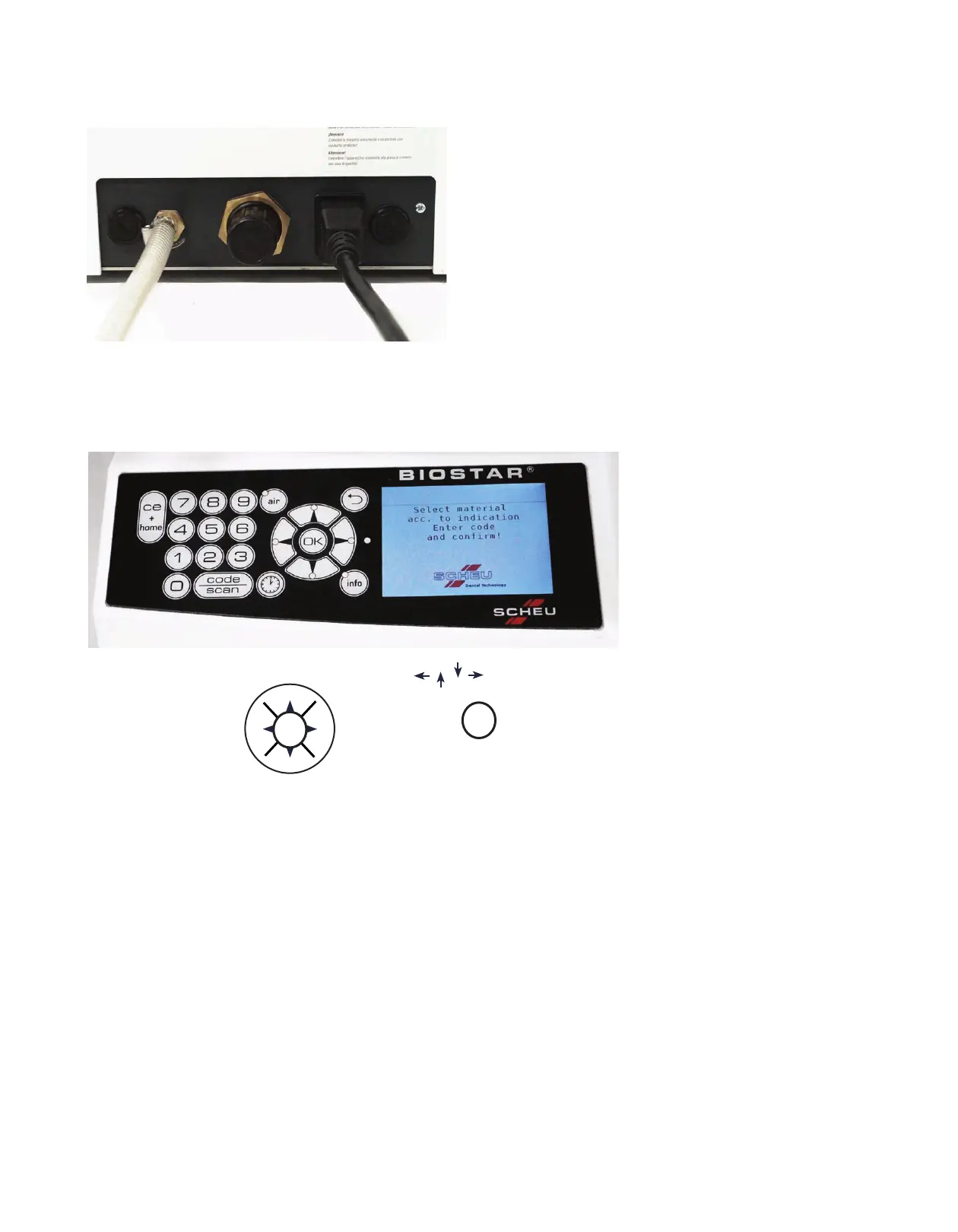
Front View
The basic components of the Biostar Scan With LCD Display include:
A Compressed Air Supply: A ribbed air valve to
clamp the air-pressure hose to the machine
B Pressure Regulator: Dial to increase or decrease
air pressure used in the Biostar
C Fuse Holders: Two compartments that house
miniature fuses
D Plug: Three-prong electrical socket for the
detachable power cord
Back View
Control Panel
A
Digital Panel With LCD Display
B
OK/Menu Navigation Button
C
Info Button
D
Time/Clock Button
E
Air Pressure Evacuation Button
F
Code/Scan Button
G
CE+ Home Button
OK/Menu Navigation Button: Provides navigation to search through the menu
Selects the menu item
Info Button: Allows user to view safety information, hints, materials,
appliance designs, troubleshooting, foil assortments, and
fabrication videos.
Time/Clock Button: Heating times can be programmed manually on the numeric
keypad.
Air Pressure Evacuation Button: Used for air pressure evacuation of the chamber.
Code/Scan Button: Activates the barcode scanner and 3-digit operation barcode
command. Code: programs heating and cooling operating
times for materials and pressure forming. Scan: provides
automatic programming of codes.
CE + Home Button: Erases information placed in memory, and returns display
screen to the main menu.
A
C
C
D
B
G
E
B
F
D
A
C
OK
o
o
o
o
o
o
o
o
OK


 To Next Page