Need help?
Do you have a question about the Schiit MODI+ and is the answer not in the manual?
Connect the RCA jacks to your amplifier, preamp, or receiver for audio output.
Connect a USB A-C cable to a USB source; this may be the only input needed for operation.
Connect a coaxial digital source using an RCA cable, preferably 75 ohm.
Connect an optical source to the optical input jack using a Toslink cable.
Connect a 5V power source to the power input if external power is required for operation.
Select inputs by pressing the input button, cycling through USB, optical, and coaxial.
Unison USB input is selected when lit, ideal for computers, tablets, and streamers.
Optical input is selected when lit, typically used with televisions.
Coaxial input is selected when lit, used with CD players and transports.
Disconnect from USB and connect wall-wart to Power Input if a 'Draws too much power' error occurs.
Ensure correct output device is selected in your system's audio settings and player software.
Follow precautions regarding installation, water exposure, ventilation, and electrical safety.
Information on the two-year warranty, limitations, and procedures for obtaining service.
This document describes the Schiit Modi+ D/A Converter, a device designed to convert digital audio signals into analog audio. The Modi+ is a versatile digital-to-analog converter that offers multiple input options and is intended for use with various audio systems, including amplifiers, preamps, receivers, computers, tablets, streamers, phones, and TVs.
The Schiit Modi+ D/A Converter serves as a bridge between digital audio sources and analog audio playback systems. It takes digital audio signals from various inputs and converts them into a high-quality analog signal that can be fed into an amplifier, preamp, or receiver for sound reproduction. The device is designed to improve the audio quality from digital sources by utilizing its internal D/A conversion capabilities.
The Modi+ offers a straightforward and user-friendly experience with its multiple input options and simple controls.
Connections: The rear panel of the Modi+ features several connection points, each serving a specific purpose:
RCA Jacks (Analog Output): These are the primary analog outputs, labeled "R" (right) and "L" (left). They connect to your amplifier, preamp, or receiver using standard RCA cables. This is where the converted analog audio signal exits the device.
USB Input (USB A-C): This input is designed for connecting digital audio sources such as computers, tablets, streamers, and phones. The Modi+ comes with a USB A-C cable for this connection. For many users, especially those using Modi+ as a USB-only DAC, this may be the only input needed. When using USB, the device can often draw power directly from the USB source, potentially eliminating the need for an external power supply.
Coaxial Digital Input: This input allows connection to coaxial digital sources using an RCA cable. A 75-ohm RCA cable is preferred for optimal performance. This input is useful for devices that output a coaxial digital signal, such as some CD players and transports.
Optical Digital Input: This input is for connecting optical digital sources using a Toslink cable. It is commonly used with TVs or other devices that provide an optical digital audio output.
5V Power Input: This input is for an external 5V power source, typically a USB wall-wart, if the Modi+ requires additional power. This is particularly relevant when using the coaxial or optical digital inputs without a USB connection, as these inputs do not provide power to the device. If the Modi+ is used solely as a USB DAC, external power is usually not required, as it can draw power from the USB source. However, if the USB source cannot provide sufficient power, or if the other digital inputs are used without a USB connection, this power input becomes essential.
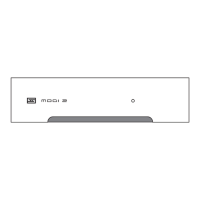
Input Selection: The Modi+ features a single input button on its front panel for selecting the desired digital audio source. Pressing this button cycles through the available inputs: USB, optical, and coaxial.
USB Input (Unison USB™): When the indicator light for this input is lit, the Modi+ is receiving audio from the USB connection. This input is optimized for computers, tablets, streamers, and phones, providing a high-quality digital audio stream.
Optical Input (Toslink style): When the indicator light for this input is lit, the Modi+ is receiving audio from the optical input. This is typically used with TVs or other devices that output audio via Toslink.
Coaxial Input: When the indicator light for this input is lit, the Modi+ is receiving audio from the coaxial input. This is suitable for CD players and other transports that provide a coaxial digital output.
Power Management: The Modi+ is designed with flexible power management. When used as a USB-only DAC, it can often draw sufficient power directly from the USB host device. However, if the USB host cannot supply enough power (which might result in a "Draws too much power" error message on some devices), or if the coaxial or optical inputs are being used without a USB connection, an external 5V power supply (such as the included USB wall-wart) must be connected to the 5V power input. This ensures stable operation and proper functionality across all input types.
The Modi+ is designed for reliability and ease of maintenance, with a focus on user safety and product longevity.
General Care:
Troubleshooting: The manual provides guidance for common issues:
"Draws too much power" error: If this error occurs when using USB, disconnect the Modi+ from the USB source. Then, connect the wall-wart to the Power Input. The Modi+ will then report as a 0mA USB device. You will need a separate USB cable to connect to your source device. This ensures the Modi+ receives adequate power without overloading the USB port of the source device.
No sound: If there is no sound, ensure that the correct output device is selected on your source device. For computers (Windows or Mac), you may need to select "Modi+" in both the operating system's sound settings (Control Panel or System Preferences) and within your player software or streaming service interface. This ensures that the digital audio signal is correctly routed to the Modi+.
Warranty and Service: Schiit Audio provides a two-year warranty against defects in material and workmanship from the date of purchase. If a defect occurs within this period, Schiit Audio will repair the product free of charge. The date of purchase is based on customer receipts.
Compliance: The Modi+ complies with FCC Rules for a Class B digital device and is in compliance with standards and regulations of the European Community (CE certified).
In summary, the Schiit Modi+ D/A Converter is a robust and flexible audio device designed to enhance the listening experience by providing high-quality digital-to-analog conversion across various digital input types. Its user-friendly interface and comprehensive connectivity options make it suitable for a wide range of audio setups, while its durable design and clear maintenance guidelines ensure long-term performance.
 General
| USB Input | USB 2.0 |
|---|---|
| Output Impedance | 75 ohms |
| Maximum Output | 2.0V RMS |
| Frequency Response | 20Hz-20kHz, +/-0.1dB |
| Dimensions | 5 x 3.5 x 1.25 inches |
| Type | DAC |
| Inputs | USB, Optical, Coaxial |
| Outputs | RCA |
| THD+N | <0.0005%, 20Hz-20kHz, at max output |
| Digital Input Compatibility | 16/24-bit |
| Sample Rates | 44.1kHz, 48kHz, 88.2kHz, 96kHz, 176.4kHz, 192kHz |
| Power Supply | USB powered |
| Weight | 0.5 lbs |

 To Next Page