1
2
3
4
CONNECTIONS
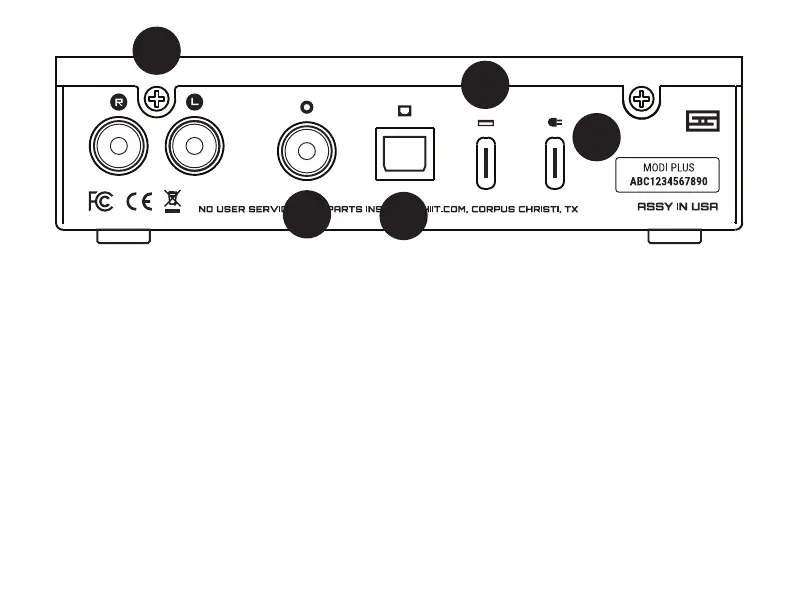
1 Connect the two RCA jacks to your amp,
preamp, or receiver.
2 Connect a USB source using a USB A-C
cable (supplied). If you’re using a USB
source, this may be the only input you need.
3 (Optional) Connect a coaxial digital
source to the coaxial input, using an RCA
cable, 75 ohm preferred.
4 (Optional) Connect an optical source
to the optical input jack, using a Toslink
cable.
5 (Optional) Connect a 5V power source
to the power input if you need external
power—see below.
If you’re using Modi+ as a USB only DAC, you don’t
need Power Input. Just connect it to your computer
and you’re set.
If you’re using the other digital inputs, and you’re
NOT using USB, you need Power Input. Connect the
USB wall-wart with the supplied USB A-C cable to
provide power for the other inputs.
5


 To Next Page