EasyManua.ls Logo

Schiit REKKR - User Manual

Schiit REKKR
4 pages
Print Icon
To Next Page IconTo Next Page
Loading...
DESKTOP SPEAKER AMP
Question and Answer IconNeed help?

Do you have a question about the Schiit REKKR and is the answer not in the manual?

Summary

Connections Overview

Source Input

Connect your audio source to the Rekkr's RCA input jacks using high-quality RCA cables.

Power Input

Connect the supplied wall-wart cable to the "AC IN" jack. Only use the provided adapter.

Stereo Speaker Output

Connect speakers to the "L" and "R" outputs using banana plugs for stereo sound.

Mono Speaker Output

Connect the speaker to the middle outputs using banana plugs for mono sound. Ensure switches are set to "MONO".

Power Switch Operation

"Up" position is "on," and "down" position is "off."

Mono;Stereo Switch Setting

Set the two switches on the bottom for mono or stereo operation. Both towards "MONO" for mono, away from "MONO" for stereo.

Operation and Protection

Power On Sequence

Turn the device on. The front LED will light up, and the relay will click after about 10 seconds.

Volume Control

Control volume using your headphone amp or preamp. Do not turn up until it distorts.

Understanding Protection

Rekkr clicks/mutes due to over-current or over-temperature situations, protecting itself.

Causes of Protection

Protection occurs with shorted speaker cables, speaker faults, high volume, or low-impedance speakers.

Package Contents and Safety

Included Components

Lists the included items: Rekkr unit, 6VAC 2A Wall-Wart, and optional stickers.

Installation and Usage Precautions

Get professional help for installation, avoid water/moisture, ensure ventilation, and manage cords safely.

Electrical Safety

Do not use extension cords. Refer all servicing to qualified personnel for safety.

Warranty Information

Product Warranty Terms

Covers defects for two years. Contact Schiit Audio for service and obtain a Return Authorization (RA).

Warranty Limitations

Warranty void if tampered with, damaged by negligence, or subject to limitations on implied warranties.

Overview

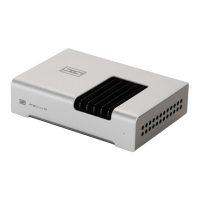
The Rekkr is a compact desktop speaker amplifier designed for nearfield listening. It offers both stereo and mono operation modes, making it versatile for various audio setups.

Function Description:

The Rekkr serves as a power amplifier for passive speakers, taking a line-level audio input and amplifying it to drive speakers. It is designed to be used with a source device that has volume control, such as a headphone amplifier or a preamplifier. The amplifier features RCA inputs for connecting your audio source and banana plug outputs for connecting speakers. A power switch controls the unit's on/off state.
Important Technical Specifications:

  • Power Input: 6VAC, 2-4A (requires a specific AC output wall-wart; DC adapters will not work).
  • Input Type: RCA jacks.
  • Output Type: Banana plug outputs.
  • Operation Modes: Stereo and Mono.
  • Protection: Features built-in protection against over-current and over-temperature situations, as well as shorted speaker cables or faulty speakers.
  • Warranty: 2-year limited warranty covering defects in material and workmanship.

Usage Features:

  1. Connecting Your Source: Connect your audio source (headphone amp, preamp, or any device with volume-controlled audio output) to the Rekkr's "IN" RCA jacks using high-quality RCA cables.
  2. Power Connection: Connect the supplied 6VAC wall-wart cable to the "AC IN" jack. It is crucial to use only the provided wall-wart or a suitable replacement with the correct specifications (6VAC, 2-4A), as most AC adapters are DC output and will not work.
  3. Stereo Operation:
    • Connect your speakers to the "L" and "R" outputs using banana plugs.
    • Ensure the two switches on the bottom of the unit are not set to "MONO" (i.e., both switches should be away from "MONO").
  4. Mono Operation:
    • Use only the right RCA input.
    • Connect your speaker to the two middle outputs using banana plugs.
    • Ensure the two switches on the bottom of the unit are set to "MONO" (i.e., both switches should be towards "MONO").
  5. Powering On/Off: Use the power switch to turn the unit on (up) or off (down). When turned on, the front LED will light up, and a relay will click after approximately 10 seconds, indicating the unit is ready to play music.
  6. Volume Control: Volume is controlled by your source device (headphone amp or preamp). The Rekkr itself does not have a volume control. It is recommended to avoid turning the volume up to the point of distortion or discomfort.
  7. Protection System: The Rekkr incorporates a protection system that will mute the output if it detects over-current, over-temperature, shorted speaker cables, or faulty speakers. If the unit repeatedly clicks and mutes, it indicates the protection system is active. This can also occur when playing the amplifier loudly for extended periods or when using low-impedance, low-efficiency speakers, as the Rekkr is a relatively low-powered amplifier designed for desktop and nearfield use.

Maintenance Features:

  • Cleaning: Clean the device only with a dry cloth. Do not use water or expose it to rain or moisture.
  • Ventilation: Ensure adequate ventilation and do not block ventilation openings. Avoid placing the unit near heat sources.
  • Cord Management: Route power cords away from traffic areas and protect them from being pinched.
  • Unplugging: Unplug the wall-wart from the outlet if the apparatus is unused for a long period.
  • Servicing: Refer all servicing to qualified service personnel. Service is required if the device has been damaged (including cord or plug damage), if liquid has been spilled or objects have fallen into the device, if it has been exposed to rain or moisture, if it does not operate normally, or if it has been dropped.
  • User Serviceable Parts: There are no user-serviceable parts inside the Rekkr.
  • Warranty Service: If you believe you need warranty service, contact Schiit Audio first to obtain a Return Authorization (RA) before sending the product back. Products sent without an RA will be returned to the sender without repair. The warranty does not cover products that have been modified, tampered with, damaged by negligence, accident, unreasonable use, or other causes unrelated to defective materials or workmanship, or if the serial number has been altered or removed.

Schiit REKKR Specifications

General IconGeneral
BrandSchiit
ModelREKKR
CategoryAmplifier
LanguageEnglish

Related product manuals