These are small trade-offs for having literally the
best volume control in the world.
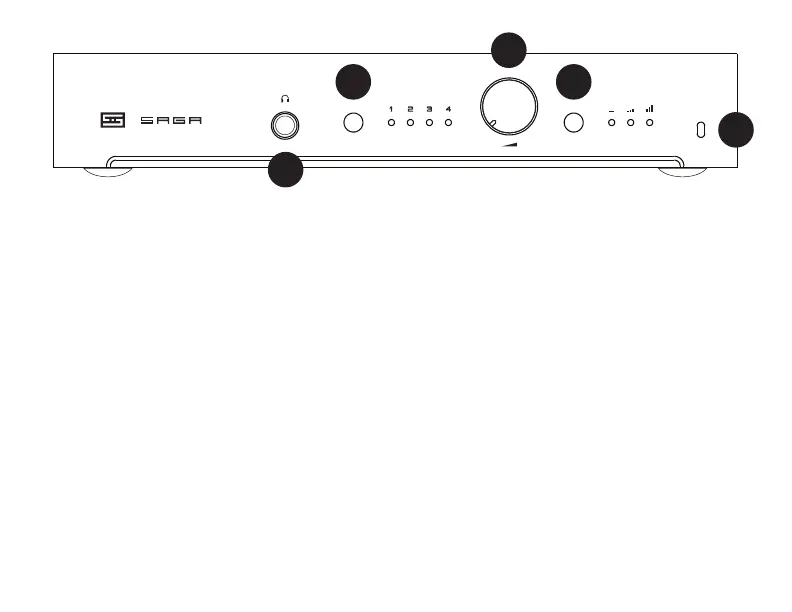
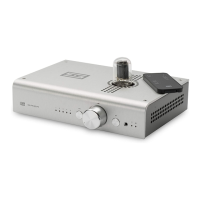
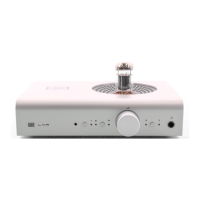
4 Mode Select. Press to select Passive,
Active Low Gain, or Active High Gain
output. Again, no wrong answers. Use the
one that sounds best in your system. When
the preamp is muted, your mode LED will
ash.
5 IR Window. The remote “talks” to the
Saga 2 through this window. Don’t block it,
unless you don’t want the remote to work.
You can also mute at any time using the
remote control.
1 Headphone Output. Yes! Saga 2 now
has a headphone output. It’s not the most
powerful thing on the planet, but it can do
plenty of volts. Bottom line, it’s gonna be
great for most headphones. Try it out!
2 Input Select. Press to select the input
you want to listen to. There are no wrong
answers. Unless you don’t have something
connected to the input you select.
3 Volume. Turn to the right to make the
music louder. Stop before smoke comes
out of your speakers.
Note: Saga 2 uses a relay ladder volume control, so
you will hear clicks from the chassis when changing
volume. You also may get transient drop-outs while
adjusting volume. Both are normal. Don’t panic.
OPERATION
3
5
2 4
1



 To Next Page