The Schlage Ease S2 Smart Entry Lock is a sophisticated smart lock designed to provide secure and convenient access to your home or office. It combines traditional locking mechanisms with modern smart technology, offering multiple ways to unlock and manage access.
Function Description
The Schlage Ease S2 Smart Entry Lock serves as a primary security device for doors, allowing users to lock and unlock it using a keypad, a physical key, or through a mobile application when paired with a Wi-Fi bridge. Its core function is to provide controlled access, enhancing the security of your premises while offering flexibility in how that access is managed. The lock is designed for easy installation on standard doors with a 54mm hole, and its latchbolt can be adjusted for either 60mm (2-3/8") or 70mm (2-3/4") backsets, ensuring compatibility with a wide range of door types.
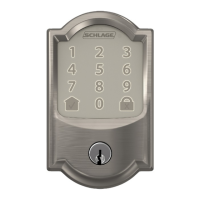
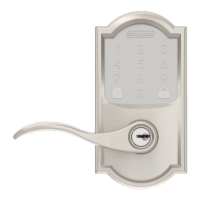
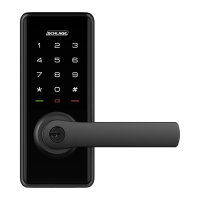
The lock features an exterior assembly with a keypad and status indicators, and an interior assembly that houses the battery compartment, a reset button, and a passage mode switch. The keypad allows for PIN code entry, while the status indicators (green/red) provide visual feedback on the lock's status, such as unlocked, locked, or setting success/failure. A physical key override is also available for manual unlocking, serving as a reliable backup access method.
One of the key features is its smart entry capability, which allows for the creation and management of multiple user PIN codes. The lock supports a master PIN code for programming and feature settings, and up to 20 user PIN codes for daily access. This multi-user support makes it ideal for families, small businesses, or rental properties where different individuals require access.
The lock also incorporates several security and convenience features, such as a "Fake PIN code" function, which allows users to enter random numbers before or after their actual PIN to prevent code exposure to onlookers. This adds an extra layer of privacy and security during PIN entry.
For enhanced functionality, the Schlage Ease S2 can be integrated with the Schlage Abode mobile application via a Schlage Wi-Fi Bridge (AB100), sold separately. This integration transforms the lock into a smart home device, enabling remote management, real-time connection, and additional features through a smartphone. Without the bridge, the lock operates as a standalone smart entry device with keypad and key access.
Usage Features
The Schlage Ease S2 Smart Entry Lock offers a variety of usage features designed for convenience and security:
- Keypad Entry: The primary method of entry is via a 4-10 digit PIN code entered on the illuminated keypad. Users can enter their master or user PIN code followed by '#' to unlock the door. The door automatically re-locks after 7 seconds, providing peace of mind.
- Physical Key Override: A traditional key cylinder is integrated into the lever, allowing for manual unlocking with a physical key. This serves as an essential backup in case of battery depletion or electronic malfunction.
- Passage Mode: This feature allows the lock to remain unlocked for continuous access. When activated via a switch on the interior assembly, the door can be opened by simply rotating the lever from either side. While in passage mode, the unit can still be locked externally by holding any key on the keypad for 2 seconds. It will revert to passage mode once unlocked via PIN or key override, until the switch is manually shifted back to the locked position. This is particularly useful for periods when frequent entry and exit are required, such as during parties or when moving items.
- Master PIN Code Management: The master PIN code is crucial for programming the lock. It allows users to change the master PIN, add or delete user PIN codes, and configure other settings. The default master PIN code is "12345678" and should be changed immediately after installation for security.
- User PIN Code Management: Up to 20 unique user PIN codes can be stored, each 4-10 digits long. This allows for personalized access for different individuals, and codes can be easily added or deleted as needed.
- Fake PIN Code: To enhance security during PIN entry, users can input random digits before or after their actual PIN. This makes it difficult for onlookers to discern the correct PIN code, protecting against "shoulder surfing."
- Silent Mode: The lock can be set to silent mode, disabling the tone sounds that accompany keypad presses and lock operations. This is useful for maintaining quiet, especially during late hours.
- Shutdown Time: As a security measure, if an incorrect code is entered 5 times consecutively, the lock will enter a shutdown period for 3 minutes, during which it will not allow operation. The keypad lights will flash if an attempt is made to use it during this period.
- Emergency Power: In the event of battery depletion while the unit is locked, an external micro USB port located on the bottom of the exterior assembly allows for emergency power. By connecting a charged power bank via a micro USB cable, users can temporarily power the lock to regain access.
- Bluetooth Connectivity (Enable/Disable): The lock supports Bluetooth, which can be enabled or disabled through the master mode settings. This is essential for connecting to the Schlage Abode mobile application (with the Wi-Fi Bridge).
- Status Indicators: Green and red lights on the exterior assembly provide clear visual feedback on the lock's status, indicating successful operations (green) or failures/locked status (red).
Maintenance Features
The Schlage Ease S2 Smart Entry Lock is designed for relatively low maintenance, but certain aspects are important for its longevity and optimal performance:
- Battery Replacement: The lock is powered by 4 x AA alkaline batteries, located in the interior assembly. The manual indicates that these batteries can last up to one year with typical usage (10 times open/close per day). While the lock does not explicitly detail a low battery warning, it is good practice to replace batteries annually or when performance seems to degrade. The emergency power feature ensures access even if batteries die unexpectedly.
- Reset Functionality: If the master PIN code is forgotten or if the lock needs to be restored to its original factory settings, a reset button is provided. This button is located under the left-most battery in the battery casing. By pressing and holding it for over 5 seconds until a beep is heard, all user credentials are deleted, and the lock reverts to its default settings (including the default master PIN code "12345678"). This is a crucial feature for troubleshooting or reconfiguring the lock.
- Finish Care: To maintain the aesthetic quality and performance of the lockset, it is recommended to clean the finish using a soft, damp cloth. Harsh cleaning agents such as lacquer thinner, caustic soaps, abrasive cleaners, or polishes should be avoided, as they can damage the coating and lead to tarnishing. Proper care helps preserve the lock's appearance and protects its surface integrity.
- Door Preparation Accuracy: The manual emphasizes that the accuracy of the door preparation is critical for the lock's proper functioning and security. Misalignment during installation can lead to performance degradation and reduced security. While not a direct maintenance task, ensuring correct installation from the outset minimizes future issues that might require adjustment or repair.
- Firmware Updates (via Schlage Abode): When paired with the Schlage Wi-Fi Bridge and connected to the Schlage Abode mobile application, the lock may benefit from firmware updates. These updates, managed through the app, can introduce new features, improve performance, or address security vulnerabilities, ensuring the lock remains up-to-date with the latest technology.
- Troubleshooting: The status indicators (green/red lights) and beeps provide basic diagnostic information. For instance, 3 red lights and 3 beeps indicate a failed setting, prompting the user to re-enter master mode and try again. This immediate feedback helps users troubleshoot minor issues without needing extensive technical knowledge.
Overall, the Schlage Ease S2 Smart Entry Lock is designed to be user-friendly in both its daily operation and its maintenance, with clear instructions for common tasks and built-in features to address potential issues.

 Need help?
 General




 To Next Page