EasyManua.ls Logo

Schlage SENSE - User Manual

Schlage SENSE
16 pages
Print Icon
To Next Page IconTo Next Page
Loading...
Default Codes
Códigos de predeterminado
Codes du défaut
Place Label Here
Poner la etiqueta aquí
Placer l’autocollant ici
Setup Code
Setup Code
Setup Code
Place Label Here
Poner la etiqueta aquí
Placer l’autocollant ici
PLEASE KEEP
THIS GUIDE
You will need
these codes to
operate your lock!
CONSERVE
ESTA GUÍA
¡Necesitará
estos códigos
para operar la
cerradura!
VEUILLEZ
CONSERVERCE
GUIDE
Vous aurez besoin de
ces codes pour faire
fonctionner la serrure!
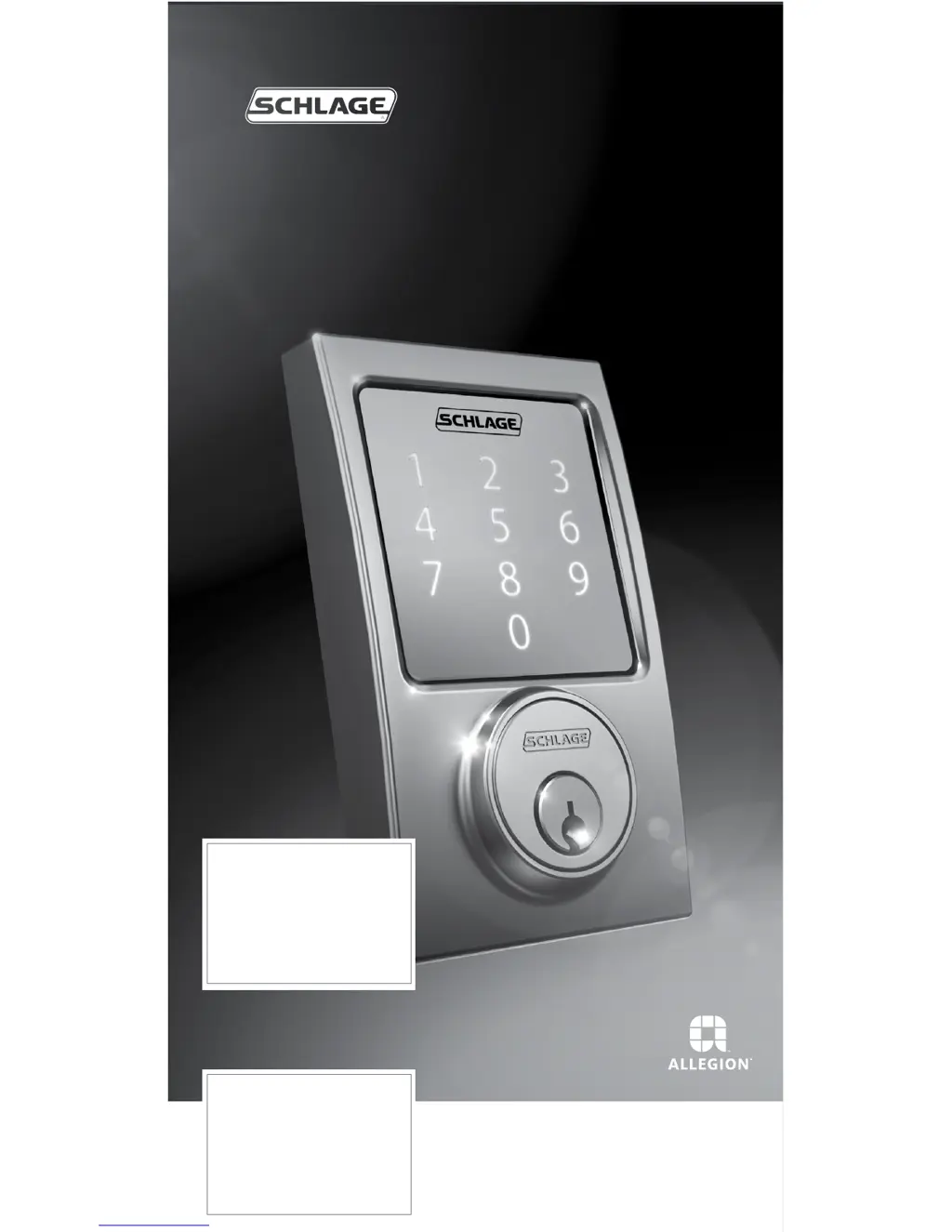
SCHLAGE SENSE™
Smart Deadbolt
User Guide

Other manuals for Schlage SENSE

Questions and Answers

  • E
    Elizabeth MendozaAug 17, 2025
    How to find default programming code for Schlage SENSE Door locks?
    • M
      munozdeniseAug 17, 2025
      If you've forgotten your Programming Code for the Schlage Door lock, check the front of this guide or the back of the Alarm Assembly for the default Programming Code. If that doesn't work, you may need to restore the lock to its factory settings.
  • B
    Belinda WatkinsAug 19, 2025
    Why is the backlighting not working on my Schlage SENSE?
    • T
      Tyler JonesAug 20, 2025
      If the backlighting doesn't activate when you press the Outside Schlage button and you can't enter the access code, it could be due to several reasons. The batteries might be completely dead, preventing any electronic operations. Another possibility is that the battery tray isn't connected properly. Lastly, the cable that runs through the door might not be connected; remove the Alarm Assembly and check the connection.
  • A
    aarondunlapAug 22, 2025
    Why is the yellow dot flashing on my Schlage Door locks after I enter the code?
    • J
      Jermaine HarrisAug 22, 2025
      If the yellow dot is flashing and there's a delay before the Schlage Door lock unlocks after entering an access code, the battery is likely low and should be replaced.
  • P
    Paula SnyderAug 25, 2025
    What does 3 red lights mean on Schlage SENSE?
    • T
      tylergarzaAug 26, 2025
      When 3 red lights appear when the Outside Schlage Button is pressed, it indicates that the battery is critically low and must be replaced.
  • J
    John JacksonAug 28, 2025
    Why is the bolt on my Schlage Door locks no longer operating smoothly?
    • L
      Lori NicholsonAug 28, 2025
      If the bolt on your Schlage Door lock was operating smoothly but isn't anymore, it could be because the bolt has become soiled. Clean it with mild detergent and warm water. Alternatively, the strike may have become worn, in which case you can flip the strike over for continued smooth operation.
  • S
    Sarah MillerAug 30, 2025
    Why can't I add a new access code to my Schlage Door locks?
    • M
      marvineverettAug 30, 2025
      If you're unable to add a new access code to your Schlage Door lock, it might be due to several reasons. First, ensure that you pressed '1' after entering Programming Mode. Another reason might be that you have already stored the maximum of 30 access codes, in which case you need to delete an existing access code before adding a new one. Also, verify that the second access code entry matches the first one. Finally, the new access code cannot match the first 4 to 6 digits of the existing Programming Code.
  • J
    Jeremy GrimesSep 2, 2025
    What to do if I need to delete an access code that I don’t remember on Schlage SENSE?
    • V
      Victor WilsonSep 2, 2025
      To delete an access code you don't remember from your Schlage Door lock, delete all access codes. Then add all needed access codes back into the lock.
  • K
    Kevin HullSep 5, 2025
    Why can't I delete an access code on my Schlage Door locks?
    • D
      Derrick HoltSep 5, 2025
      If you're having trouble deleting an access code on your Schlage Door lock, it could be because '2' was not pressed after entering Programming Mode. Also, make sure the first access code entered matches a current access code, and that the second access code entered matches the first one.
  • D
    David ArmstrongSep 7, 2025
    Why can't I change the Programming Code on my Schlage Door locks?
    • P
      Pamela NormanSep 7, 2025
      If you're unable to change the Programming Code on your Schlage Door lock, ensure that '3' was pressed after entering Programming Mode. Also, verify that the second Programming Code entered matches the first one. Finally, the first 4 to 6 digits of the new Programming Code cannot match an existing access code.
  • F
    ftaylorSep 12, 2025
    Why can't I delete all access codes on my Schlage Door locks?
    • K
      Kenneth MartinezSep 12, 2025
      If you're having trouble deleting all access codes on your Schlage Door lock, it might be because '6' was not pressed after entering Programming Mode, or the second Programming Code entered was not valid.

Summary

LOCK SETUP

LOCK PARTS

Setup Code and Default Access Codes

Programming and default access codes are on stickers. HomeKit code on another.

LOCKING AND UNLOCKING

CLEANING THE LOCK

REPLACING THE BATTERIES

MANUAL PROGRAMMING GUIDE

Programming Procedures

Step-by-step instructions for manual programming functions.

MY CODES

Access Codes

Stores up to 30 access codes, details length and default codes.

Best Practices

Recommendations for unique codes and periodic changes for security.

TROUBLESHOOTING

FACTORY DEFAULT RESET

EMERGENCY KEY OVERRIDE

WARRANTY

FCC;IC Statement

Schlage SENSE Specifications

General IconGeneral
Lock TypeDeadbolt
ConnectivityBluetooth
CompatibilityApple HomeKit
KeypadYes
Power Source4 AA batteries
User CodesUp to 30
Backup Power OptionNo
KeywaySchlage C Keyway
Finish OptionsSatin Nickel, Matte Black
Auto-Lock FeatureYes
SecurityGrade 1

Related product manuals