EasyManua.ls Logo

Schlage S-510 - User Manual

Schlage S-510
2 pages
Print Icon
To Next Page IconTo Next Page
Loading...
󾘥󾘥
󾘩󾘥󾘫󾘥󾘥󾘮󾘥󾘫󾘥󾘪
󾘥󾘥󾘥󾘥󾘥󾘥󾘥
Voice guide (operation status, menu selection.) and provide 3 step
volume control system.
󾘥󾘥󾘥󾘥󾘮󾘥󾘥󾘥󾘥
Automatic and manual locking mode set is possible with simple
switch operation from Inside.
󾘥󾘥
If users do not open the door after unlocking the device it will
lock itself automatically.
󾘥󾘥
When double lock function is activated, the door cannot be opened
from the outside, even with the registered card, PIN code or
Fingerprint. Override key can still be used.
󾘥󾘥󾘥
Door will not emit any sound when mute is activated.
󾘥󾘥󾘥󾘥󾘥󾘥󾘥

Easy to check battery status with three step level indicator and
alarm when battery replacement is required.
󾘥󾘥
When the door is opened by force an alarm will sound.
󾘥󾘥󾘥
After multiple incorrect attempted entries an alarm will sound and
all the functions of the lock will be suspended for three minutes.
The alarm activated after three incorrect PIN/card entries.
󾘥󾘥󾘥
When you enter your home with other people, you may not
want to show PIN code to them. In this case, you may press
any numbers randomly without limitation and then enter your
PIN code at the end.
󾘥󾘮󾘥
Normal mode is ideal for new users or low security environments
Safety mode provides a higher security level via use of a manager
PIN code. Allows individual register and delete function which is not
provided in normal mode.
Notice
Please read this manual before installation and
operation.
Safety precautions
Product features
Product composition and components
󾘥󾘥󾘥󾘥󾘥󾘥󾘭
Disassembling the door lock may damage the product. Damages
to the product caused by unauthorized persons may void the
warranty.
󾘥󾘥󾘥󾘥󾘥󾘥󾘥
󾘭
Please remove the batteries immediately from the product, if
you do not take this step immediately, the product may suffer
severe damage.
󾘥󾘥󾘥󾘥󾘥󾘥󾘥󾘥󾘥
󾘭
If the product is exposed to water or liquids, please wipe the
moisture off with a soft cloth. If moisture or foreign materials
penetrate the product, remove the batteries immediately.
󾘥󾘥󾘥󾘥󾘥󾘥󾘥󾘥
󾘮󾘭
If leakage is discovered, please wipe out with a dry cloth and
replace with new batteries. In case of exposure to leakage, wash
affected skin area with soap and water immediately.
󾘥󾘥󾘥󾘥󾘥󾘥󾘥
󾘥󾘥󾘥󾘫󾘥󾘥󾘥󾘭
Such materials may damage the surface of the lock or cause a fire.
󾘥󾘥󾘥󾘥󾘥󾘥󾘥󾘥
󾘥󾘥󾘥󾘥󾘫󾘥󾘥󾘥󾘥
󾘥󾘥󾘫󾘥󾘥󾘥󾘥󾘭
Do not use damaged batteries.
󾘥󾘥󾘥󾘥󾘥󾘥󾘥󾘥
󾘥󾘥󾘥󾘫󾘥󾘥󾘥󾘥󾘥
󾘫󾘥󾘥󾘥󾘥󾘥󾘭󾘥
󾘥󾘥󾘥󾘥󾘥󾘥󾘥󾘥󾘥
󾘥󾘥󾘥󾘭
It may damage the product or cause a malfunction.
󾘥󾘥󾘥󾘥󾘥󾘥󾘥󾘭
It may damage the product or cause a malfunction.
󾘥󾘥󾘥󾘥󾘥󾘥󾘫󾘥󾘥󾘥
󾘥󾘥󾘥󾘭
The battery life is getting shorter and it may cause leaks or
explosion.
󾘥󾘥󾘥󾘥󾘥󾘥󾘥󾘥󾘥
󾘥󾘥󾘥󾘭
Dew condensation; small drops of water that form when warm air
touches a cold surface. Please check the environment of installation
area. Heavy dew condensation may damage the product or cause a
malfunction.
S
-
510
TOUCHPAD DIGITAL
DOOR LOCK
WITH FINGERPRINT READER
USER MANUAL
Name product speci󽗉cation remark
Front Ass`y
74mm(W) X 184mm(H) X 20.7mm(D)
Including rubber pad
② Back Ass`y
160mm(W) X 93mm(H) X 37mm(D)
Back bracket
164mm(W) X 97mm(H) X 4.5mm(D)
Strike
30.1mm(W) X 124mm(H) X 28mm(D)
Strike housing
30mm(W)
X
124mm(H)
X
2mm(D) 1 EA
30mm(W)
X
124mm(H)
X
4.7mm(D) 3 EA
Using for height
of strike
Card / Fob ISO card, Tag key, Mobile tag key
Battery
1.5V 'AA' Size LR6 4 Alkaline (DC 6V)
Screws
1 EA
User manual
Main User manual
⑩ Installation template
Using for making hole at the door
Communication pack
Communication pack
Optional
⑫ Remote key
Remote key
Optional
Installation condition
Door thickness 40~50mm
(4-1) Dead bolt guider : should remove after 󽗉nishing installation.
(4-1)
User
manual
Installation
template
Remote key Communication pack
Optional parts
Screws
Name and function of each part
Name
Description
Lock / Unlock lamp
Indicate lock/unlock status.
② Status indicator
Indicates operation status and checking battery capacit
20% of Battery 50% of Battery
80% of Battery
Touch Keypad
Touch type Keypad
④ Window icon
: Mute function : Wireless connection indicator(Option)
:
Battery replacement indicator lamp
: Trespass alarm function
⑤ Fingerprint sensor
Touch the registered fingerprint on the sensor to unlock the
door
Card / Fob touch plate
Touch the registered Card / Fob to unlock the door
⑦ External power supply
When battery does not operate, product may be operated and
unlocked by contacting a 9V battery on terminal located outside.
2. Back Ass`y1. Front Ass`y
button
Name
Description
⑧ Thumb turn Open or close manually with thumb turn
⑨ [Open / Close] button Open or Close door with one touch button
⑩ 
Auto / Manual
mode switch
A : Auto mode (It locks automatically when the door is closed)
M : Manual mode (Does not lock automatically when the door is closed)
⑪ Connection terminal
for communication
pack
Connecting or removing terminal for communication pack
⑫ Communication
button
: Registration or deletion of optional RF communication
pack
⑬ [N],[S] button
Registration/deletion of PIN code , Card / Fob, Fingerprint in
normal mode or safety mode
⑭ Battery cover Push up to open the battery cover
Question and Answer IconNeed help?

Do you have a question about the Schlage S-510 and is the answer not in the manual?

Summary

General Safety Precautions

Avoid Disassembly and Alteration

Warns against disassembling or altering the lock to prevent damage and voiding the warranty.

Handle Gas and Smoke Generation

Instructs to remove batteries immediately if the product generates harmful gases or smoke.

Protect from Water and Liquids

Advises keeping the product away from water/liquids and removing batteries if exposed.

Battery Maintenance and Leakage

Recommends checking batteries every 6 months for leaks and replacing if necessary.

Avoid Flammable Cleaning Agents

Warns against using flammable materials like alcohol for cleaning to prevent damage or fire.

Battery Handling Precautions

Alerts to dangers of exposing batteries to heat or water, which can cause leaks or explosions.

Use Only Unused Batteries

Prohibits using damaged batteries to prevent overheating or explosion.

Prevent Battery Electrode Contact

Advises preventing battery electrodes from contacting metal objects to avoid overheating or explosion.

Avoid Locking Deadbolt Before Closing

Warns against closing the door with the deadbolt locked to prevent product damage.

Avoid Forcing Front Cover

Advises not to force the front cover to prevent damage or malfunction.

Battery Mixing Warning

Discourages mixing old/new or different battery types to prevent leaks or explosions.

Condensation and Installation

Notes that heavy dew condensation can damage the product and advises checking installation environment.

Key Product Features

Triple Access Modes

Supports unlocking via PIN code, Card/Fob, and Fingerprint for flexible access.

Voice Guidance System

Features voice prompts for operation status and menu selection with adjustable volume.

Auto;Manual Locking Control

Allows users to set either automatic or manual locking modes for convenience.

Automatic Relocking

Automatically relocks the door if it's not opened within a specified time after unlocking.

Double Lock Security

Enhances security by preventing entry from outside, even with valid credentials, except by override key.

Mute Functionality

Allows disabling audible sounds for silent operation.

Low Battery Alerts

Provides visual indicators and audible alarms for timely battery replacement.

Trespass Alarm

Activates an alarm if the door is forcibly opened.

Anti-Hacking Protection

Suspends lock functions for three minutes after multiple incorrect entry attempts.

Random Code Feature

Allows entering random numbers before the PIN to conceal it from onlookers.

Security Modes

Offers Normal mode for ease of use and Safety mode for enhanced security with manager control.

Product Components Overview

Physical Components

Lists and illustrates the physical parts included in the lock package.

Component Identification

Details the name and function of each identified part of the lock.

Shortcut Icon Definitions

Icon Glossary

Explains common symbols and icons used throughout the manual for quick reference.

Emergency Power Connection

External Power Usage

Guides on how to use an external power source during emergencies.

Internal Locking Methods

Locking from Inside

Explains how to lock the door from the inside using auto or manual modes.

Manual Inside Operation

Thumb Turn Control

Details how to operate the lock manually using the thumb turn from the inside.

Open;Close Button Control

Explains how to use the internal button to open or close the door.

Double Locking Setup

Setting Double Lock

Guides on how to activate the double locking function for enhanced security.

Cancelling Double Lock

Explains the procedure to deactivate the double locking feature.

Security Alerts and Functions

Illegal Entry Warning

Details the warning function triggered by multiple incorrect PIN, card, or fingerprint entries.

Trespass Alarm Activation

Explains the trespass alarm that sounds when the door is opened by force.

Lock Operation Modes

Auto Lock;Relock System

Covers the automatic locking and relocking features of the door lock.

Safety Mode Configuration

Explains how to switch between Normal and Safety modes for varying security levels.

Communication Pack Installation

Wireless Device Setup

Provides instructions for installing the optional wireless communication device.

Remote Key Registration

Details the process for registering a remote key to control the lock.

Remote Lock;Unlock Usage

Explains how to use the remote key to lock or unlock the door.

Language Selection

Changing Display Language

Guides on how to select the preferred language for the lock's interface.

Mobile App Connectivity

Connecting with Mobile App

Instructions for pairing the lock with a mobile device via the Schlage Base app.

Disconnecting from Mobile App

Steps to unpair the lock from the mobile application.

Summary

General Safety Precautions

Avoid Disassembly and Alteration

Warns against disassembling or altering the lock to prevent damage and voiding the warranty.

Handle Gas and Smoke Generation

Instructs to remove batteries immediately if the product generates harmful gases or smoke.

Protect from Water and Liquids

Advises keeping the product away from water/liquids and removing batteries if exposed.

Battery Maintenance and Leakage

Recommends checking batteries every 6 months for leaks and replacing if necessary.

Avoid Flammable Cleaning Agents

Warns against using flammable materials like alcohol for cleaning to prevent damage or fire.

Battery Handling Precautions

Alerts to dangers of exposing batteries to heat or water, which can cause leaks or explosions.

Use Only Unused Batteries

Prohibits using damaged batteries to prevent overheating or explosion.

Prevent Battery Electrode Contact

Advises preventing battery electrodes from contacting metal objects to avoid overheating or explosion.

Avoid Locking Deadbolt Before Closing

Warns against closing the door with the deadbolt locked to prevent product damage.

Avoid Forcing Front Cover

Advises not to force the front cover to prevent damage or malfunction.

Battery Mixing Warning

Discourages mixing old/new or different battery types to prevent leaks or explosions.

Condensation and Installation

Notes that heavy dew condensation can damage the product and advises checking installation environment.

Key Product Features

Triple Access Modes

Supports unlocking via PIN code, Card/Fob, and Fingerprint for flexible access.

Voice Guidance System

Features voice prompts for operation status and menu selection with adjustable volume.

Auto;Manual Locking Control

Allows users to set either automatic or manual locking modes for convenience.

Automatic Relocking

Automatically relocks the door if it's not opened within a specified time after unlocking.

Double Lock Security

Enhances security by preventing entry from outside, even with valid credentials, except by override key.

Mute Functionality

Allows disabling audible sounds for silent operation.

Low Battery Alerts

Provides visual indicators and audible alarms for timely battery replacement.

Trespass Alarm

Activates an alarm if the door is forcibly opened.

Anti-Hacking Protection

Suspends lock functions for three minutes after multiple incorrect entry attempts.

Random Code Feature

Allows entering random numbers before the PIN to conceal it from onlookers.

Security Modes

Offers Normal mode for ease of use and Safety mode for enhanced security with manager control.

Product Components Overview

Physical Components

Lists and illustrates the physical parts included in the lock package.

Component Identification

Details the name and function of each identified part of the lock.

Shortcut Icon Definitions

Icon Glossary

Explains common symbols and icons used throughout the manual for quick reference.

Emergency Power Connection

External Power Usage

Guides on how to use an external power source during emergencies.

Internal Locking Methods

Locking from Inside

Explains how to lock the door from the inside using auto or manual modes.

Manual Inside Operation

Thumb Turn Control

Details how to operate the lock manually using the thumb turn from the inside.

Open;Close Button Control

Explains how to use the internal button to open or close the door.

Double Locking Setup

Setting Double Lock

Guides on how to activate the double locking function for enhanced security.

Cancelling Double Lock

Explains the procedure to deactivate the double locking feature.

Security Alerts and Functions

Illegal Entry Warning

Details the warning function triggered by multiple incorrect PIN, card, or fingerprint entries.

Trespass Alarm Activation

Explains the trespass alarm that sounds when the door is opened by force.

Lock Operation Modes

Auto Lock;Relock System

Covers the automatic locking and relocking features of the door lock.

Safety Mode Configuration

Explains how to switch between Normal and Safety modes for varying security levels.

Communication Pack Installation

Wireless Device Setup

Provides instructions for installing the optional wireless communication device.

Remote Key Registration

Details the process for registering a remote key to control the lock.

Remote Lock;Unlock Usage

Explains how to use the remote key to lock or unlock the door.

Language Selection

Changing Display Language

Guides on how to select the preferred language for the lock's interface.

Mobile App Connectivity

Connecting with Mobile App

Instructions for pairing the lock with a mobile device via the Schlage Base app.

Disconnecting from Mobile App

Steps to unpair the lock from the mobile application.

Overview

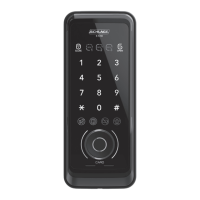
The Schlage S-510 is a touchpad digital door lock equipped with a fingerprint reader, offering a comprehensive security solution for your home or office. This device provides a three-way opening solution, allowing access via PIN code, Card/Fob, or fingerprint, ensuring flexibility and convenience for users.

Function Description:

The lock features a voice guide system with a three-step volume control, providing clear operational status updates and menu selections. It supports both automatic and manual locking modes, which can be easily switched from the inside. In automatic locking mode, the door will lock itself automatically when closed. If the door is not opened within 7 seconds after unlocking, the auto-relock function will automatically re-lock the door to protect user property. In manual locking mode, the door locks only when the manual lock button is pressed, requiring users to ensure the door is locked before leaving.

A double lock function enhances security by preventing the door from being opened from the outside, even with a registered card, PIN code, or fingerprint, though an override key can still be used. For quiet operation, a one-touch mute function allows the door to operate without emitting any sound.

The device includes a low battery indicator and alarm system, providing a three-step level indicator to easily check battery status and alerting users when replacement is needed. In case of a trespass attempt, an alarm will sound if the door is opened by force. To prevent mischief and hacking, the lock will trigger an alarm and suspend all functions for three minutes after multiple incorrect entry attempts (three incorrect PIN/card entries or five incorrect fingerprint entries).

A random security coding function allows users to enter random numbers before their actual PIN code, preventing others from easily discerning the code. The lock also offers two operational modes: Normal mode, ideal for new users or low-security environments, and Safety mode, which provides a higher security level through the use of a manager PIN code, enabling individual registration and deletion functions not available in Normal mode.

Usage Features:

To unlock from the outside, users can enter their PIN code, present a registered Card/Fob, or use a registered fingerprint. For silent unlocking, a mute function can be activated. From the inside, the door can be opened or closed manually using the thumb turn or with a one-touch button in auto-lock mode.

In an emergency, if the batteries are depleted, external power can be supplied using a 9V alkaline battery (6LF22) by contacting it to the external power supply terminals. The random security coding function can be used by pressing any numbers randomly before the actual PIN code.

The device allows for the registration of guest PIN codes for temporary use. Users can control the voice guide volume with three levels (min, mid, max) and adjust the operation volume. A status checking guide provides information on the lock's current status, and battery capacity can be checked at any time.

The lock supports the registration of up to 10 PIN codes (6-12 digits), 50 Cards/Fobs, and 50 fingerprints in both Normal and Safety modes. In Safety mode, a manager PIN code is required for registration and deletion, offering enhanced control. The language of the voice guide can be selected between English and Chinese.

Maintenance Features:

Regular maintenance includes checking the batteries every six months for leaks and cleanliness. If leakage is discovered, batteries should be replaced immediately, and any affected skin areas should be washed with soap and water. The low battery indicator and alarm will prompt users when battery replacement is necessary. To replace batteries, open the battery cover and replace all four 1.5V 'AA' size LR6 Alkaline batteries.

The device should not be disassembled or altered, as this may damage the product and void the warranty. It should be kept away from water or liquids, and if exposed, moisture should be wiped off immediately. The product should not be cleaned with flammable materials like alcohol, benzene, or thinners. Batteries should not be exposed to direct heat or submerged in water, and damaged batteries should not be used. The battery electrodes should not contact metals to prevent overheating. The door should not be forced closed with the deadbolt in the locked position, as this may cause damage. The front cover should not be forced open. Old and new batteries, or different types of batteries, should not be mixed. The lock should not be installed on a door with heavy dew condensation, as this may cause damage.

Schlage S-510 Specifications

General IconGeneral
KeypadYes
Key OverrideYes
User Codes19
HandingReversible
ANSI GradeGrade 2
Door Thickness1-3/8" to 1-3/4"
KeywaySchlage C
TypeElectronic
Backset2-3/8" or 2-3/4"
Battery4 AA batteries

Related product manuals