13
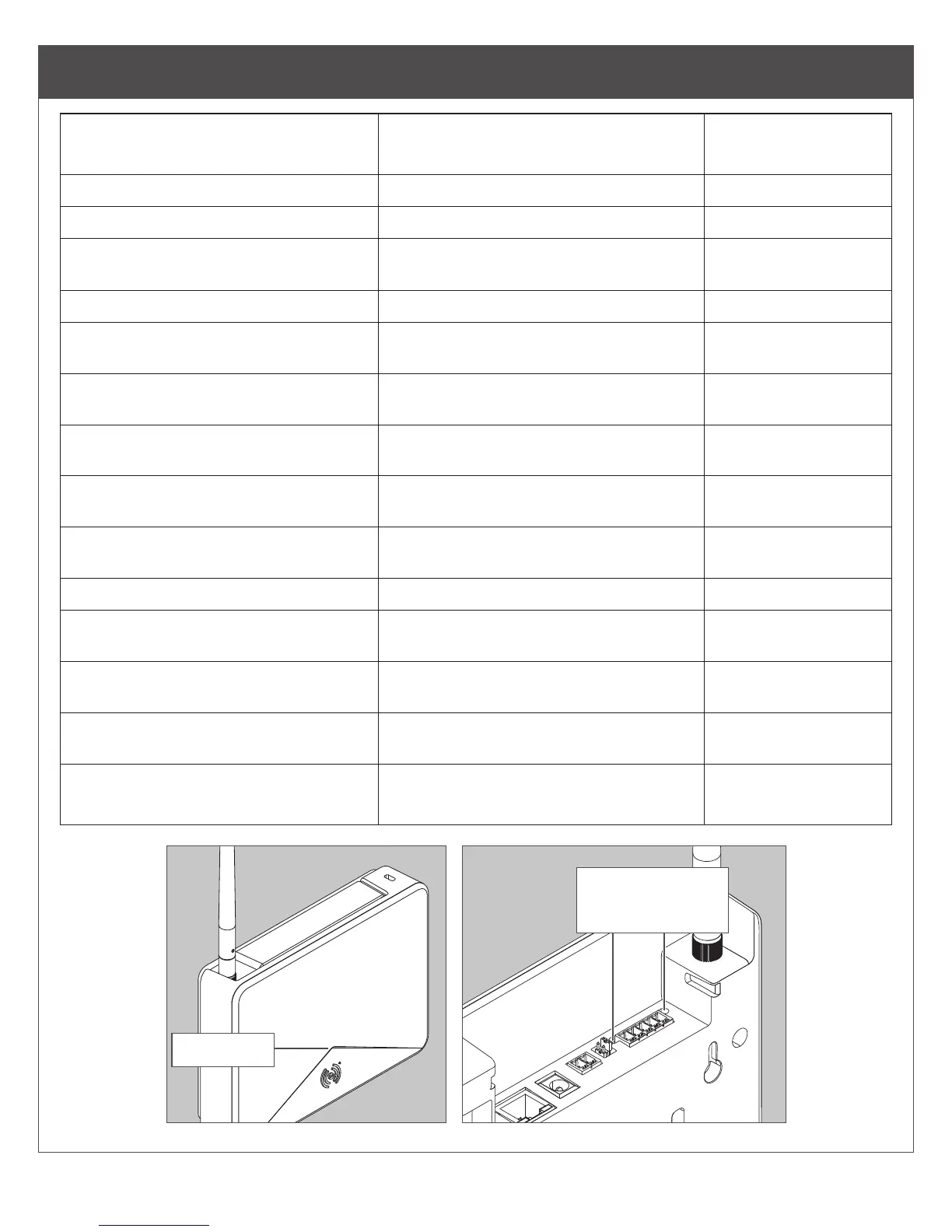
LED Indicator Guide
Status LED Meaning
Type of LED User
Interface
Solid amber Gateway is booting up State
Long ash amber, repeating Gateway Wi-Fi access point is active State
Fast ash x2, repeating for 1 minute Factory default reset did not complete
successfully
Status code
Fast ash x3, repeating for 1 minute Power on self test failure Status code
Solid blue Gateway is commissioned, normal
operation
State
Long ashing blue Mobile application is connected to
Gateway
State
Fast ash blue, repeating Gateway is in link mode - connected
and linking to new lock
State
Alternating long ashing blue and red Gateway is in link mode - searching
for new lock
State
Solid red Factory Default State /
Uncommissioned
State
Fast ash red x4 Linking to lock was not a success Status code
Alternating green and red long
ashes, repeat
Gateway is updating its rmware State
Solid green Gateway is in process of reseting to
default settings
State
Fast ash green x2 Gateway will begin a factory default
reset
Response to user
action
Fast ash green x3 Linking to lock was a success
FW upgrade succeeded
Status code
Status LED
Data Send/
Receive LEDs


 To Next Page