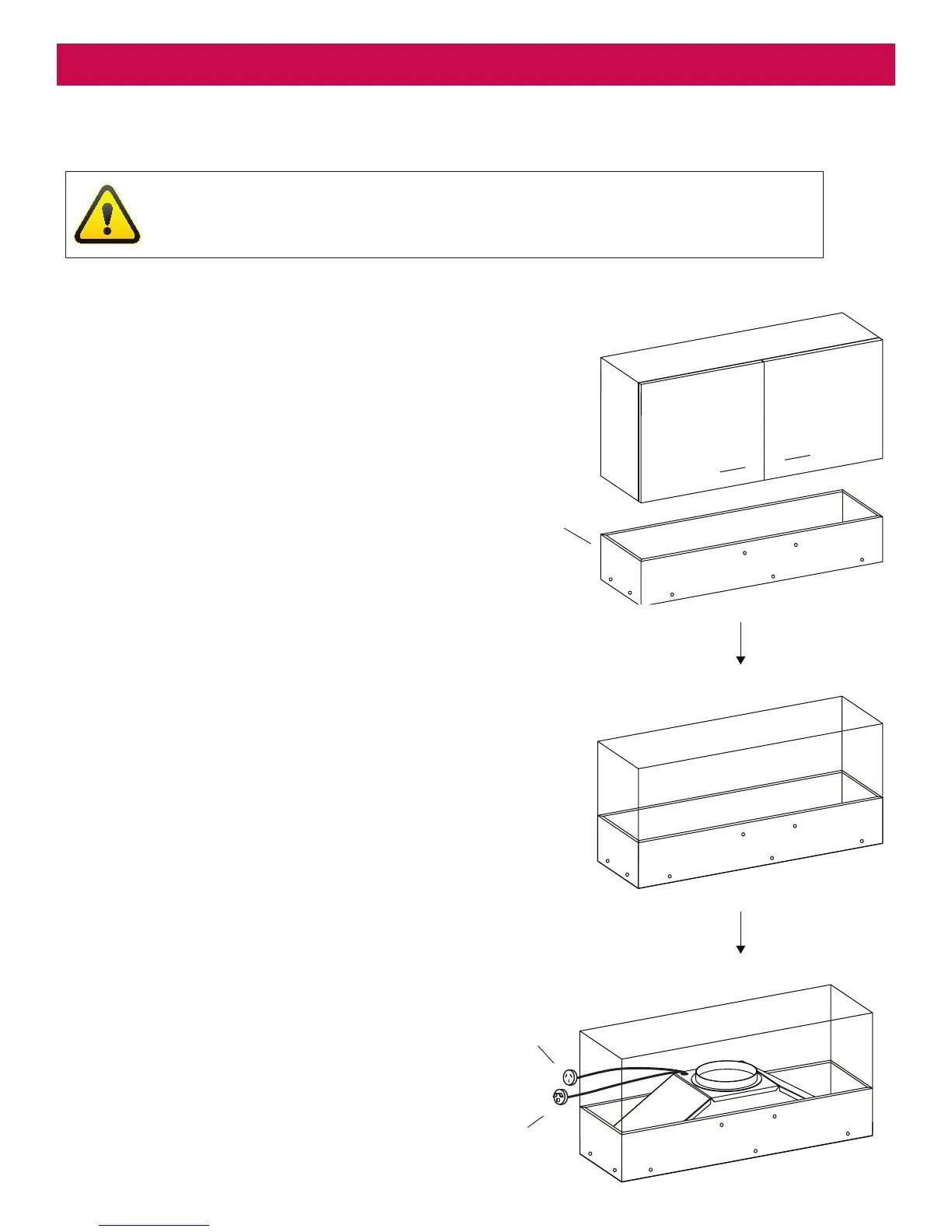
Female Plug
(Isodrive)
Support Frame
Male Plug
(Main power)
Step 2
Secure support frame to inside of cabinet.
Step 3
Secure the undermount into cavity using
screws. All screws are installed internally into
a support frame, except the rear screws,
please refer to page 8 for details.
Step 1
The support frame is not included.
The requirement of a support frame is
dependent on the type and location of
installation. Please contact your cabinet
maker or installer for more information.
Insert support frame into cabinet. The support
will only be needed in certain circumstances.
WARNING
Please remove lters before installations. Failure to do so may damage the clips.


 To Next Page