80
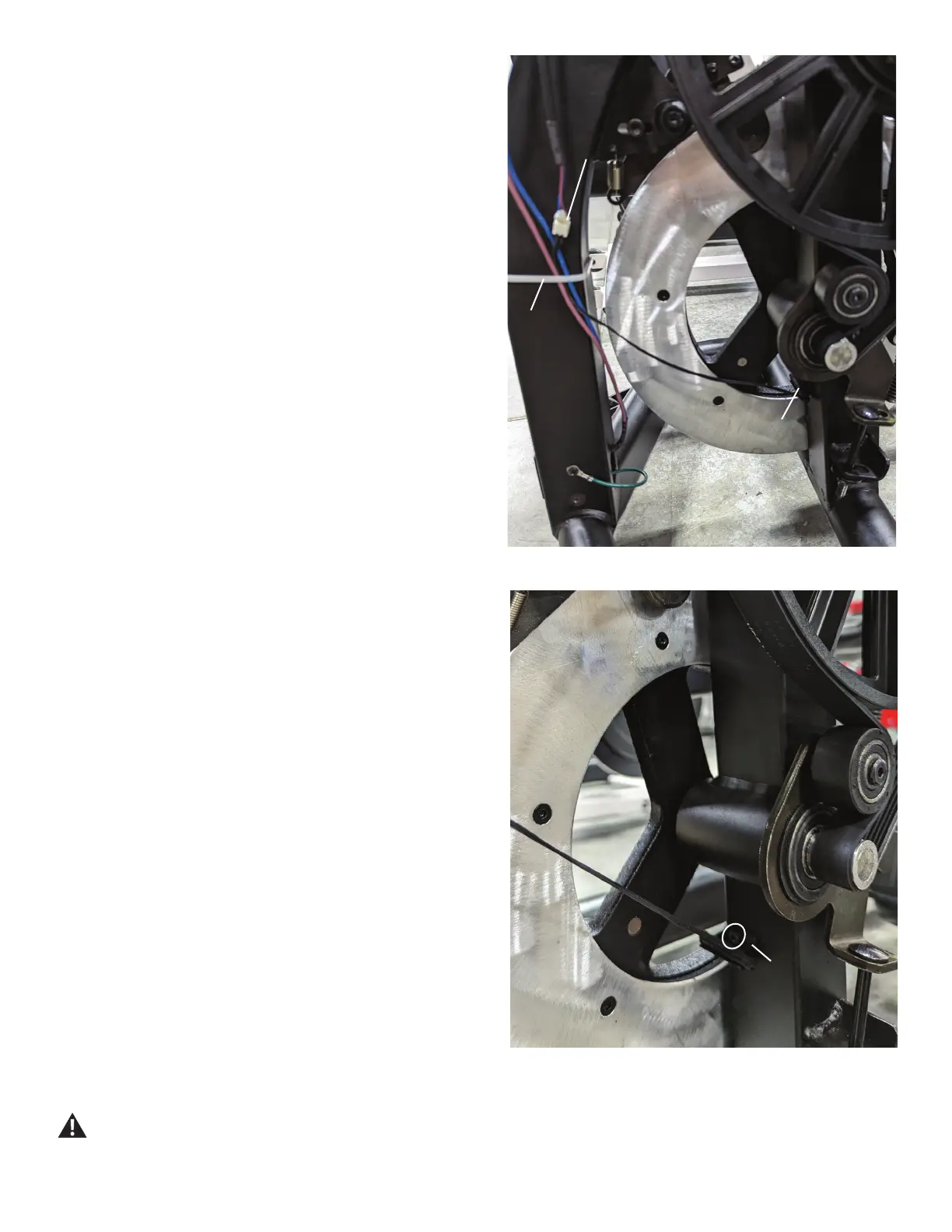
Speed Sensor
Zip-Tie
Speed Sensor
Cable Connector
5. After noting how the Zip-Tie secures the Speed Sensor
Cable and other cables to the Frame, cut the Zip-Tie that
secures the cables. Be sure not to damage or cut any
cables.
6. Disconnect the Speed Sensor Cable Connector.
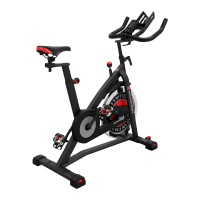
7. Using a short #2 Phillips screwdriver, remove the screw
that secures the Speed Sensor Bracket to the Frame.
Remove the old Speed Sensor Assembly.
8. Using a #2 Phillips screwdriver, connect the new Speed
Sensor Assembly to the Frame. Be sure not to pinch or cut
any of the wires. A built-in stop is provided in the Speed
Sensor Bracket to assist with properly placing the Speed
Sensor. Push the Speed Sensor into the Bracket until it
reaches the stop.
9. Connect the new Speed Sensor Cable to the Connector.
10. Using a replacement Zip-Tie, secure the cables to the
FrameandtrimtheexcessfromtheZip-Tie.Besurenotto
cut any of the cables.
11. Re-assemble the machine in the reverse order of when
the parts were removed.
12. Final Inspection
Inspect your machine to ensure that all hardware is tight
and components are properly assembled.
Do not use until the machine has been fully
assembled and inspected for correct performance
in accordance with the Owner’s Manual.
Speed Sen-
sor Bracket


 To Next Page