47
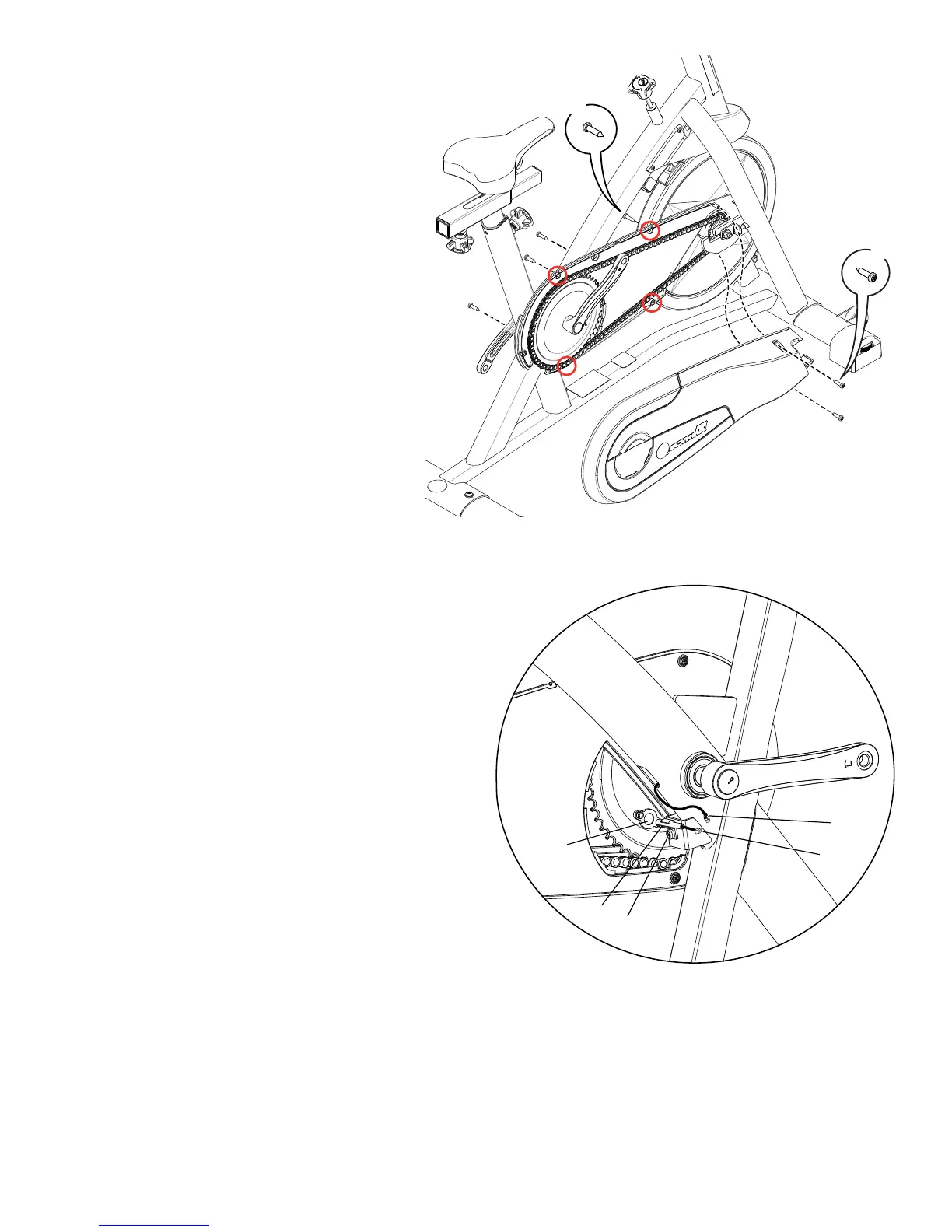
4. Loosen and remove the hardware that attaches the Chain
Guard Cover to the Chain Guard Inside. Carefully remove the Chain
Guard Cover and set it safely aside for reassembly.
5. Disconnect the Speed Sensor cable (S1) from the data cable
(S2) in the Frame.
NOTICE: Do not crimp the cable.
6. Remove the hardware (S3) that attaches the Speed Sensor
(S4) to the Main Frame. Remove the Speed Sensor. Set the Speed
Sensor and hardware safely aside for reassembly.
X4
X2
S3
S1
S2
S4
S5






 To Next Page