Scientific
PSD7303 24/42
2.8 Timer
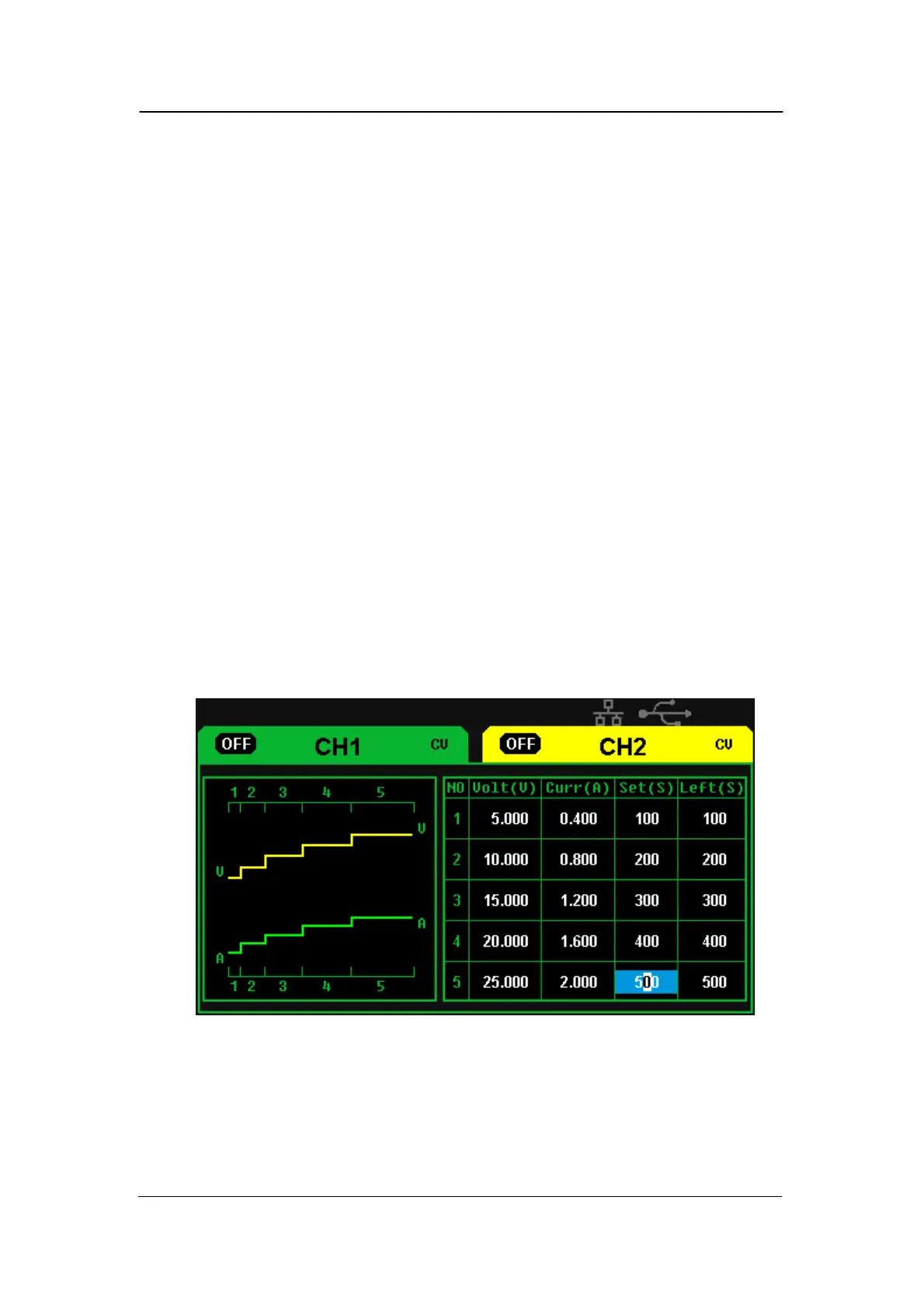
The timer works in the Independent mode, and can save five timing setups,
each of which is independent from each other. You can set any
voltage/current value within the range as you want. The timer supports
consecutive output, and the longest time of each group is 10000s.
Setup timer
Operation steps:
1. Press “TIMER” to enter the Timer Setup interface, and the indicator
light turns bright immediately;
2. Press “1”/”2” button to select the wanted channel;
3. Move the cursor to select the wanted parameter(voltage/current/time)
by pressing the direction button;
4. Set the corresponding value through “Fine” button and .multi-function
knob
5. Press “Timer” again to exit current interface.



 To Next Page