36| 8.0 LinLab - Motorized Device Configuration and Cont
r
ol Software
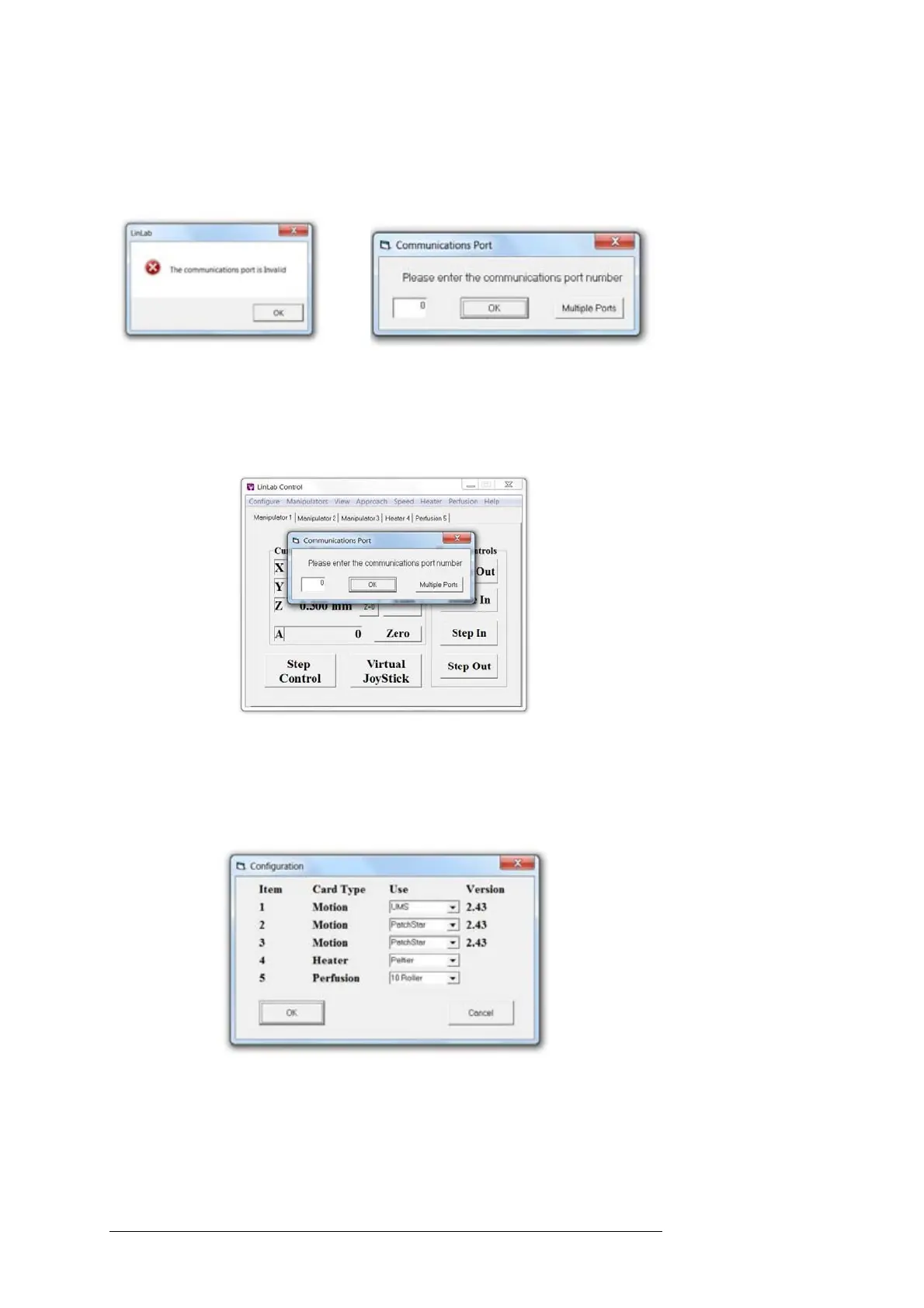
this can be done by selecting the relevant Comms ports in turn. A typical
scenario would be to start one LinLab application on the controller
connected to port 1. Then start another instance of LinLab. You will
receive the following message:
Then:
Type in the communications port for the next rack and continue.
If running a single device the following screen allows you to set the
correct comms port.
8.3.2 Configure / System Configuration
This allows the user to automatically configure individual Scientifica
devices from PatchStar manipulators through to microscope platforms
through to heaters:
This is particularly useful if you have a multicard system. The number
corresponds to the control cards position in a 1U rack, select the correct
device for the card slot and the speeds, currents and limit sensing
parameters will all be set automatically.



 To Next Page