EasyManua.ls Logo

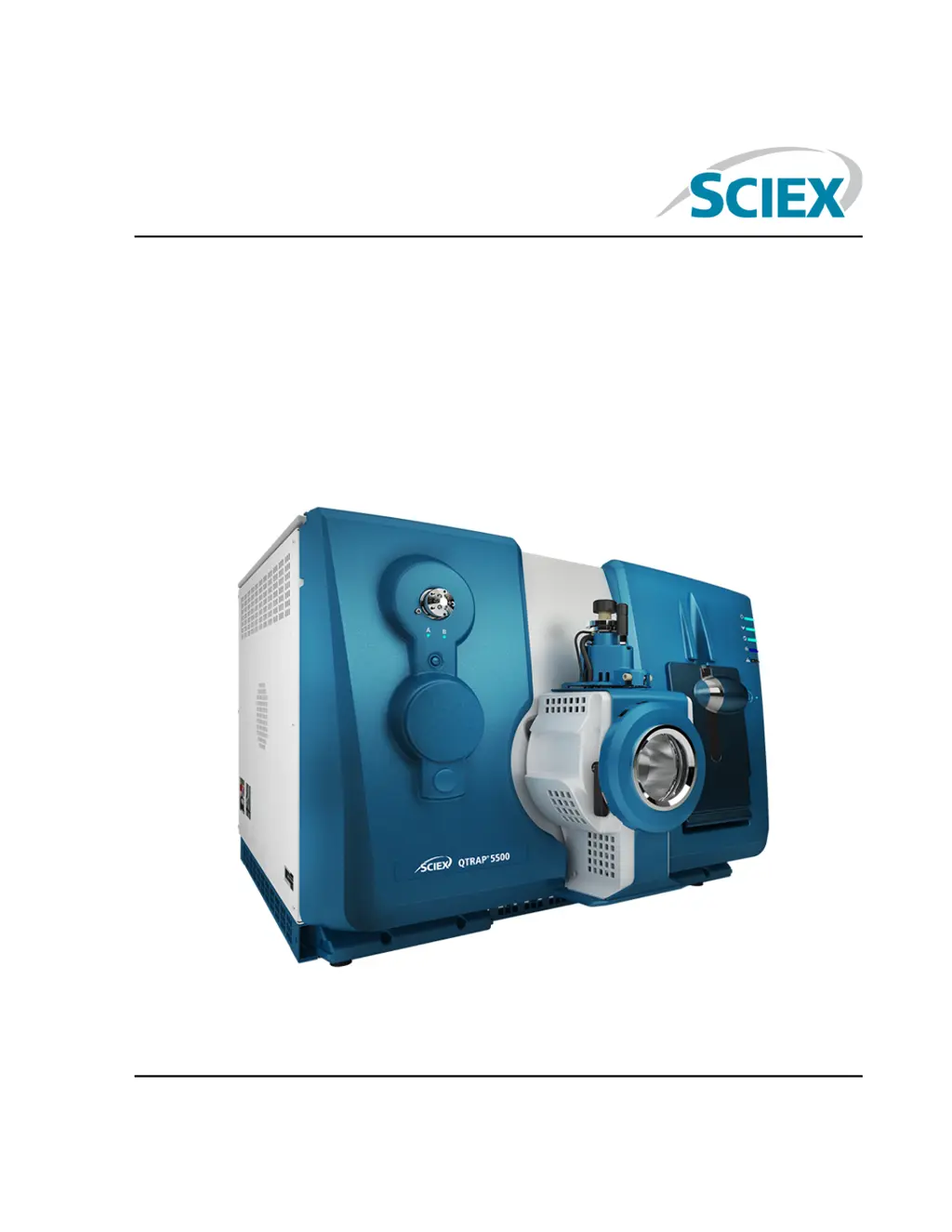
SCIEX 5500 Series - User Manual

SCIEX 5500 Series
195 pages
Print Icon
To Next Page IconTo Next Page
Loading...
5500 Series of Instruments
System User Guide
December 2017RUO-IDV-05-6768-A

Table of Contents

Questions and Answers

  • J
    Jessica RogersAug 1, 2025
    What to do if a system fault has occurred in SCIEX 5500 Laboratory Equipment because the vacuum pressure is too high?
    • K
      Kristina WagnerAug 1, 2025
      A system fault in your SCIEX Laboratory Equipment due to high vacuum pressure can be caused by: * Low roughing pump oil level: Inspect the roughing pump oil level. * Leaks: Inspect and repair any leaks. * Incorrect orifice plate: Install the correct orifice plate.
  • K
    Kimberly WhiteAug 5, 2025
    Why has the mass spectrometer performance degraded in my SCIEX 5500?
    • A
      awhiteAug 6, 2025
      Degraded mass spectrometer performance in your SCIEX Laboratory Equipment can be due to: * The probe not being optimized: Optimize the probe. * Incorrect sample preparation or sample degradation: Confirm that the sample was prepared correctly. * Leaking sample inlet fittings: Verify that the fittings are the right size and type and make sure that they are tight. Do not overtighten the fittings. Replace the fittings if leaks continue. * Consider installing and optimizing an alternate ion source.
  • C
    Christian GilbertAug 11, 2025
    What to do if Analyst software reports a fault status for the mass spectrometer due to the ion source in SCIEX 5500 Laboratory Equipment?
    • R
      Ronald WilsonAug 11, 2025
      If the Analyst software reports that the mass spectrometer is in Fault status because of the ion source on your SCIEX Laboratory Equipment: * Confirm the fault in the Status panel of the device details page. * The probe may not be installed or connected securely: Install the probe. * Remove and replace the probe and tighten the retaining ring securely.
  • K
    kgarciaAug 16, 2025
    What causes a non-uniform spray in SCIEX 5500?
    • S
      Steven CainAug 16, 2025
      If the spray is not uniform in your SCIEX Laboratory Equipment, it may be because the electrode is blocked. Clean or replace the electrode.
  • A
    Aaron MurphyAug 21, 2025
    Why are arcing or sparks occurring in my SCIEX Laboratory Equipment?
    • B
      Brandon GriffinAug 21, 2025
      If arcing or sparks occur in your SCIEX Laboratory Equipment, the position of the corona discharge needle may be incorrect. Turn the corona discharge needle toward the curtain plate, and away from the stream of heater gas.
  • C
    Christina RodriguezOct 26, 2025
    Why is the sensitivity reduced in my SCIEX Laboratory Equipment?
    • M
      Mark RobinsonOct 26, 2025
      Reduced sensitivity in your SCIEX Laboratory Equipment can stem from several causes: * Ion source parameters might not be optimized: Optimize the ion source parameters. * The syringe or sample line may be leaking: Inspect the syringe or sample line for leaks, and repair any leaks found. Also, make sure that all fittings are the correct type and size. * The sample has degraded or has a low concentration: Verify the sample concentration and use a fresh sample. * The probe is not installed properly: Remove and install the probe. * The ion source is not installed properly, or it is faulty: Remove and install the ion source, making sure that the latches are properly secured. * One or more of the O-rings on the vacuum interface is missing: If the O-rings are on the ion source, then ...

Summary

Chapter 1 Operational Precautions and Limitations

General Safety Information

Provides safety precautions for preventing personal injury and system damage.

Electrical Precautions

Details warnings and procedures related to electrical hazards and safe practices.

Chemical Precautions

Outlines hazards and safety measures for handling chemicals used with the system.

Ventilation Precautions

Covers safety procedures for venting fumes and ensuring proper air exchange.

Environmental Precautions

Details safety measures related to the system's operating environment and potential hazards.

Qualified Personnel

Specifies requirements for personnel involved in system installation and maintenance.

Equipment Use and Modification

Warns against improper use, modification, and highlights safety hazards.

Chapter 2 Principles of Operation

Theory of Operation-Hardware

Explains the fundamental principles of how the mass spectrometer operates.

Chapter 4 Operating Instructions-Hardware

Start Up the System

Provides instructions and safety warnings for starting the instrument.

Shut Down and Vent the System

Details steps for safely shutting down and venting the system.

Chapter 5 Operating Instructions - Hardware Profiles and Projects

Create a Hardware Profile

Step-by-step guide to creating a new hardware profile for the system.

Chapter 6 Tune and Calibrate

Verify Instrument Performance

Describes how to verify or adjust the mass spectrometer's performance.

Chapter 7 Automatic Optimization

Automatically Optimize for an Analyte Using Infusion

Details MS/MS optimization using infusion with known precursor and unknown product ions.

Automatically Optimize for an Analyte Using FIA

Guides users through automatic optimization using Flow Injection Analysis (FIA).

Chapter 8 Operating Instructions - Acquisition Methods

Create an Acquisition Method Using the Acquisition Method Editor

Step-by-step guide to creating acquisition methods using the editor.

Scan Techniques

Explains different mass spectrometry scan types used in acquisition.

Chapter 9 Operating Instructions - Analyze and Process Quantitative Data

Quantitative Analysis

Explains the process of determining substance concentration in samples.

Quantitation Methods

Describes parameters used to generate peaks and calculate concentrations.

Create a Method Using the Quantitation Method Editor

Detailed steps for creating quantitation methods using the editor.

Create a Results Table Using the Quantitation Wizard

Guide to generating a results table using the Quantitation Wizard.

Peak Review and Manual Integration of Peaks

Procedures for reviewing and manually integrating peaks in chromatograms.

Calibration Curves

Explains how calibration curves are generated and used for sample concentration.

Chapter 10 Operating Instructions - Analyze and Explore Data

Chapter 11 Reporter Software

Generate Reports

Instructions for generating custom reports using the Reporter software.

Chapter 12 Operating Instructions - Batches

Create and Submit a Batch

Workflow for creating, adding samples, and submitting batches for acquisition.

Equilibrate the System

Steps to equilibrate the mass spectrometer before starting sample acquisition.

Acquire Data

Instructions for starting the sample acquisition process.

Chapter 13 Service and Maintenance Information

Recommended Maintenance Schedule

Provides a recommended schedule for cleaning and maintaining the system.

Chapter 14 Mass Spectrometer Troubleshooting

System Issues

A table listing common system issues, their causes, and corrective actions.

Appendix A Operating Instructions - Manual Compound Optimization

Manually Optimize an Analyte

Step-by-step guide to manually optimize compound-dependent parameters.

Optimize MS-Specific Parameters

Instructions for optimizing MS-specific parameters like DP and EP.

Determine the Product Ions for Optimization

How to identify and select product ions for optimization.

Optimize Collision Cell Exit Potential for each Product Ion

Procedure for optimizing the Collision Cell Exit Potential (CXP).

Manually Optimize the Ion Source and Gas Parameters

Steps for manually optimizing ion source and gas settings for optimal performance.

SCIEX 5500 Series Specifications

General IconGeneral
TypeTriple Quadrupole Mass Spectrometer
Scan SpeedUp to 10, 000 Da/sec
Dynamic Range> 5 orders of magnitude
Mass Analyzer TypeTriple Quadrupole
PolarityPositive / Negative
Power Requirements200 – 240 VAC
ResolutionUnit resolution (0.7 FWHM)

Related product manuals