SCOPE GEO40A User Manual
GEO40USER 9 of 10 Issue 1
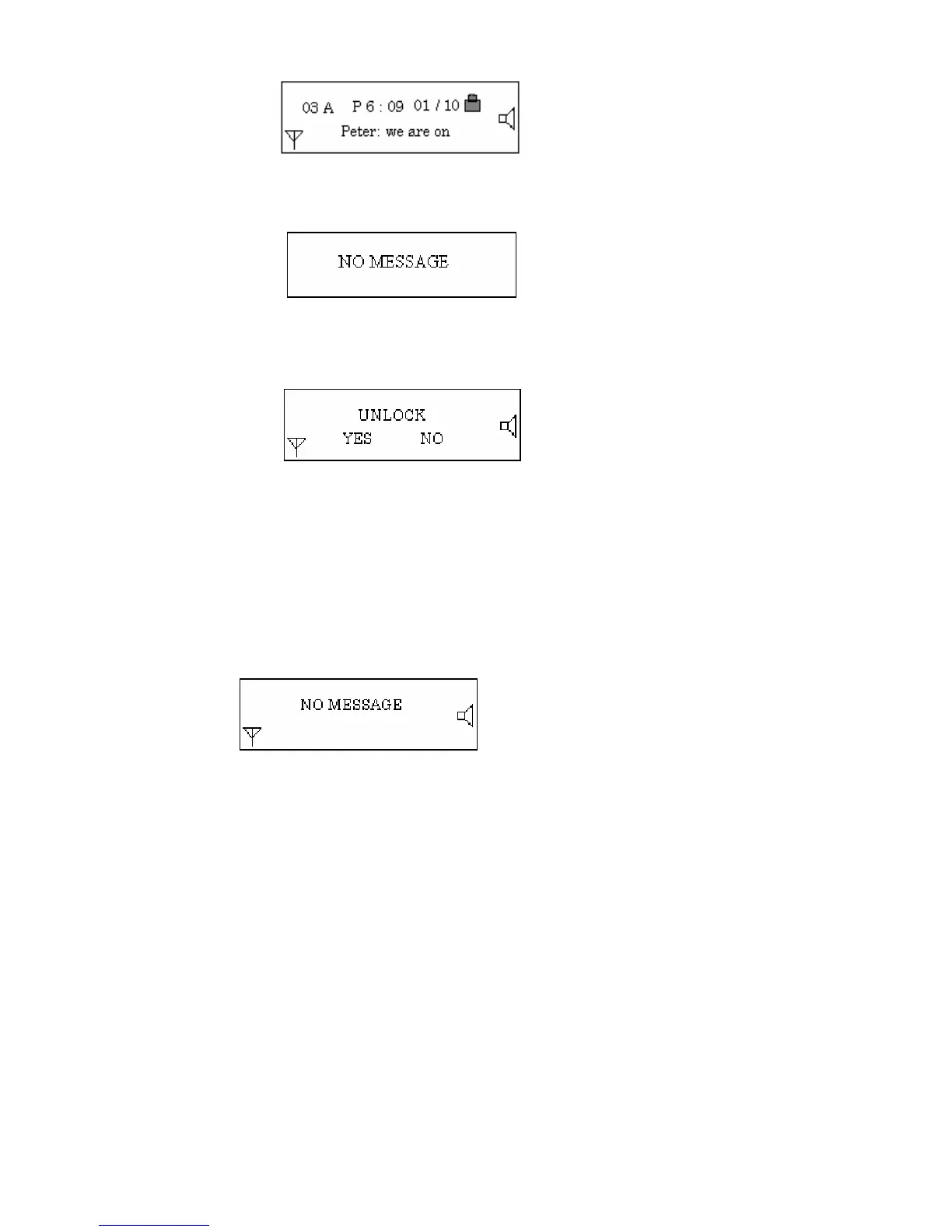
If DELETE is chosen, the pager will display the following menu:
the message will be deleted and the pager will return to the message reading mode.
If the message is already locked, the above menu will be shown. Select “Yes” and press
“Read/Confirm” to unlock the message.
If all messages are deleted, the display will read as follows:
This menu will remain for four seconds and will then return to the standby mode.
(5) Back Light Operation
Press “SELECT” and hold down for two seconds. The backlight will be turned on. When the
pager returns to the standby state & LCD is turned off, the backlight will be turned off
automatically.
(6) WA RN IN G
I) When “LOW CELL” is indicated, change the battery immediately. The battery should also be
removed from the pager when not in use for long periods. Failure to do so may result in the
battery leaking, which will cause irreparable damage to the pager and will invalidate any
warranty pertaining thereto.


 To Next Page