SCOPE GEO40A User Manual
GEO40USER 7 of 10 Issue 1
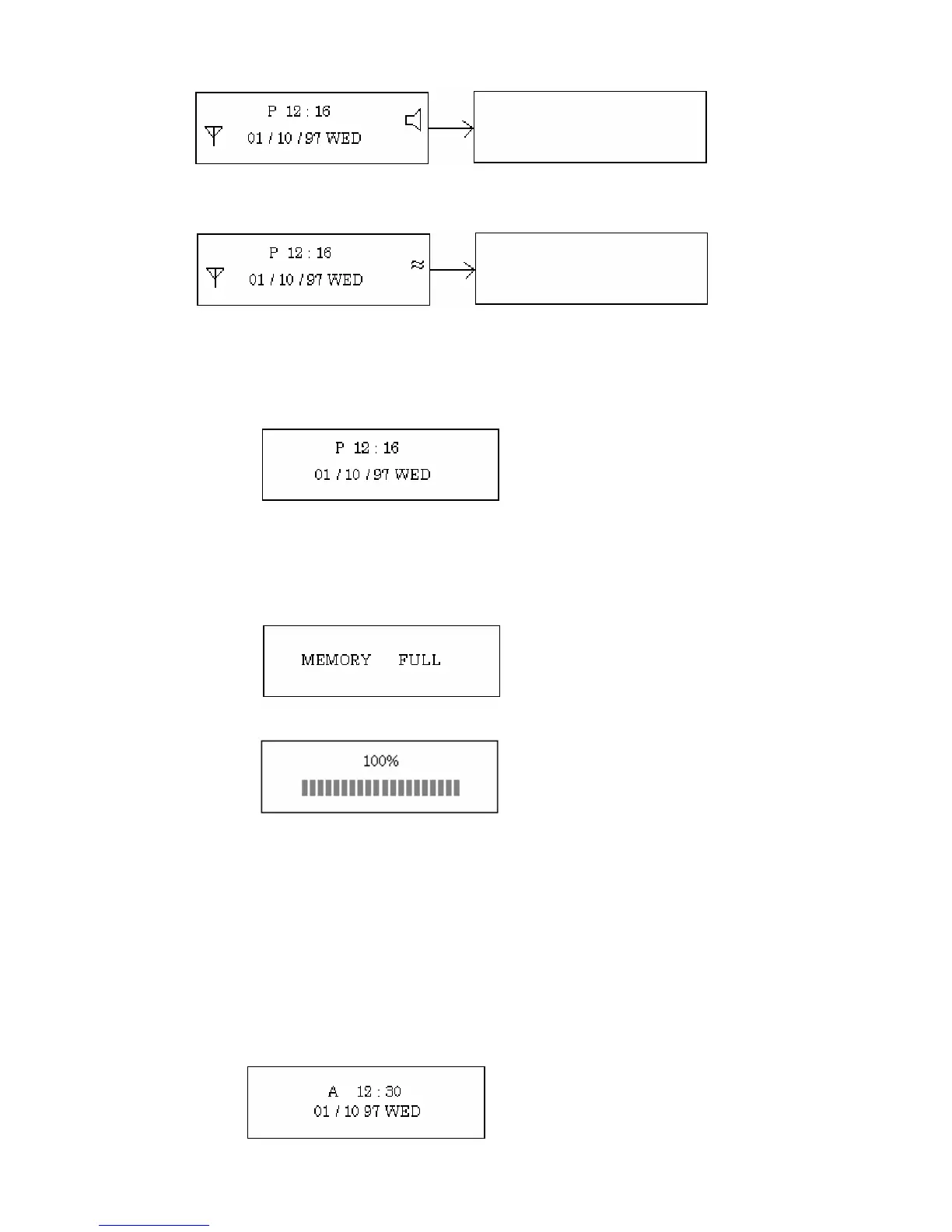
The buzzer icon is turned on
If MOTOR is selected, there will be a short vibration and the screen will change as below:
The Vibrate icon is turned on.
If MUTE is selected , then the following screen will be shown:
Buzzer (Beeper) and vibrate icon will not be displayed.
V) MEMORY
If MEMORY is selected and the memory is full, the following menu is shown:
If memory is not full, the remaining memory percentage will be shown
VI) Power off
The user may switch off the pager so as not to be disturbed. In this state, the pager will not receive
any messages.
Press “SELECT” key to choose “Power off” and then press the “Read/Confirm” key. The pager
will then enter the off mode.
Clock display
In standby mode, press “SELECT” Key to display the clock:


 To Next Page