The SCOTT SLIMISSIMO INTENSE MILK (Model no.: 20220) is an automatic coffee machine designed to prepare a variety of coffee and milk-based beverages. This instruction manual provides comprehensive details on its installation, operation, and maintenance.
Function Description:
The SCOTT SLIMISSIMO INTENSE MILK is a fully automatic coffee machine capable of brewing espresso, latte macchiato, cappuccino, and dispensing hot water and milk froth. It features an integrated grinder for fresh coffee beans and an automatic milk frothing system for milk-based drinks. The machine is designed for domestic use and offers various settings to customize beverages according to user preference.
Important Technical Specifications:
While specific power ratings, water tank capacity, and bean container capacity are not explicitly listed with numerical values in the provided pages, the manual indicates the presence of:
- Water Tank: Requires filling to a "MAX" level.
- Coffee Bean Container: Designed for whole coffee beans, with a grinding adjustment knob.
- Drip Trays: Internal and external drip trays are present.
- Coffee Grounds Container: Collects used coffee grounds.
- Brewer: An internal, removable component for coffee preparation.
- Milk Container: Used for preparing milk-based drinks, with a flexible milk tube and lid.
- Control Panel: Features touch-sensitive icons for various functions and indicators.
- Power Cord: Connects to a wall socket.
- Cleaning Agents: Three packs are included for self-cleaning, with more available for purchase.
Usage Features:
- Beverage Selection: Dedicated buttons for Espresso, Latte Macchiato, Cappuccino, Hot Water, and Milk Froth.
- Customizable Volume: The desired volume for Espresso, Lungo, Hot Water, Latte Macchiato, and Cappuccino can be memorized, ranging from 25ml to 250ml. This allows users to consistently brew their preferred drink size.
- Grinding Adjustment: A knob in the coffee bean container allows users to adjust the grind size (coarse to fine) to suit their coffee taste. This adjustment should only be made when the grinder is in operation to prevent damage.
- Hot Water Temperature Settings: The hot water button can be held for 3 seconds to access and select from three different temperature settings: 65°C, 75°C, and 'high temperature'.
- Mode Selection: The machine offers three operating modes: Default Setting, ECO Mode, and Speed Mode.
- Default Setting: Illumination light (Yes), Pre-brewing (Yes), Auto shut off (20 mins), Cup volume memory (Yes).
- Speed Mode: Illumination light (Yes), Pre-brewing (No), Auto shut off (30 mins), Cup volume memory (Yes). This mode makes coffee more quickly.
- ECO Mode: Illumination light (No), Pre-brewing (Yes), Auto shut off (10 mins), Cup volume memory (Yes). This mode helps save energy.
- Users can switch between these modes by pressing and holding the Power ON/OFF button for 5 seconds, then using the Cappuccino, Latte Macchiato, and Espresso buttons to select the desired mode.
- Empty System Function: Recommended before storing or repairing the machine. This function empties the system and causes the appliance to switch off automatically.
- Manual Rinsing: A daily or weekly manual rinsing cycle is recommended to clean the coffee nozzle, especially if the appliance has not been used for a long period.
- Safety Features: Warnings are provided regarding hot water/steam, not immersing the appliance in water, and not letting children play with the machine.
- Indicators: The control panel uses various flashing and stably lit icons to communicate machine status, such as low water level, lack of coffee beans, full coffee grounds container, missing/improperly installed components (drip tray, brewer, service door), descaling requirement, and empty system function in progress.
Maintenance Features:
- Daily Cleaning of the Appliance:
- Disconnecting the power cord.
- Draining internal and external drip trays.
- Cleaning water stains with a damp cloth or non-scratching cleaner.
- Important: Never use abrasive, vinegar, or non-approved descaling agents.
- Brewer Cleaning: The brewer should be removed by pressing release buttons, washed with fresh water, and the grounds outlet cleaned with the provided brush. All units should be replaced in their original position after cleaning.
- Cleaning the Water Tank:
- Remove the water tank, clean with fresh water, and dry its exterior walls.
- Refill with potable water to the MAX level.
- Complete Cleaning of the Milk Accessories (Very Important - Daily Step):
- Automatic Milk Frothing System: Remove the cover of the height-adjustable spout, then remove the frothing system. Separate it in half and clean with hot soapy water, using the provided brush to clean circled areas for residue removal. Reposition the system inside the adjustable spout.
- Milk Container and Milk Tube: Empty the milk container, wash with hot soapy water. Remove the rigid tube, connector, and cover, washing them in hot soapy water. Use the spiral needle or brush (supplied with the machine) to clean the hose holes.
- Cleaning the Milk Circuit: Connect the milk container to the coffee machine, place a large cup under the spout, fill the milk container with cold tap water. Press the quick clean button and wait. The machine will dispense hot water and steam to wash all parts used for milky drinks. Press the button again to stop the cleaning cycle once half of the milk container is used.
- Descaling:
- The descaling icon will flash when descaling is required (recommended monthly or more frequently based on water hardness).
- The process takes approximately 30 minutes. Do not switch off or unplug during descaling.
- Fill the water tank to "MAX" level and add one pack of cleaning agent (do not use vinegar or other non-approved agents).
- Place a large container (at least 1.5L capacity) under the coffee spout.
- Press and hold the Power ON/OFF and Espresso buttons for 5 seconds to initiate descaling.
- Confirm by pressing the descaling button.
- The machine will periodically dispense small amounts of water.
- Once the water tank is empty, remove remaining cleaning agent, refill with tap water to "MAX" level. The machine will continue descaling until complete, then switch off automatically.
- Troubleshooting Guide: The manual includes a comprehensive troubleshooting section with possible causes and solutions for common issues such as the appliance not working, coffee not hot enough, coffee cannot come out from spout, poor coffee quality, no cream, appliance taking long to heat up, water tank/level issues, internal drip tray filled, slow coffee delivery, blocked bean indicator, no milk froth, poor milk froth quality, large milk bubbles, milk spilling, and persistent descaling icon.

 Need help?
 General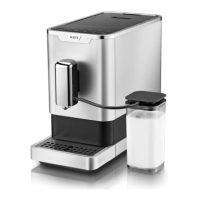

 To Next Page