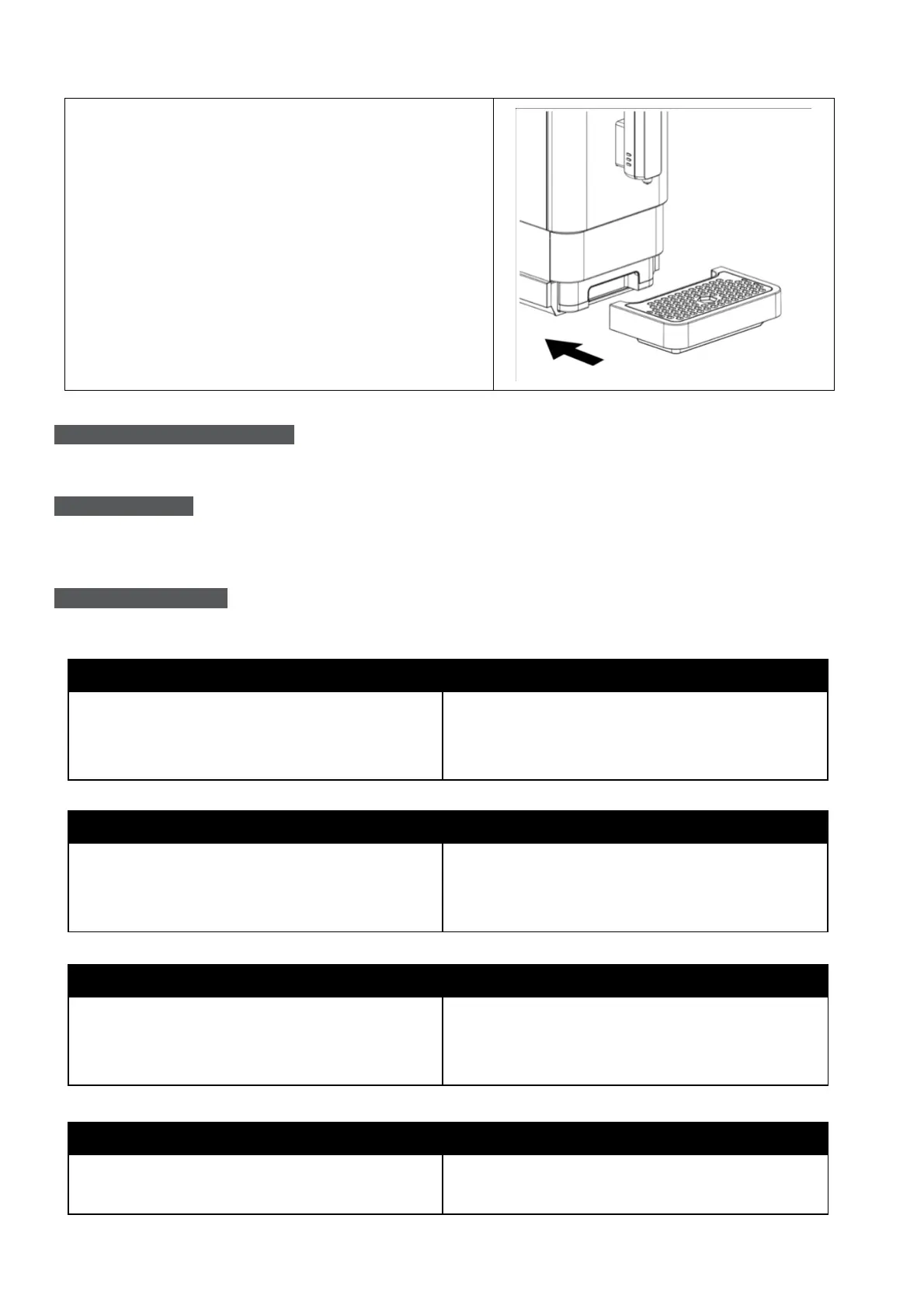
12. Place the external drip tray to its original
position.
TURNING OFF THE MACHINE
Switch off the appliance by pressing the Power ON/OFF button.
AUTO-SHUT OFF
The Appliance is equipped with auto-shut off function.
TROUBLESHOOTING
The appliance does not work.
- The appliance is not connected to the
mains supply.
- Plug in and press the Power ON/OFF
button.
- Check the cord and the plug.
No or delayed response in several trials of pressing the function keys on panel.
- The appliance is under electromagnetic
interference.
- Dirt on the panel.
- Unplug the appliance. Restart after a few
minutes.
- Clean the panel with the cloth provided.
The coffee is not hot enough.
- The cups have not been preheated.
- The brewer is too cold.
- Warm the cups.
- Rinse the appliance at least 3 times before
making the coffee.
The coffee cannot come out from spout.
- The empty system function might be used
before.
- Press the hot water button until water comes
out from spout.


 To Next Page