ScreenBeam
®
|
1100 Plus
Setting up your ScreenBeam
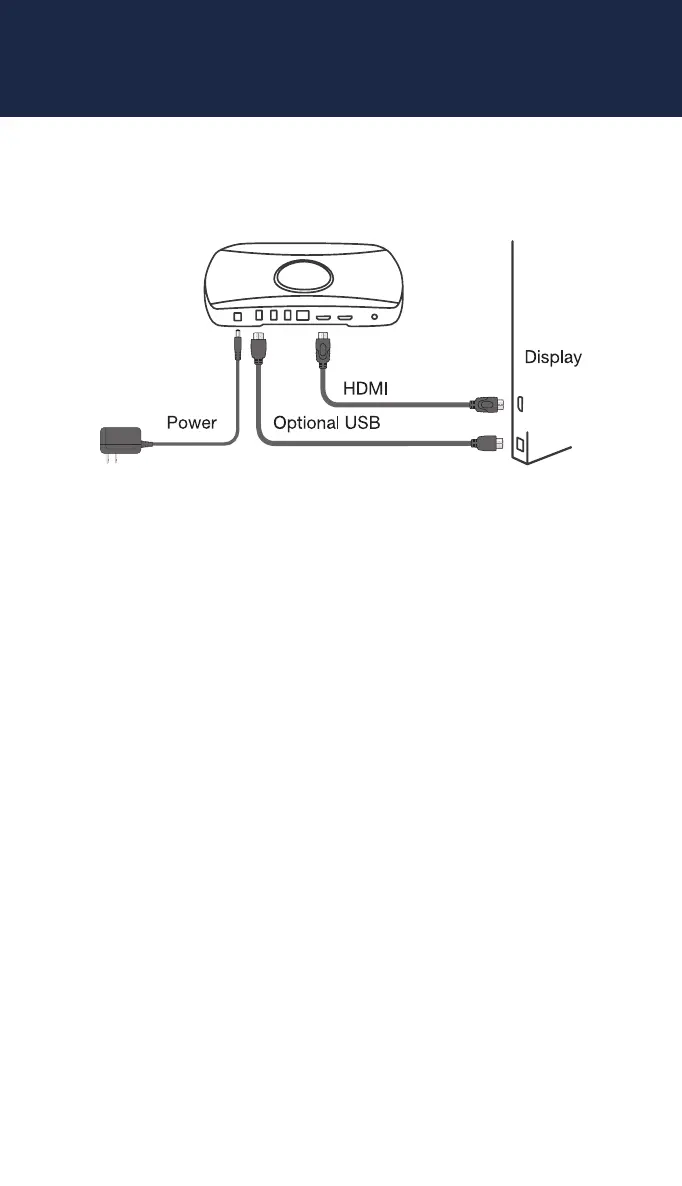
Settup is easy. All you need is your ScreenBeam , power cable,
HDMIcable along with your display and laptop or tablet. So, let’s get
started.
1.
Place the receiver next to the display.
2.
Connect one end of the provided HDMI cable to the receiver’s HDMI
port and the other end to an available HDMI port on the display.
3.
Connect the receiver’s power supply to the receiver’s power
port, then to an electrical outlet.
4.
Turn on the display and switch to the corresponding input
connected to the receiver.
screenbeam.com | 3



 To Next Page