ScreenBeam
®
|
1100 Plus
Windows 10, iOS, macOS
Organization Network
Optional
Bridge
Receiver Name:
ScreenBeam XYZ0
SSID-Staff
VLAN1 / subnet 10.1.1.x
10.1.1.x
WAP X
Network 1
Enterprise
Employees
Employee Devices
Windows, Android
Enterprise
Employee
Network
Connection
Access
Point
Guest Devices
Windows, Android
Guest / Employee Devices
Windows, Android,
iOS, macOS
Room Display
Wireless
Collaboration
Device
Miracast
P2P
Local
Wi-Fi Mode
Connection Modes
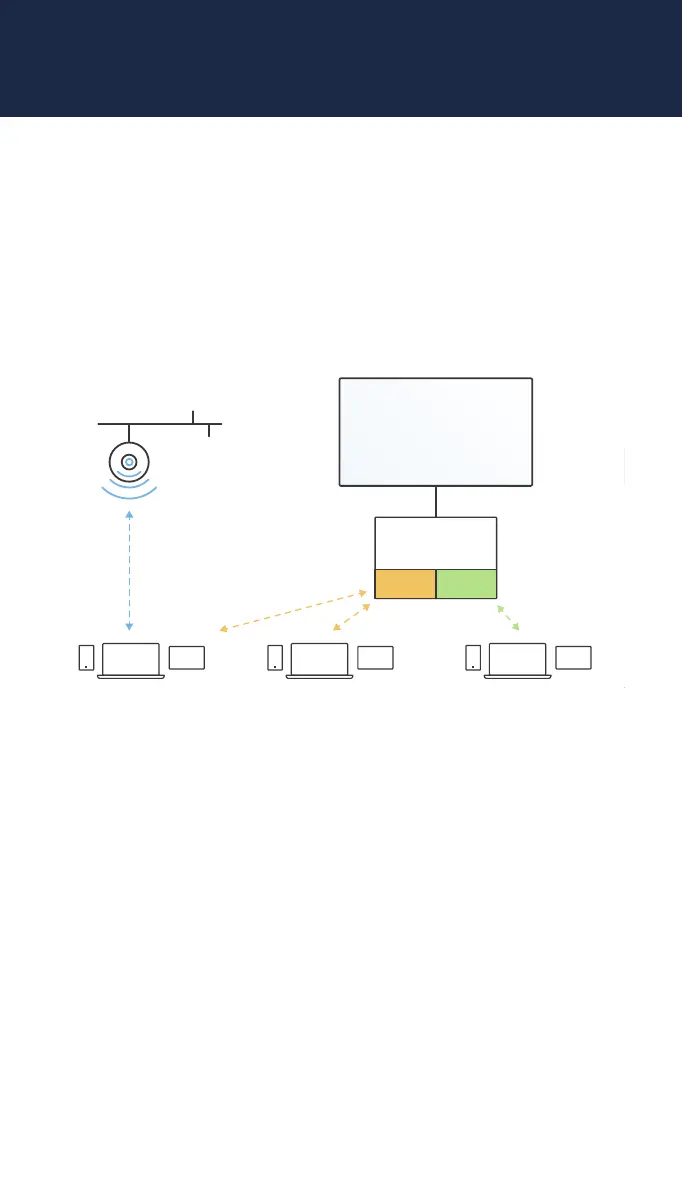
ScreenBeam 1100 Plus offers multiple types of connections for client
devices, including Miracast P2P, Infrastructure mode, or Local Wi-Fi
mode. Two or more modes can operate concurrently to support
various connection options allowing both internal employees and
external guests to easily connect and project.
screenbeam.com | 5



 To Next Page