SD CodeFree™ BLOOD GLUCOSE MONITORING SYSTEM
18
Understanding Your New System
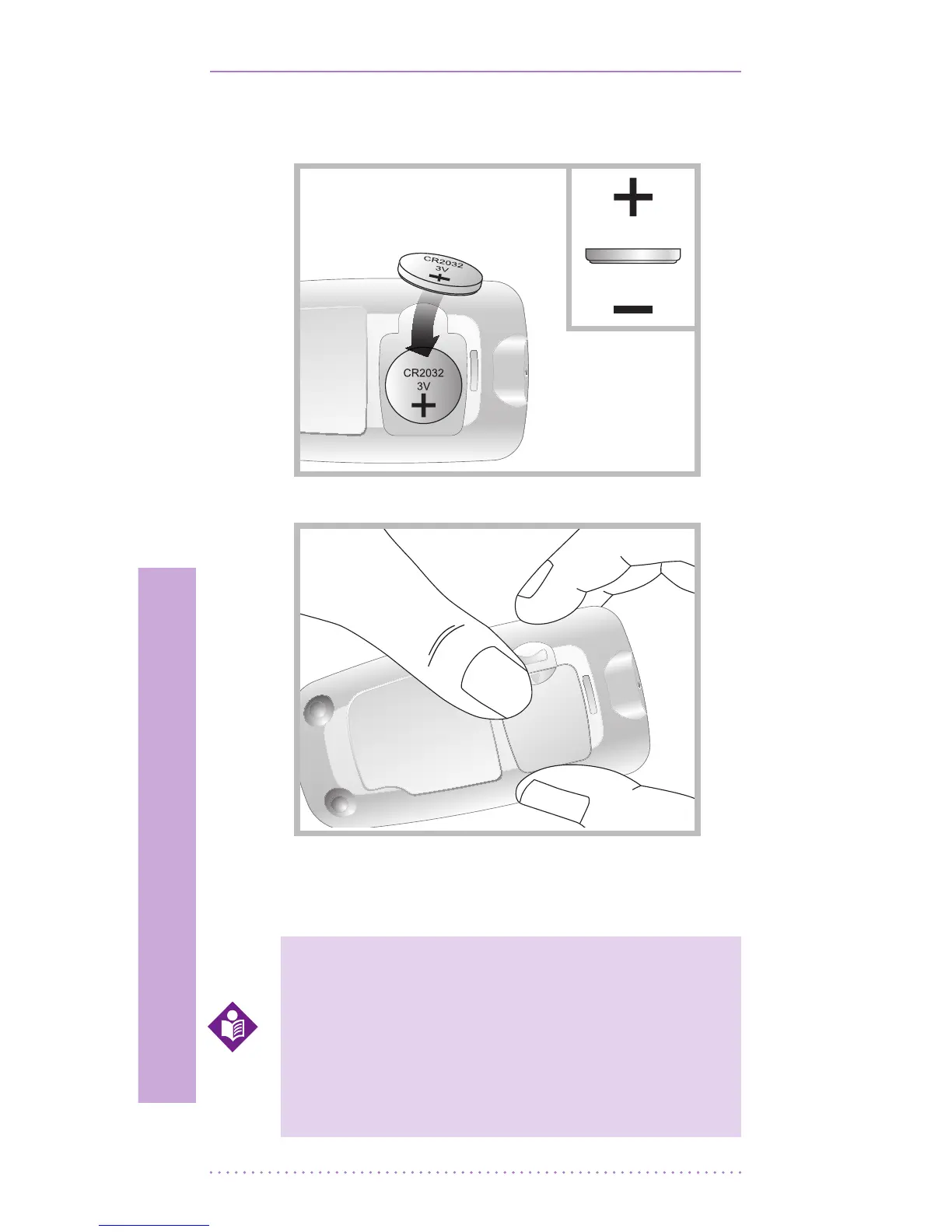
STEP-2: Insert the 3V battery (type CR2032)
into the compartment with “+” side facing you.
STEP-3: Snap battery cover back in place.
STEP-4: Push the ON/OFF button or insert a
strip to start testing.
After inserting or replacing the battery,
conrm that the time and date are set
correctly. If they are not, use the ON/
OFF and left/right buttons to reset
the meter before testing. See the “10.
Meter Set up”
NOTE


 To Next Page