SD CodeFree™ BLOOD GLUCOSE MONITORING SYSTEM
20
Understanding Your New System
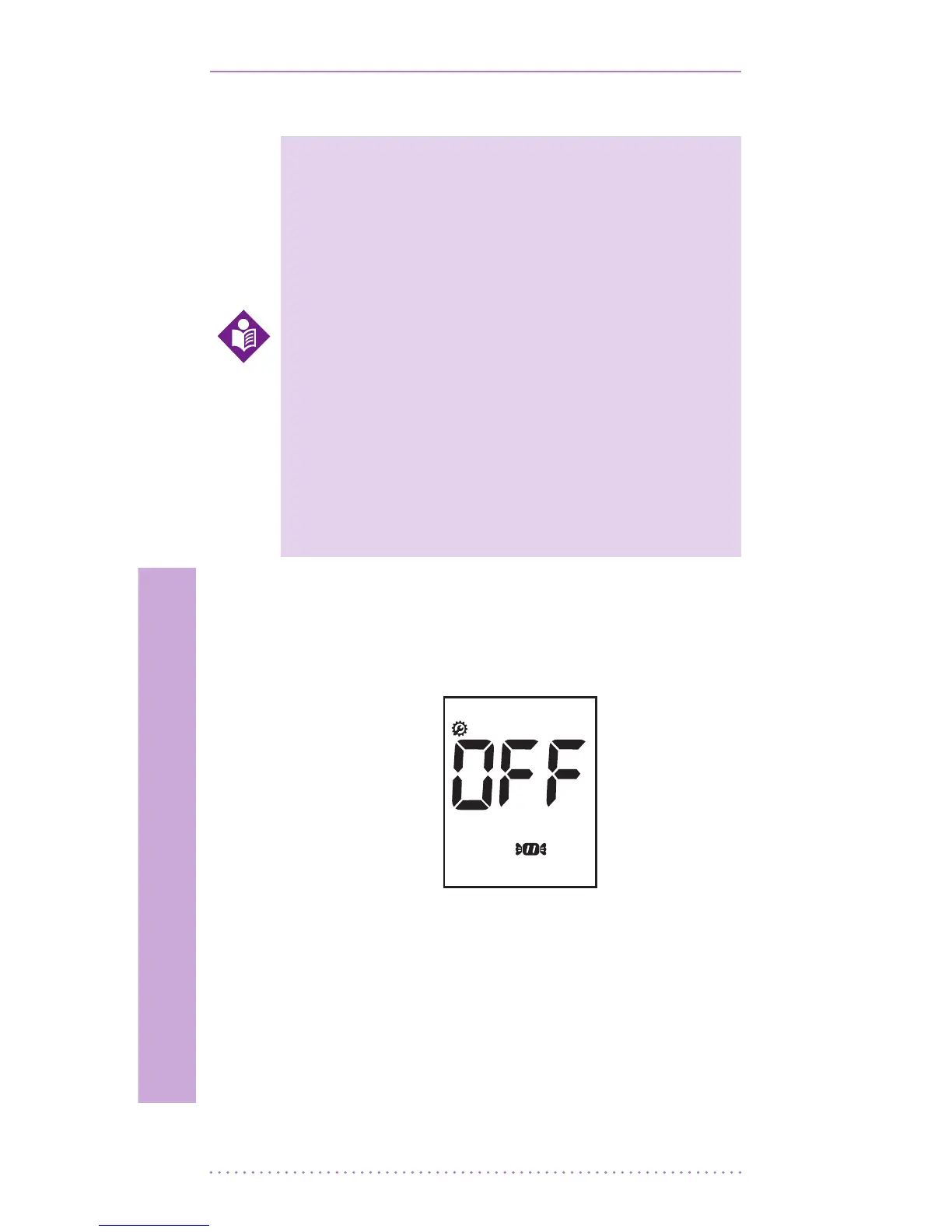
STEP-2: Setting the Hypo warning
1. After beep setting, the display for setting
the hypo warning will appear, the second of
setting mode.
2. Set the hypo warning mode ‘o’ or the
result you want to select among 60, 70, 80
mg/dL(3.3, 3.9, 4.4 mmol/L) by pressing
either the left or the right button and then
selecting the preferred feature by pressing
the ON/OFF button.
• You can set the meter to let you
know when your result indicates
a possible low blood glucose
(hypoglycemia). You can also
select what blood glucose level
you want this indicator to have 60,
70, 80 mg/dL(3.3, 3.9, 4.4 mmol/L).
• If your results are lower than
selected hypo result, the candy
symbol will appear on LCD with a
‘beep’ sound. It is very important
to manage your hypoglycemia.
NOTE


 To Next Page