SD CodeFree™ BLOOD GLUCOSE MONITORING SYSTEM
61
Maintenance and Troubleshooting
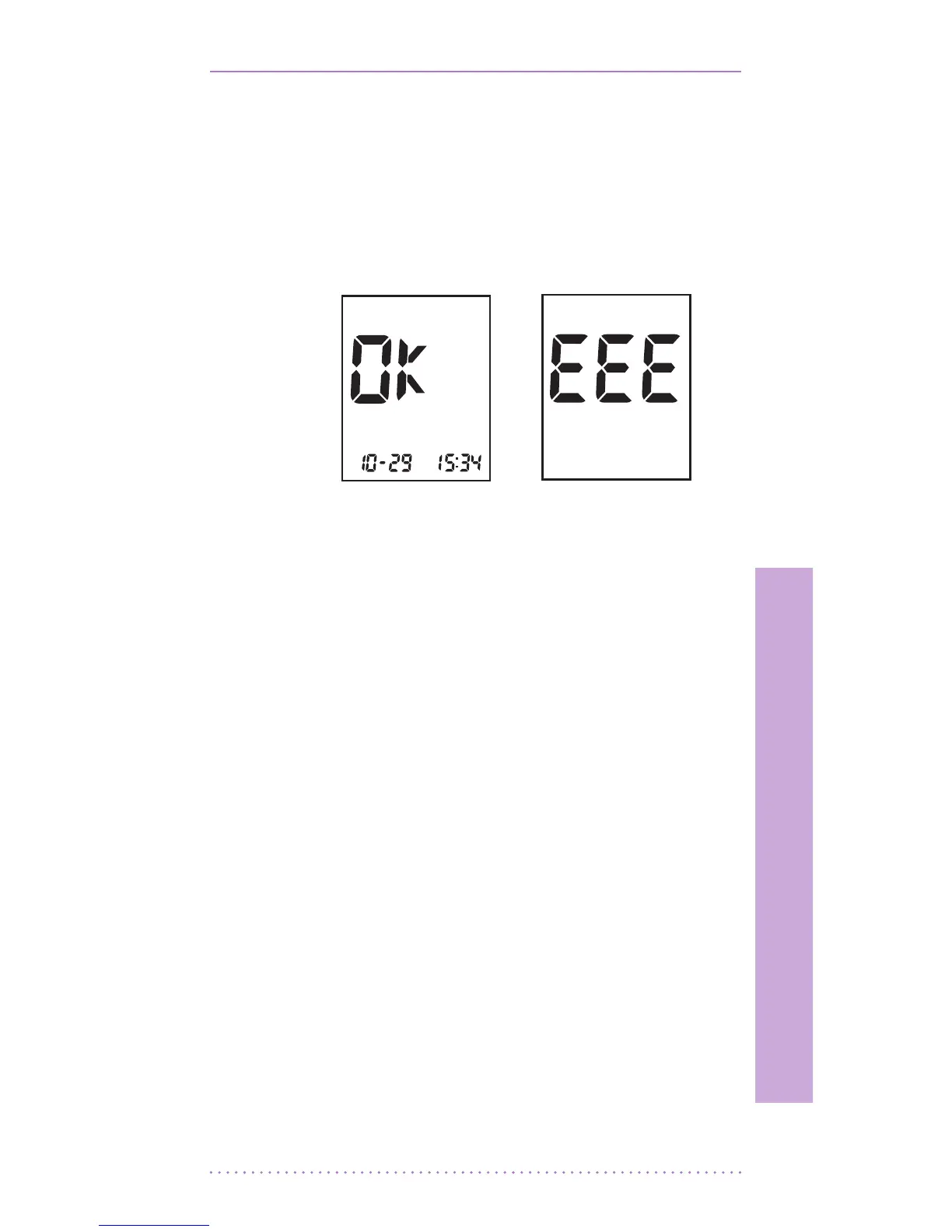
3. The check result appears on the screen in
just 5 seconds. If there isn’t any problem
for the meter, ‘OK’ message appears on
the screen. Otherwise, there is some
problem for the meter, ‘EEE’ error
message appears on the screen.
2. Cleaning the meter
Caring for the SD CodeFree™ meter is easy.
Just keep it free of dust. If you need to clean it,
follow these guideline carefully to help you get
the best performance possible;
To prevent malfunction of the meter, keep the
test strip port free of blood, moisture, dirt, or
dust. Use a lint-free cloth dampened with water
to clean meter. Thoroughly wring out cloth
before use. Do not use an abrasive cloth or
antiseptic solution, as these may damage the
display screen.
[ ‘OK’
Message ]
[ ‘EEE’ Error
Message ]


 To Next Page