SD CodeFree™ BLOOD GLUCOSE MONITORING SYSTEM
70
Maintenance and Troubleshooting
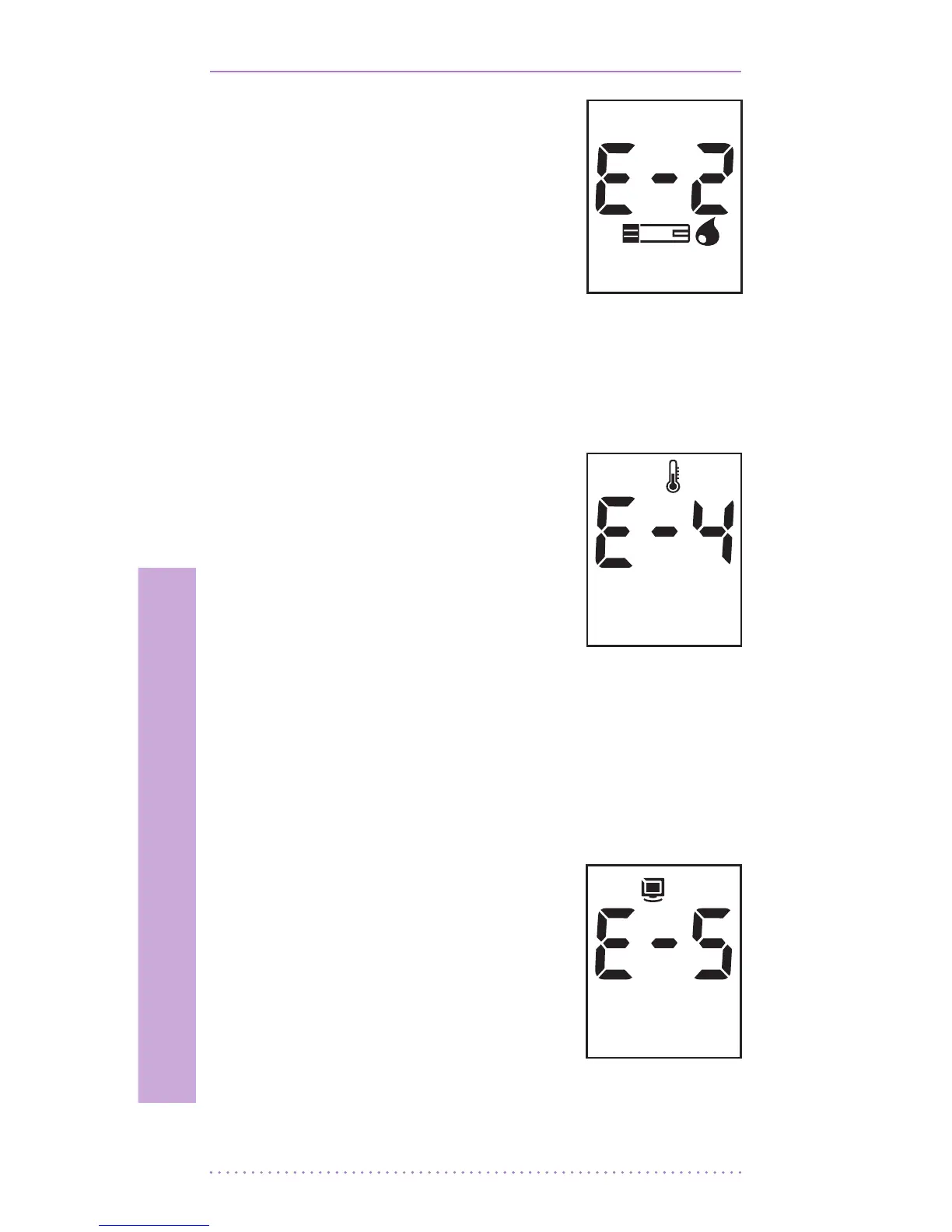
[Blood Sample Error]
• An insucient amount
of blood was applied.
Discard this test strip and
test again using new test
strip and a larger sample,
making sure blood is
placed to the narrow
channel in the top edge of the test strip. See
Chapter 3 “2.Performing a Blood Glucose
Test”.
[Temperature Error]
• If the environmental
temperature is above
or below the operating
range of a meter, a
thermometer icon will
appear on the display.
Move to an area between 10-45°C (50-
113°F), wait for 30 minutes, and perform
a test. Do not articially heat or cool the
meter. See Chapter 6. “Product Technical
Information”.
[Communication Error]
• The communication
between meter and
computer is failed.
Connect again between
meter and PC.


 To Next Page