HotFind-D Infrared Camera Operation Manual
14
right menu and press the “menu(enter)” key that you will find
the image you want, press the “menu(enter)” key then you can
open the it.
4.3 Items and Functions of the Menu
The detail introduction the menu system is as follows,
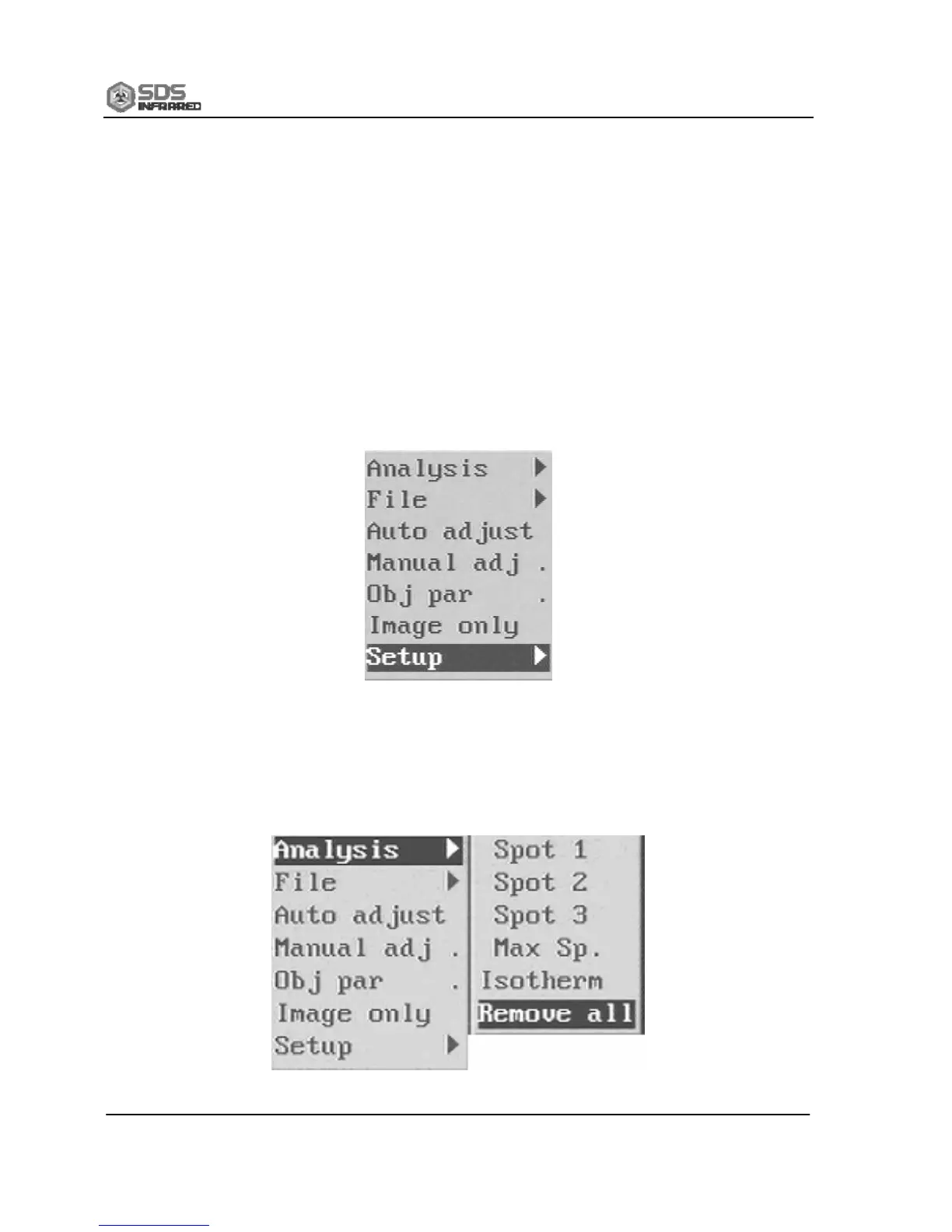
SDS HotFind-D has a powerful analysis processing system,
including seven submenus “Analysis”, “File”, “Auto-adjustment”, “Manual
adjustment”, “Object parameter”, “Image only” and “Setting”.
4.3.1 “Analysis”
Pop up the menu and select “Analysis”, press the menu(enter) key
to pop up the submenu.


 To Next Page