Website: www.seada.co.uk 9/23 E-mail: sales@seada.co.uk
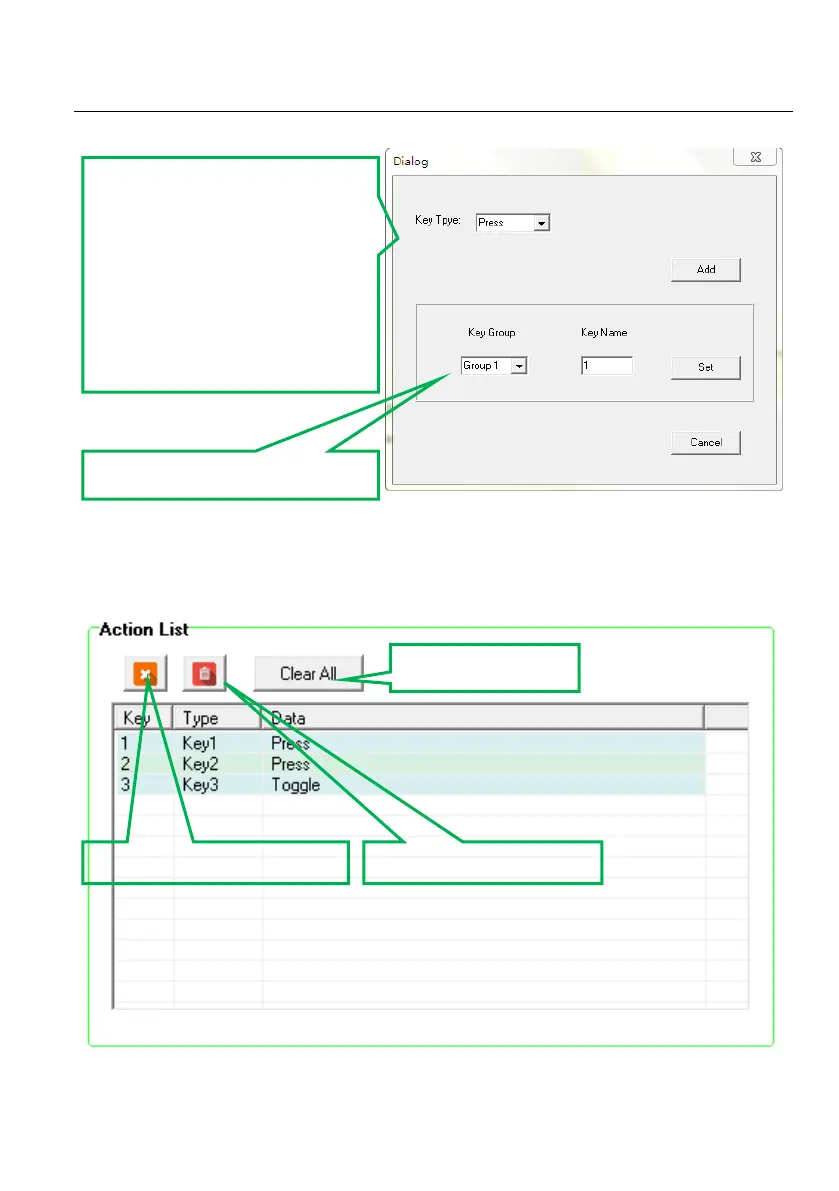
Keys 1-6, correspond to the buttons on SDCP6. Click the key 1, it will pop up dialog as below:
4.3 Action List
All Panel Set actions will be shown on the action list and available actions must be added to the list.
The action list is as the picture below:
Key Type:
Press: Execute events when
pressing the button.
Release: Execute events when
releasing the button.
Toggle: The button can be
regarded as a composite key,
press the button twice to
execute different events.
Built key group for LED setting.
Delete the selected action.
Delete all invalid actions.



 To Next Page