Website: www.seada.co.uk 5/23 E-mail: sales@seada.co.uk
4. Control Panel Software
4.1 Basic Setting
You can use Control Panel Software to easily set functions for every button.
① Connect the control PC to the ETHERNET port.
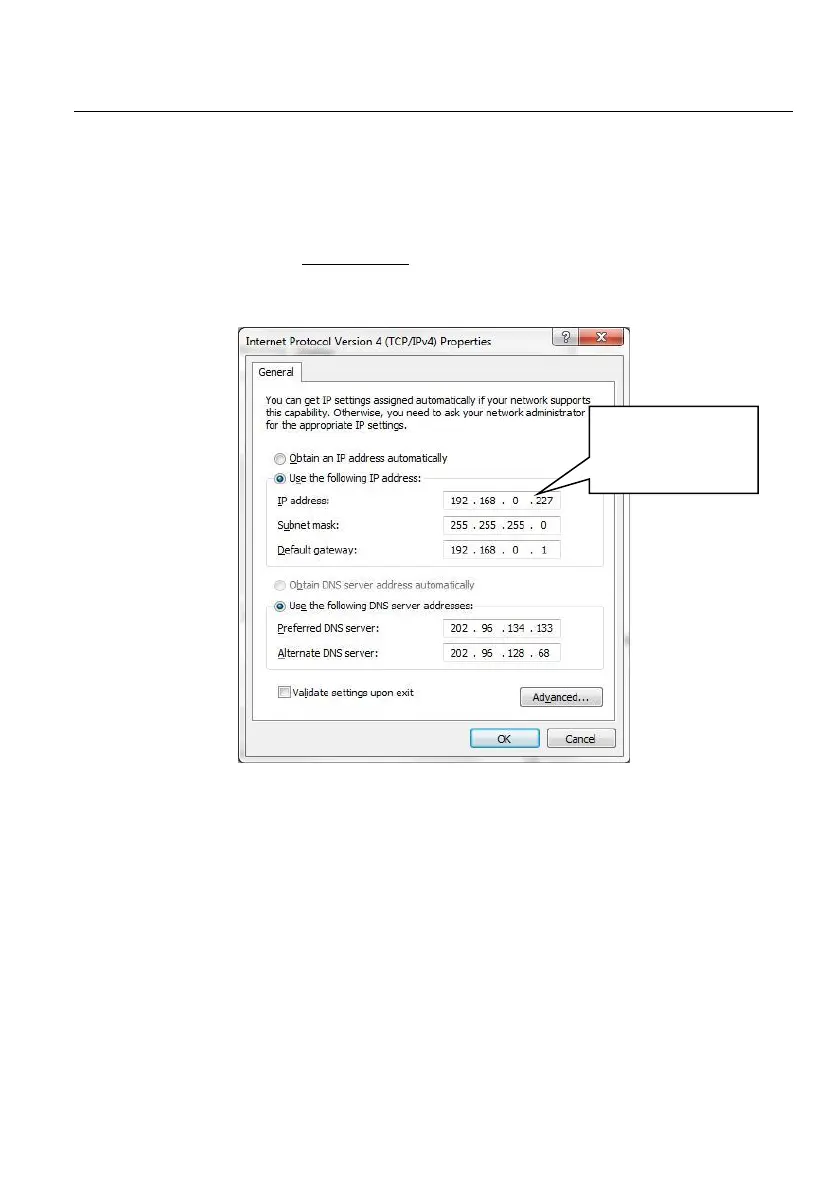
② The default IP of SDCP6 is 192.168.0.178 (modifiable), the control PC should be set its network
segment to the same as the SDCP6’s.
Modify the IP of PC
③ Installation/uninstallation of Control Panel Software:
Installation: Copy the software file to the computer connected with SDCP6.
Uninstallation: Delete all the software files in corresponding file path.



 To Next Page