Website: www.seada.co.uk 10/23 E-mail: sales@seada.co.uk
4.4 Event setting
Event Set part includes RS232, IR, TCP/IP, Delay, Compare, LED and Toggle setting. Before set
events, an action must be added first. The following introduction is about how to set events for each
action.
4.4.1 RS232 Setting
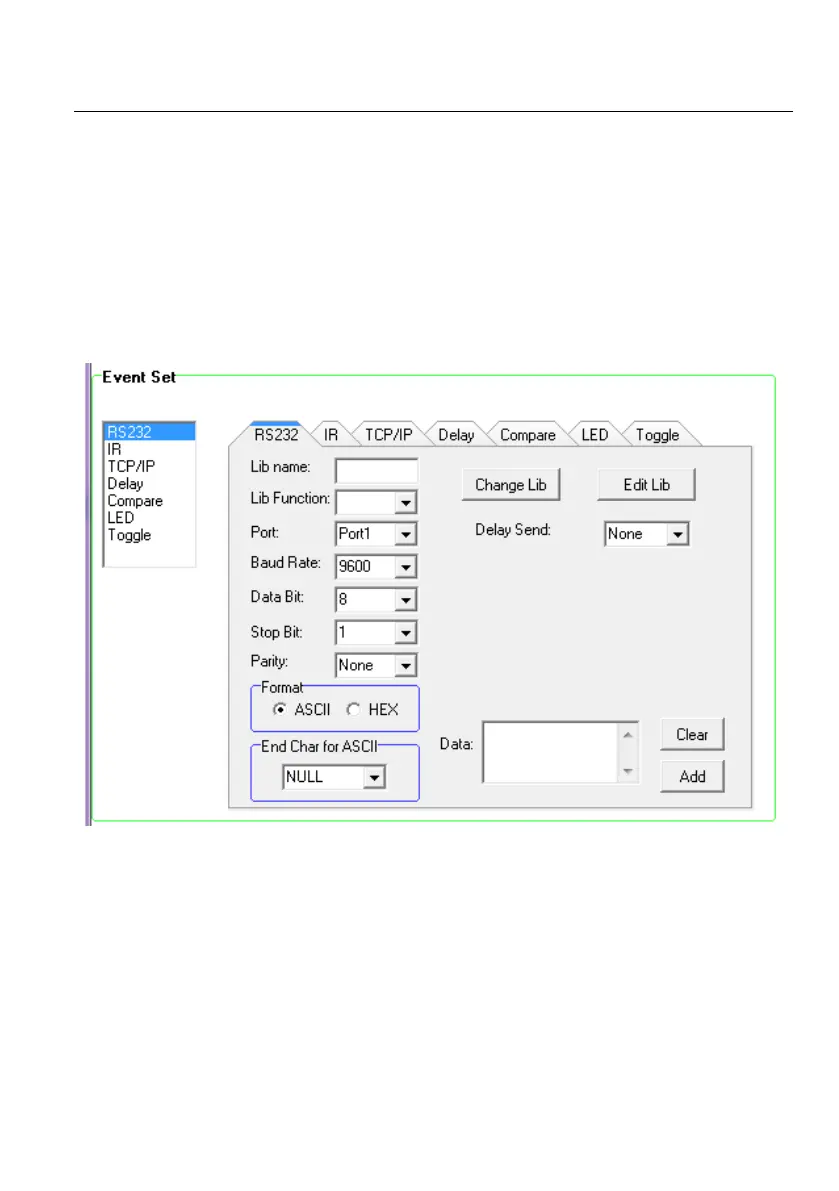
This item is used for setting the events for RS232 (1) ~ RS232 (3) ports. Click “RS232”, it will show
as below:
Operation procedure:
① Select the button action in action list.
② Set the “Lib name” and “Lib Function”. It is an optional function, not necessary.
③ Select the RS232 port. The port must be same as model setting, otherwise the event cannot be
added.
④ Confirm and set the baud rate, data bit, stop bit and parity.
⑤ Enter RS232 command in data box, and then press “add” to save setting.



 To Next Page