Website: www.seada.co.uk 13/23 E-mail: sales@seada.co.uk
Operation procedure:
① Select the button action in action list.
② Set the “Lib name” and “Lib Function”. It is optional function, not necessary.
③ Select the IR port. The port must be same as model setting, otherwise the event cannot be
added.
④ Set the IR carrier mode: On/Off
⑤ The IR data need to be selected from library. Click “Change Lib” to select a library file and open it.
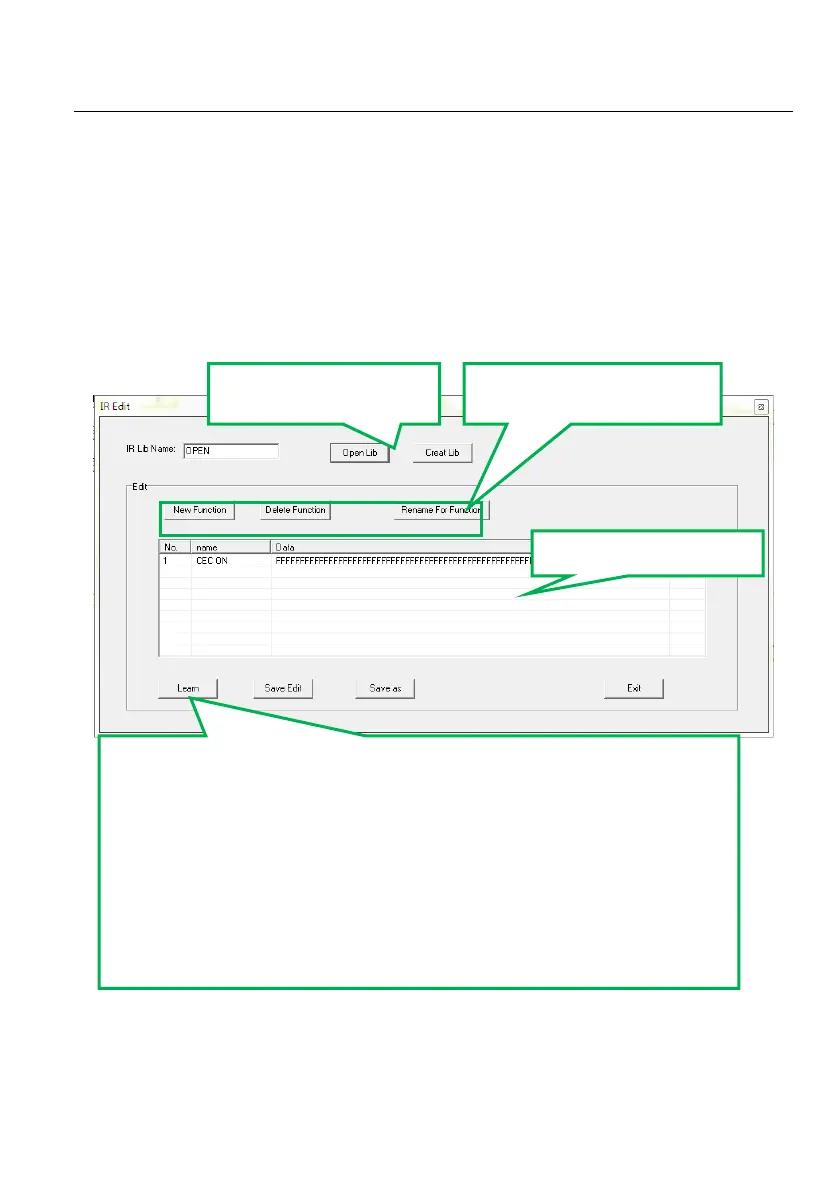
Click “Edit Lib” to create or edit a library file as below:
Note: Once set up, please press “Save Edit” to save the editing or “Save as” to save as a file, and
then press “OK”.
IR Learning Procedure:
Click “learn” to enter IR learning mode.
Put the IR Remote close to the IR sensor of SDCP6
Press any button on the IR Remote to send the IR code to IR sensor,
and it will refresh the IR data.
Follow the same steps can learn any function of the remote buttons.
Note: The IR learning mode will exit automatically if no operation within 3
seconds.



 To Next Page