10Revision 2.EL950 1.3.1074C 18.6
DOOR CLEARANCE
Allow 7” (18 cm) of clearance on the right side of the machine for the door to open and extend past the
cabinet side. See also the clearance requirements in Secon 2 for refrigerated units.
LOADING PRODUCTS
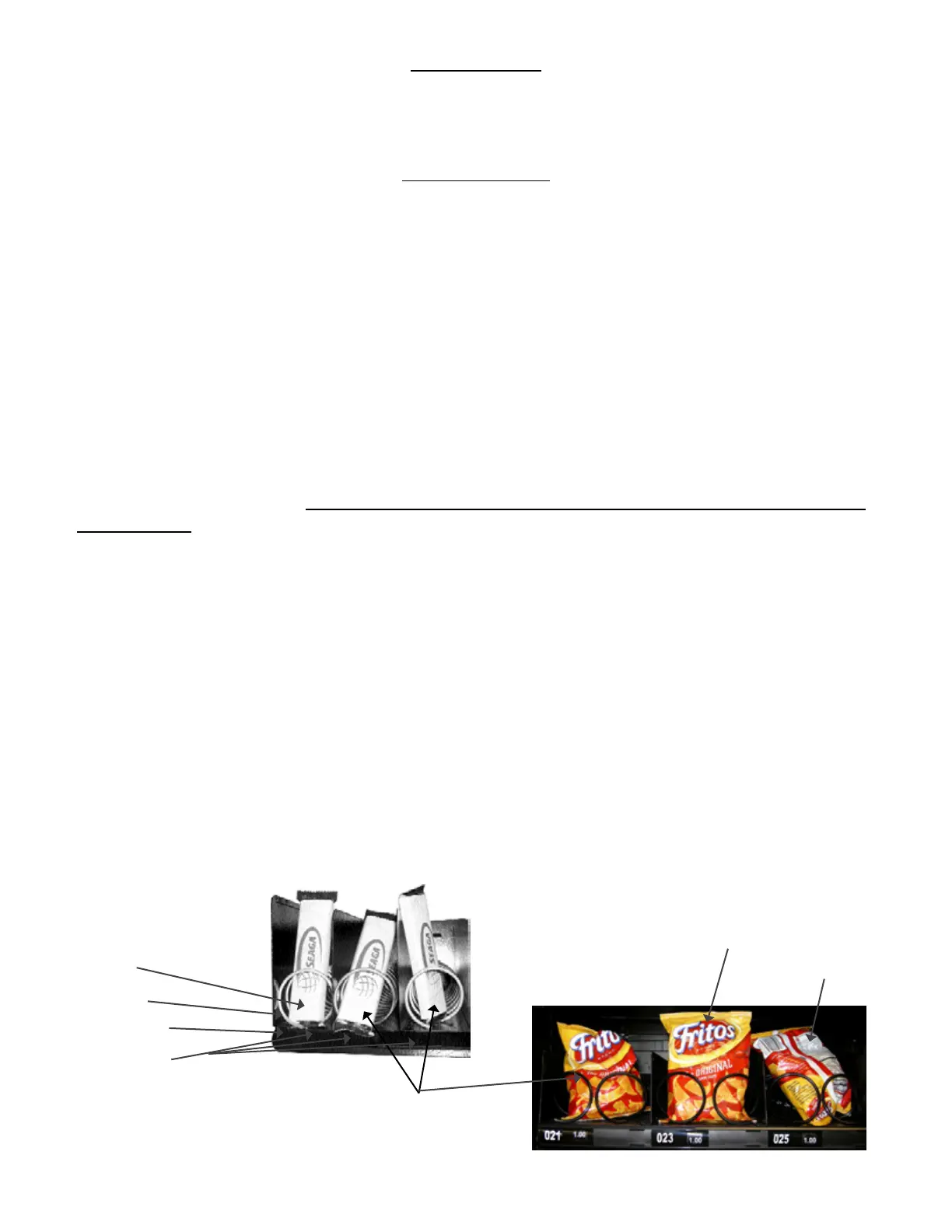
To present your product in as an aracve and professional manner as possible, do not load any
damaged items, and make sure items are facing forward for easy idencaon by your customer.
Note: The size of the item being vended must be larger than the Helix Coil, but smaller than the
Product Column to vend correctly. Never force an oversized item into the Helix Coil or Product Column,
nor aempt to vend an item that is smaller than the Helix Coil as this will create problems and deter
customers. (Fig.5)
1.
Push down and hold the release latch located on the right side of the tray and slide the desired
Product Tray toward you, all of the way forward. Product Tray will lt down or can be removed and
placed on the oor or a table.
Place product in proper size Helix Coil. Note: Boom of product must rest on the Product Tray and not
on the Helix Coil. (Fig. 5) Load each
Product Chute from front to back. Note: Do not leave any spaces between items.
Once Product Tray is loaded, li the front of the tray to level and push it back in. Repeat above steps
unl all Product Trays are fully loaded.
Aer loading the product, if you have removed the tray to do so, place the
Tray in the cabinet by aligning the wheels in the guide rails. Clear the wire harness To the side so that it is
not interfering with the tray below.
We suggest that you always parally ll the vendor with product and perform at least ve (5) test
vends. Test vends can be performed easily by entering Service Mode and using the Diagnoscs/Motors to
select the selecon to test.
Fig. 5 – Loading Helix Coils
Correct – load
product between
Helix Coils, resng on
the product tray.
Correct – load product between Helix
Coils, resng on the product tray.
Helix Coil
Product Tray
Columns
Incorrect
Incorrect










 To Next Page