12Revision 2.EL950 1.3.1074C 18.6
REFRIGERATION
If you purchased a refrigerated model, please see special informaon throughout the manual regarding
refrigeraon, sengs and other informaon. The refrigeraon system consists of the Compressor, Relay
Circuit, Accumulator, Condenser, Condenser Fan, Evaporator, Evaporator Fan and Air Duct. The enre
refrigeraon system is modular and has a separate internal power cord, which is plugged into the panel
provided at the lower area below the boom tray. The power switch has to be turned ON in order to start
up the refrigeraon system. There is a door switch that controls the refrigeraon system ON and OFF
condion. When the door is opened, the door switch is not depressed and the refrigeraon system shuts
OFF.
When the door is closed, the switch is acvated and the evaporator fan starts turning. There will be a few
seconds delay before compressor starts running aer the door closure.
There is a vent on the cabinet back to blow the air from condenser. The inlet vent is at the boom of
the cabinet in front of the condenser. The condenser has to be cleaned regularly. The recommended
frequency is once every two weeks. There are 2 thumb screws around the front of the refrigeraon
module that have to be unscrewed in order to remove the front door of the refrigeraon module. This
will provide the access to the condenser. Using a vacuum cleaner or a brush, clean the lint in between
the condenser ns. Note: Be careful not to bend the ns – this could restrict airow and damage your
machine.
The compressor and the relay circuit, condenser fan motor and drain pan can be accessed in the same
manner by removing the front door. The refrigeraon system has to be unplugged and the module has to
slide completely outside in order to gain access to these components.
NOTE: When moving the vending machine, care must be taken to never lt the unit more than 20° in any
direcon. Aer moving, DO NOT plug the unit in to power so that the compressor system oils are allowed
to sele. Failure to heed these instrucons can cause severe damage to your vending machine and void
your warranty.
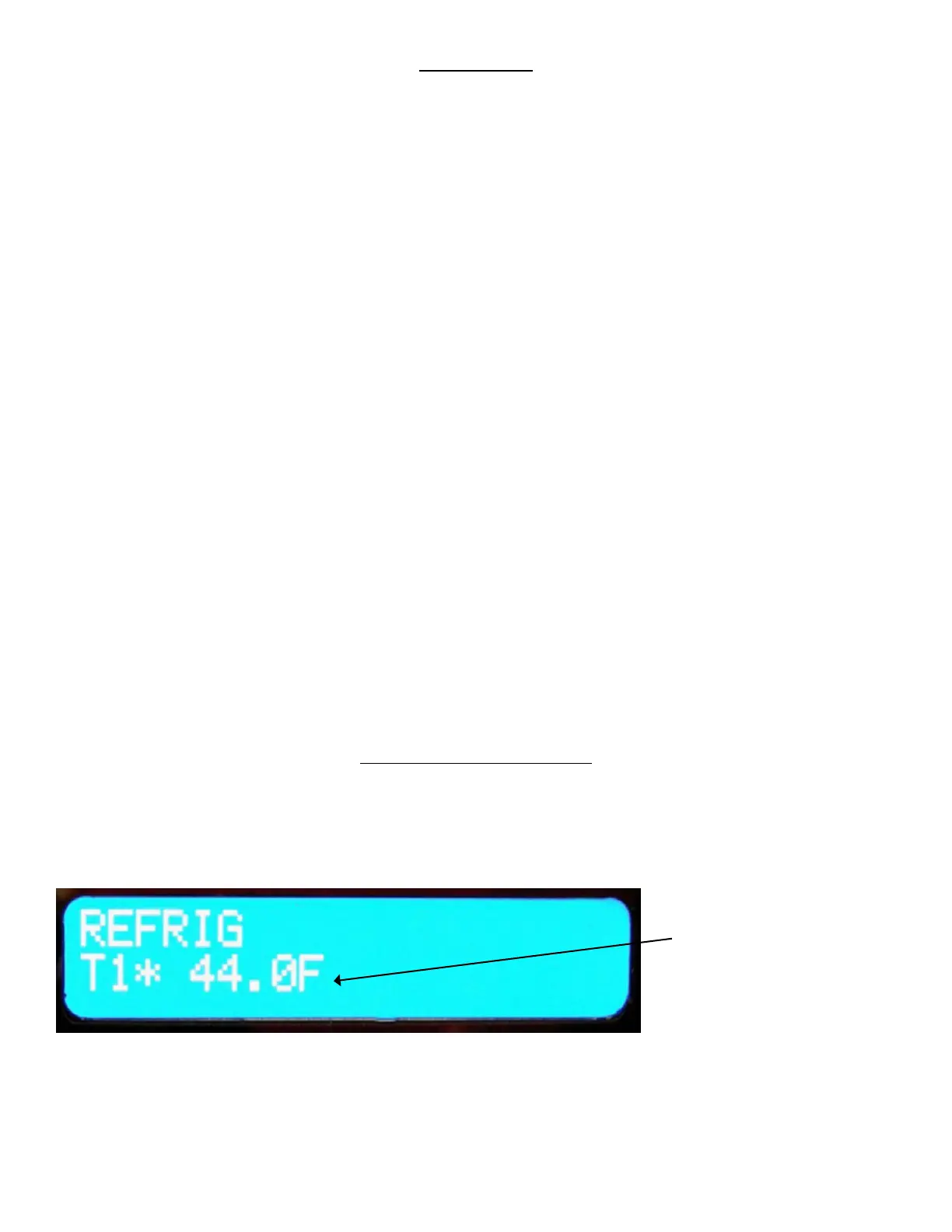
REFRIGERATION STATUS DISPLAY
Use the “#” key on the Keypad to display the following indicaons of the refrigeraon system on the LCD
Display: Figure 8 – Refrigeraon Indicators on LCD Display
Current Temperature










 To Next Page