Protecting Your Data Restoring Files from Backup
Seagate Dashboard User Guide 16
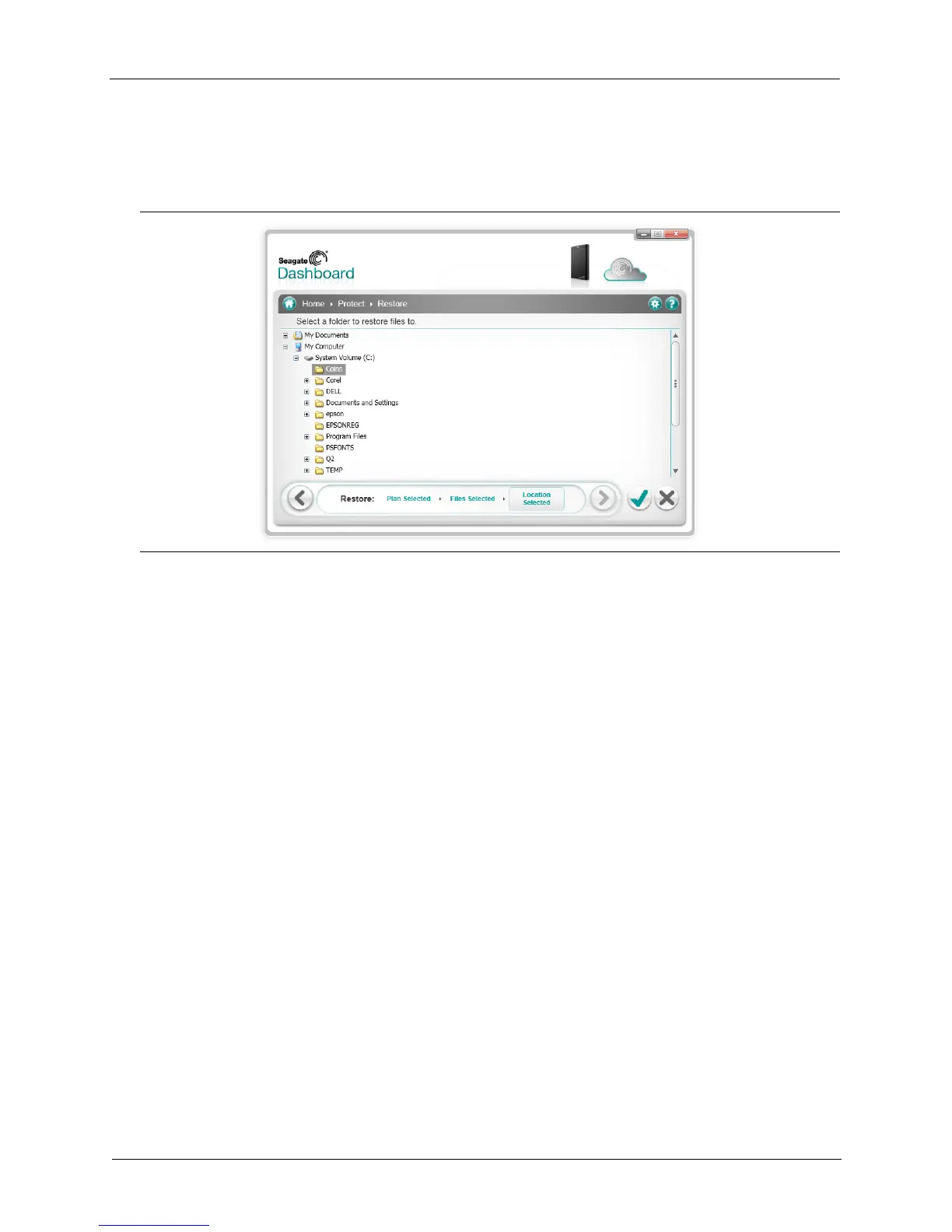
6. Click the > button, and select the location on your system where you want to restore the file.
By default, Seagate Dashboard will save the restored files in their original location on your
system.
7. Click the green checkmark to restore the file from the backup to the selected location.
Figure 12: Selecting the Destination for the Restored File











 To Next Page