Protecting Your Data Restoring Files from Backup
Seagate Dashboard User Guide 14
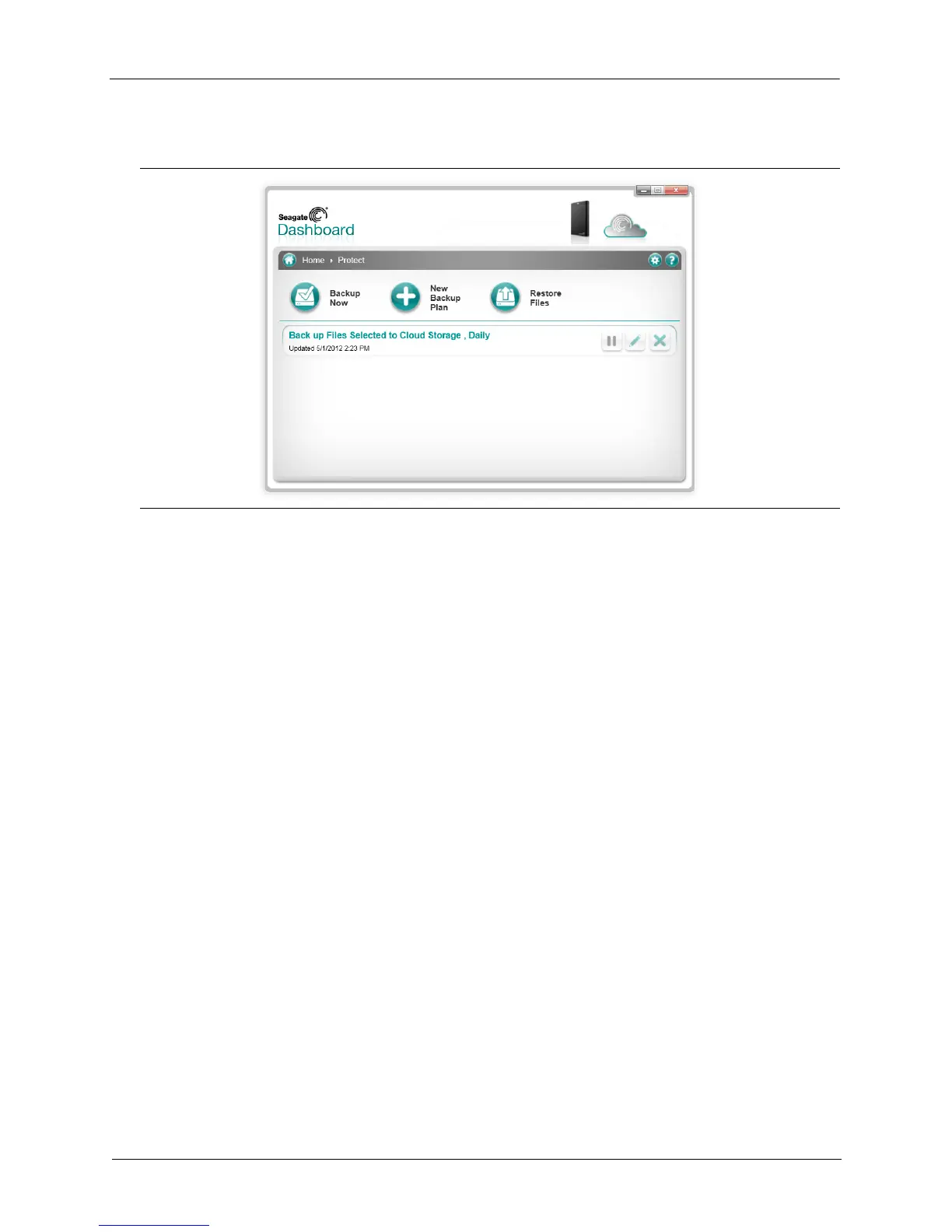
8. After you create a backup plan, Seagate Dashboard shows its status on the Protect screen,
On this screen, you can click the Pause button to temporarily stop the backup plan, the Pencil
button to edit the backup plan settings, or the X button to delete the backup plan. If you
choose to delete a backup plan, Seagate Dashboard gives you the option to delete the files
from the backup drive, or leave them in place.
Restoring Files from Backup
You can easily restore data backed up by Seagate Dashboard to your system if necessary.
Seagate Dashboard saves multiple versions of each file it backs up to the Backup Plus drive,
so you can restore the most recent version or a previous version.
To restore a file from a backup, do the following:
1. On the Seagate Dashboard Home screen, click Protect.
2. On the Protect screen, click Restore Files.
Figure 9: Seagate Dashboard Protect Status Screen











 To Next Page