Managing the Seagate Dashboard Software Configuring Seagate Dashboard Settings
Seagate Dashboard User Guide 33
7. Managing the Seagate Dashboard
Software
From the Seagate Dashboard Settings screen, you can customize the appearance of the
Seagate Dashboard software on your system, enable or disable specific features, view the
Seagate Dashboard activity log, and update the Seagate Dashboard software to the latest
version.
Configuring Seagate Dashboard Settings
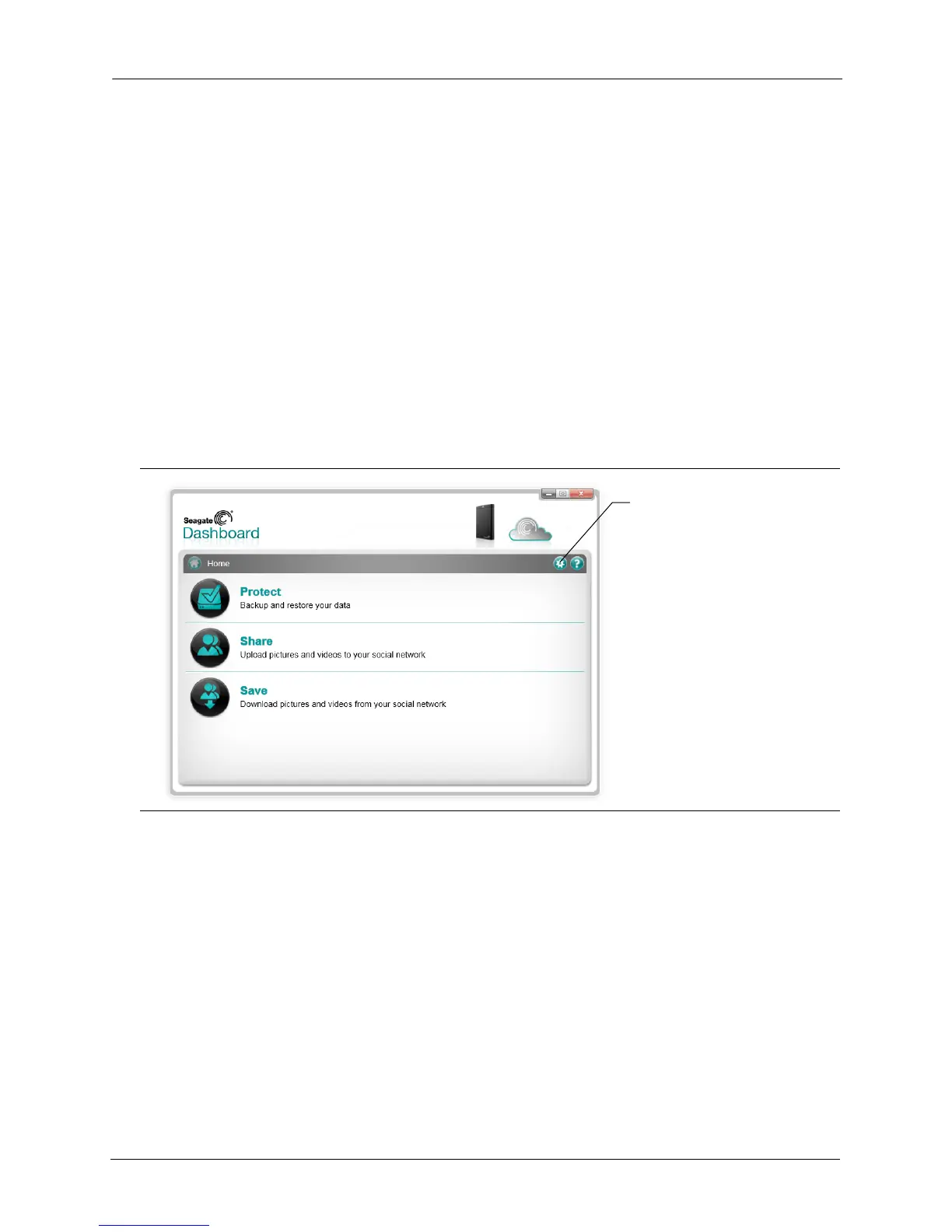
Click the Settings button on the Seagate Dashboard Home screen to display the Settings
screen.
Setting Up Your Seagate Drives for Seagate
Dashboard
The Drives tab on the Settings screen shows information about your Seagate drives and
Cloud Storage account and lets you set how the drives appear in the Seagate Dashboard
Figure 26: Settings Button on the Seagate Dashboard Home Screen
Click the Settings button to
configure Seagate Dashboard
settings











 To Next Page