Using Cloud Storage Using the Cloud Storage Web Portal
Seagate Dashboard User Guide 26
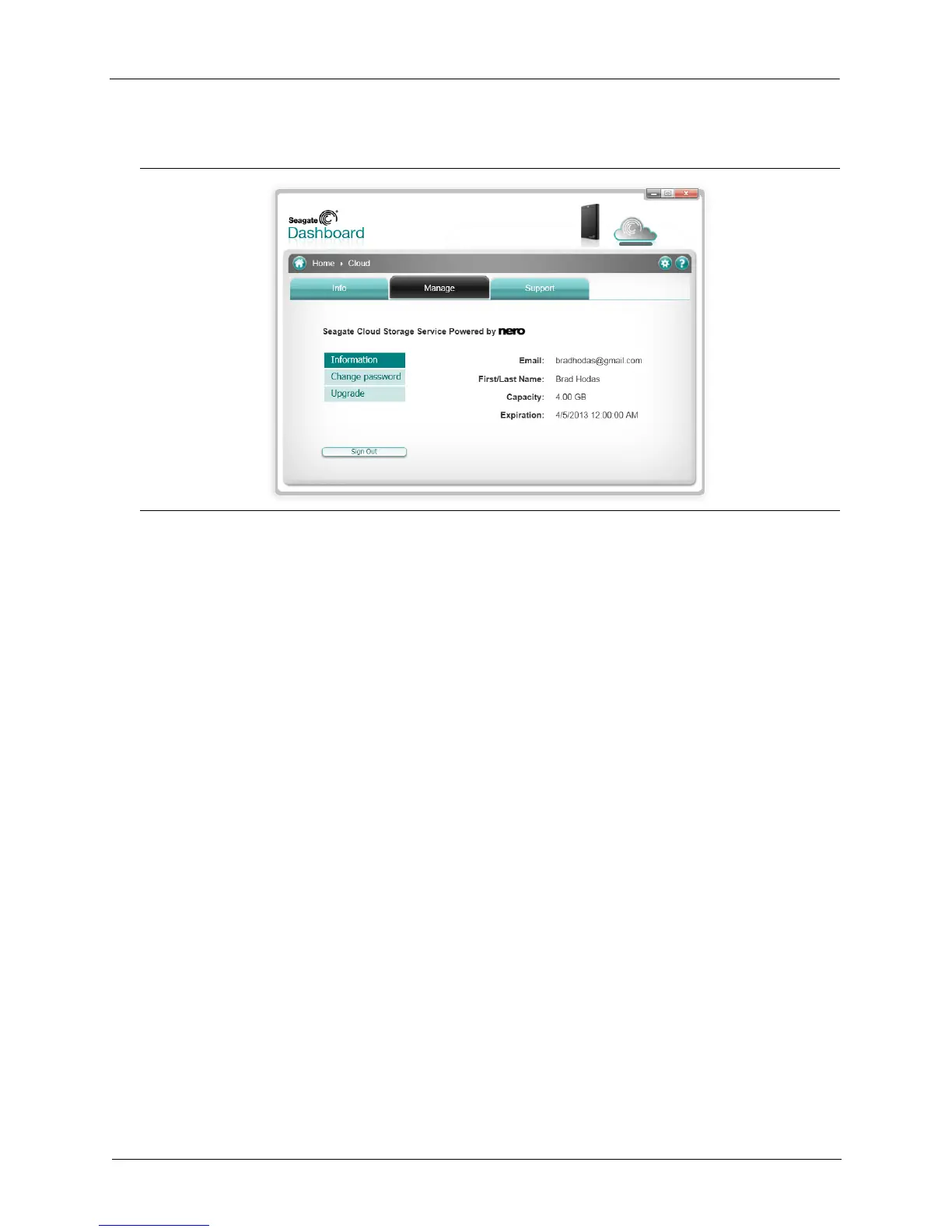
Click the Manage Tab to display additional settings.
On this tab, you can select from the following options:
• Information: Shows your Cloud Storage account information.
• Change passwords: Lets you change the password for your Cloud Storage account.
• Upgrade: Shows options for increasing the amount of storage in your Cloud Storage
account.
Using the Cloud Storage Web Portal
You can also access the files you’ve saved in Cloud Storage from a Web browser. Using the
Cloud Storage Web Portal, you can view and download files you’ve backed up, modify
account settings, and upgrade your storage capacity.
To open the Cloud Storage Web Portal, do one of the following:
• Click the Cloud Storage icon at the top of the Seagate Dashboard screen, then click the
Open Web Portal link on the Info tab.
or
Figure 20: Displaying Cloud Storage Account Settings











 To Next Page