Protecting Your Data Creating a Customized Backup Plan
Seagate Dashboard User Guide 13
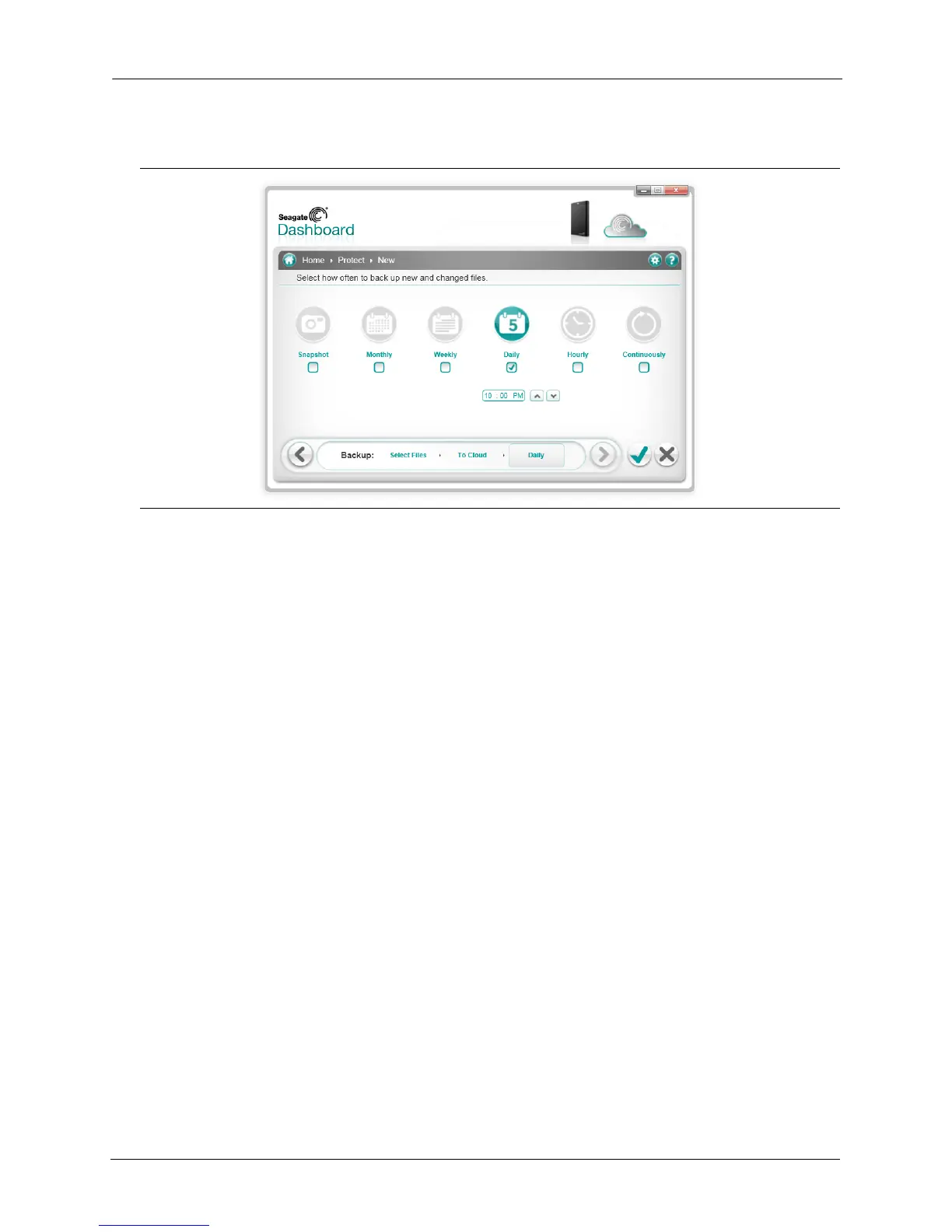
6. Indicate how often the files should be backed up.
You can select from the following options:
• Snapshot: Executes the backup plan only once.
• Monthly: Executes the backup plan a specific day of each month, at a specific time.
• Weekly: Executes the backup plan a specific day of each week, at a specific time.
• Daily: Executes the backup plan at a specific time each day.
• Continuous: Constantly monitors the selected files and directories and backs up any
new or changed files.
7. Click the green checkmark to activate the backup plan.
Figure 8: Selecting How Often to Execute a Backup Plan











 To Next Page