Protecting Your Data Creating a Customized Backup Plan
Seagate Dashboard User Guide 12
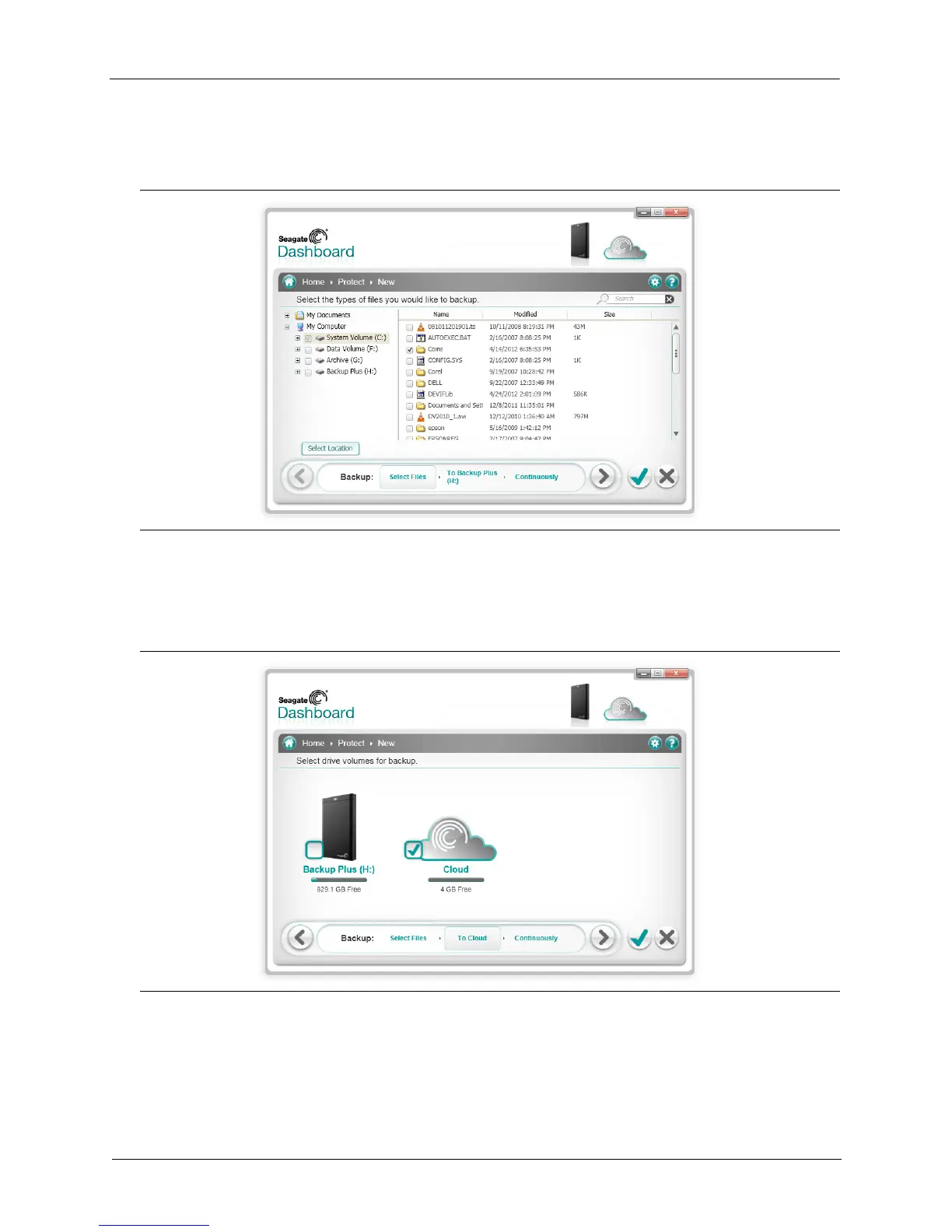
4. Navigate to the directory or files you want to back up and place a checkmark next to each
one. When you are done, click the > button to move to the next backup configuration screen.
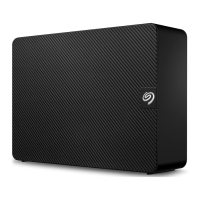
5. Place a checkmark next to the drive(s) where you want the files to be backed up. If you have
created a Cloud Storage account, it appears on this screen as a destination option. See
“Using Cloud Storage” on page 23 for information about setting up a Cloud Storage account.
Make sure there is enough room on the destination drive for the files you want to back up.
Click the > button to move to the next screen.
Figure 6: Selecting Specific Files to Back Up
Figure 7: Selecting a Backup Destination











 To Next Page